Drag & Drop
The candidate drags items to the correct places on an image.
- Load an image with Load Image (or via Set as Answer Background).
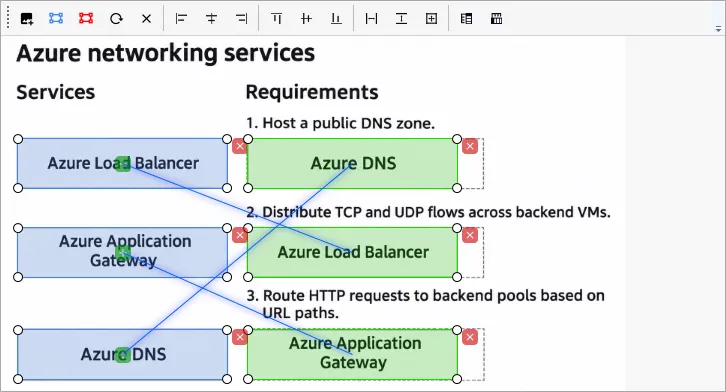
- Add Correct Answer — add a pair: a draggable item (Source Object) and the place where it must be dropped (Target Place). Position them on the image.
- Add Incorrect Answer — add an empty place (Empty Target Place) where nothing should be dropped. It makes the answer harder to guess.
- For alignment, use the same buttons as in Hot Area (alignment, same size, deleting selected items).
The common fields of the question page (text, exhibits, explanation, section, difficulty) are described in Question page.