
Video and audio converter for Windows

Your media. Your format.

Convert video and audio in batches, extract sound from video, and choose the quality that fits your needs - all from one simple Windows app.

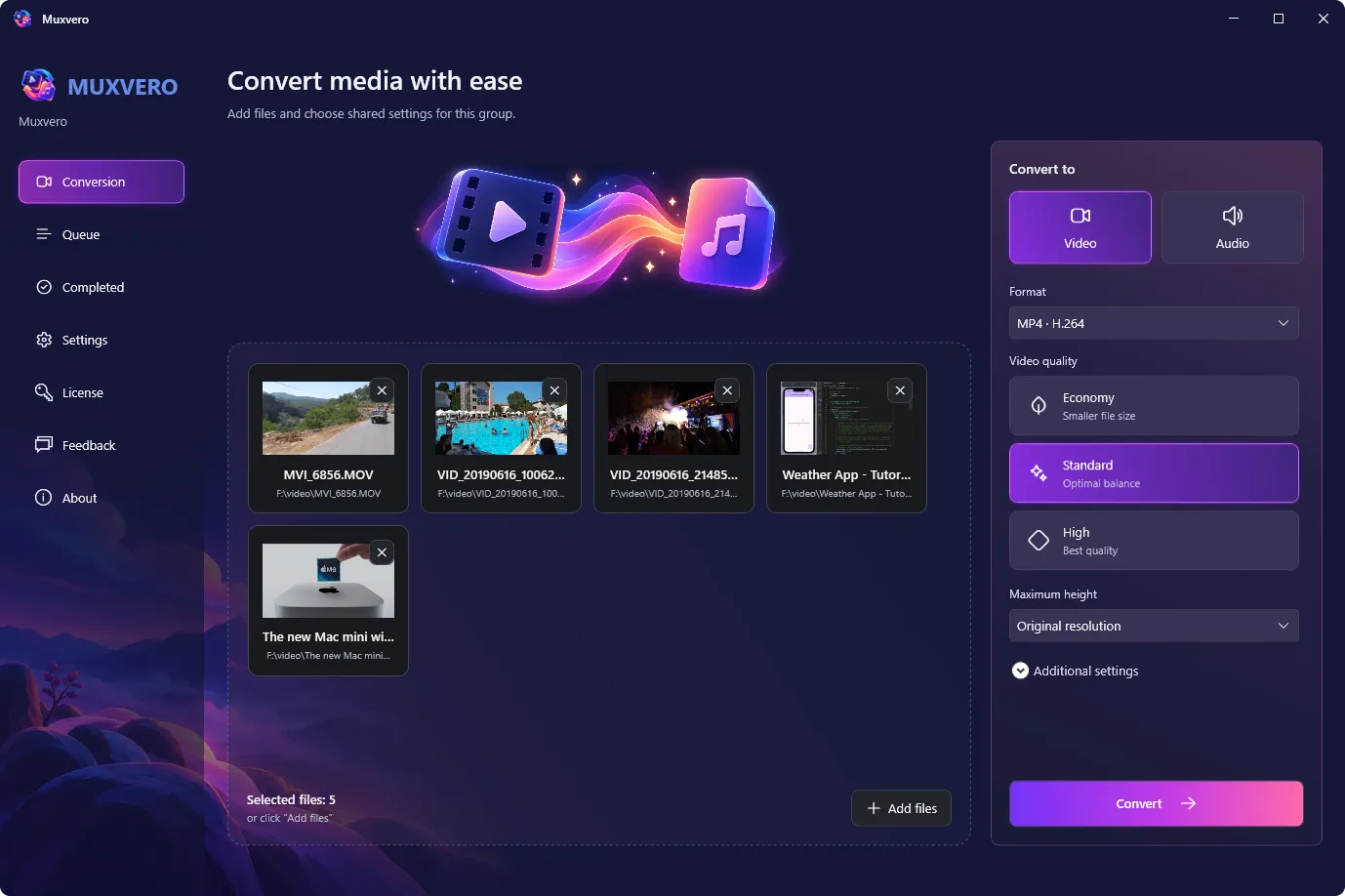
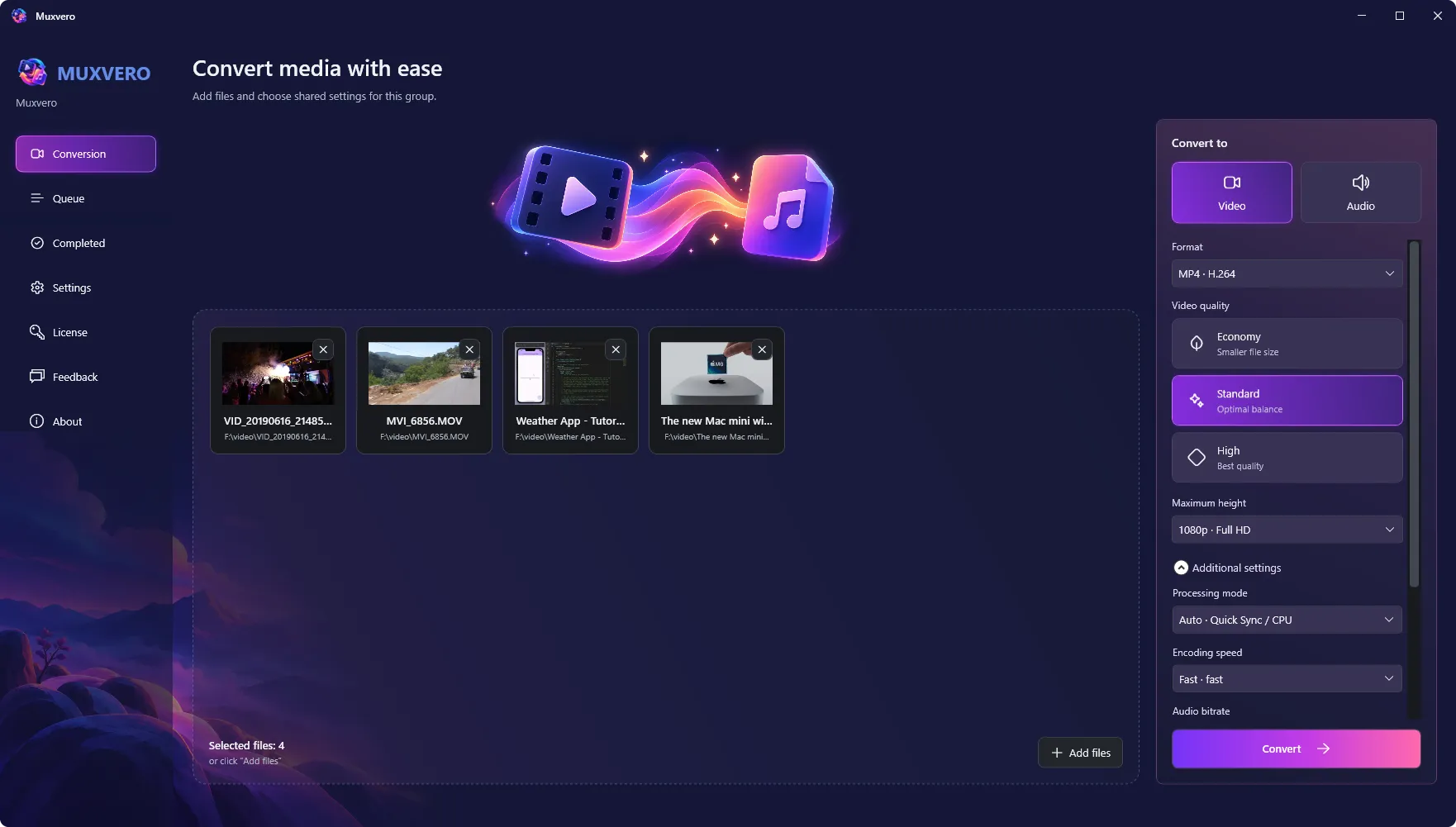
Muxvero for Windows showing a batch of video files and output conversion settings

Batch conversion, flexible settings, and a queue you control

From a single audio track to a folder of videos, Muxvero brings your conversion tasks into one clear workflow. Drop in your files, select an output format, and let Muxvero handle the queue while you prepare the next batch.

Convert your media

Export popular video and audio formats, process files in batches, and extract audio from video.

Choose your output

Adjust quality and resolution, use Intel Quick Sync on compatible hardware, or copy compatible streams without re-encoding.

Stay in control

Follow progress and time estimates, pause or retry jobs, and keep your queue between sessions.

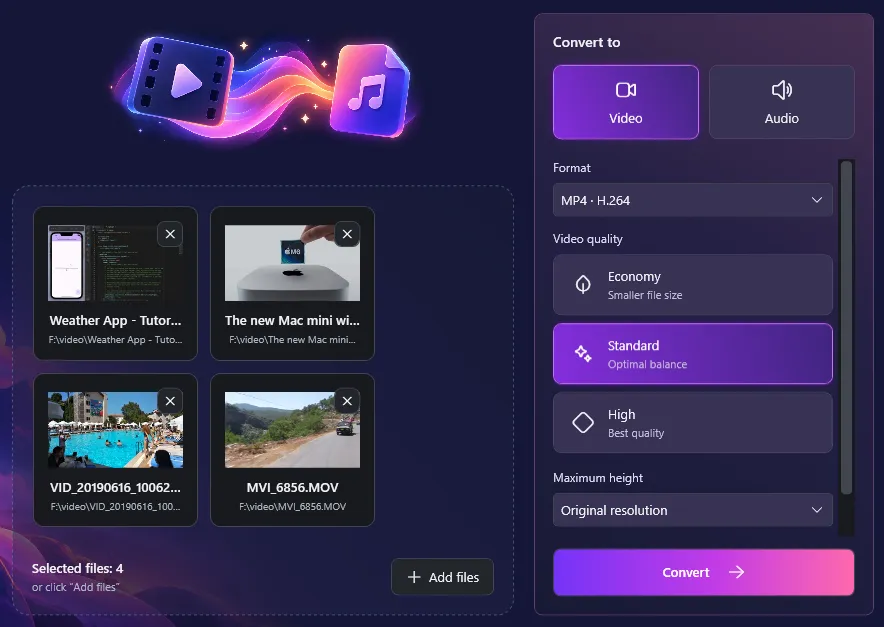
Muxvero conversion screen with multiple files ready to be added to the queue
Batch video and audio conversion

Set up a batch once. Convert every file.

Add several files, choose shared output settings, and send the whole group to the queue. Each job keeps those settings, so you can prepare another batch with a different format while the current one runs.

  • Add files with drag and drop or the file picker
  • Apply one set of conversion settings to a batch
  • Choose where converted files are saved
  • Prepare the next batch without stopping the queue
Popular formats and audio extraction

Choose the format your next task needs

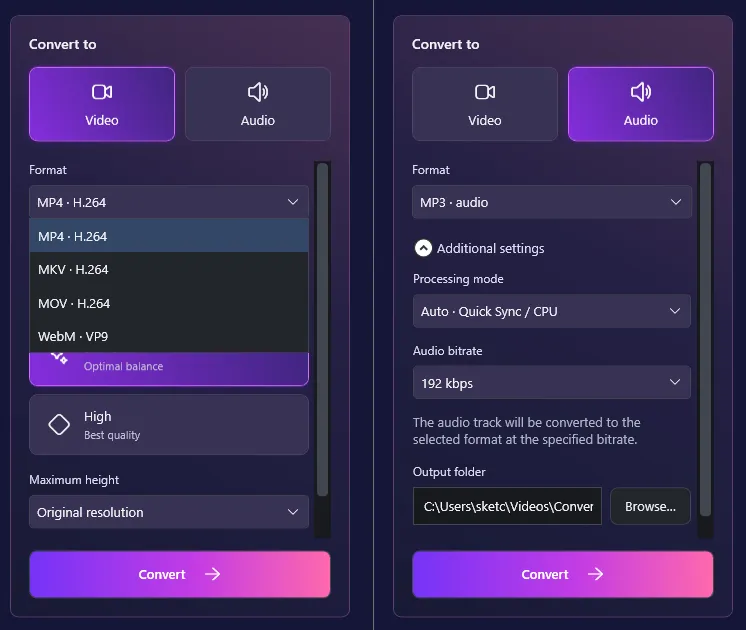
Prepare video for playback or sharing, or save the audio from a recording as a separate file. Muxvero offers familiar output formats for everyday media tasks, including WAV and FLAC for uncompressed or lossless audio.

  • Video output: MP4, MKV, MOV, and WebM
  • Audio output: MP3, M4A, WAV, FLAC, and Opus
  • Extract an audio track from a video file
  • Encode H.264 video or VP9 video for WebM
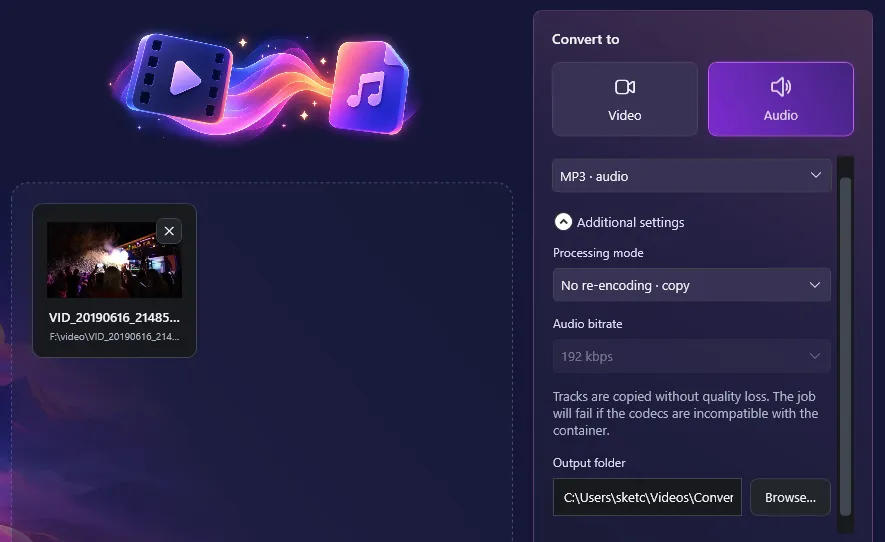
Muxvero output format selector showing video and audio formats with MP3 selected for audio extraction
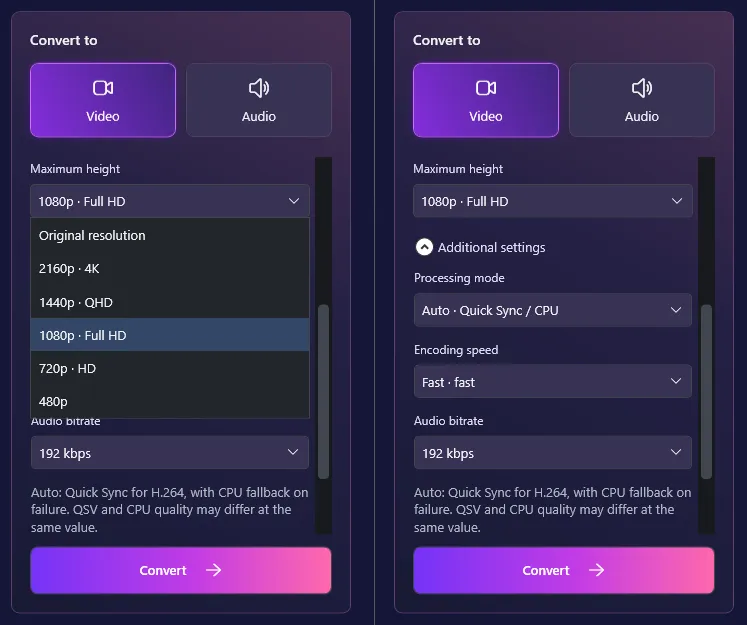
Muxvero video output settings with quality, 1080p maximum height, encoding speed, and audio bitrate controls
Quality, resolution and encoding speed

Find the right balance for your files

Keep the original video dimensions or reduce the resolution for a smaller viewing size. Choose video quality, an encoding speed preset, and an audio bitrate to balance detail, file size, and processing time.

  • Choose from three video quality levels
  • Keep original dimensions or limit height from 480p to 2160p
  • Preserve aspect ratio when reducing video size
  • Select audio bitrates from 128 to 320 kbps for supported formats
Intel Quick Sync acceleration

Put compatible Intel hardware to work

Use Intel Quick Sync for H.264 encoding to MP4, MKV, or MOV on a compatible Intel GPU. Auto mode tries hardware encoding for these formats and retries the job on the CPU if the hardware attempt fails.

  • Hardware H.264 encoding with Intel Quick Sync
  • Auto mode with CPU fallback
  • Manual CPU or Quick Sync selection
  • See the active encoder in the job details
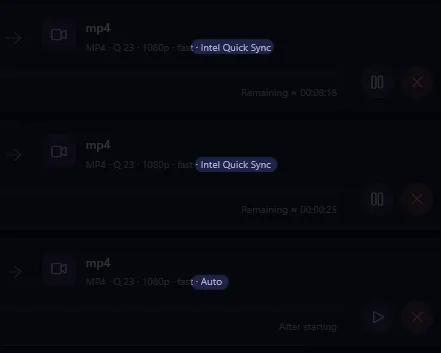
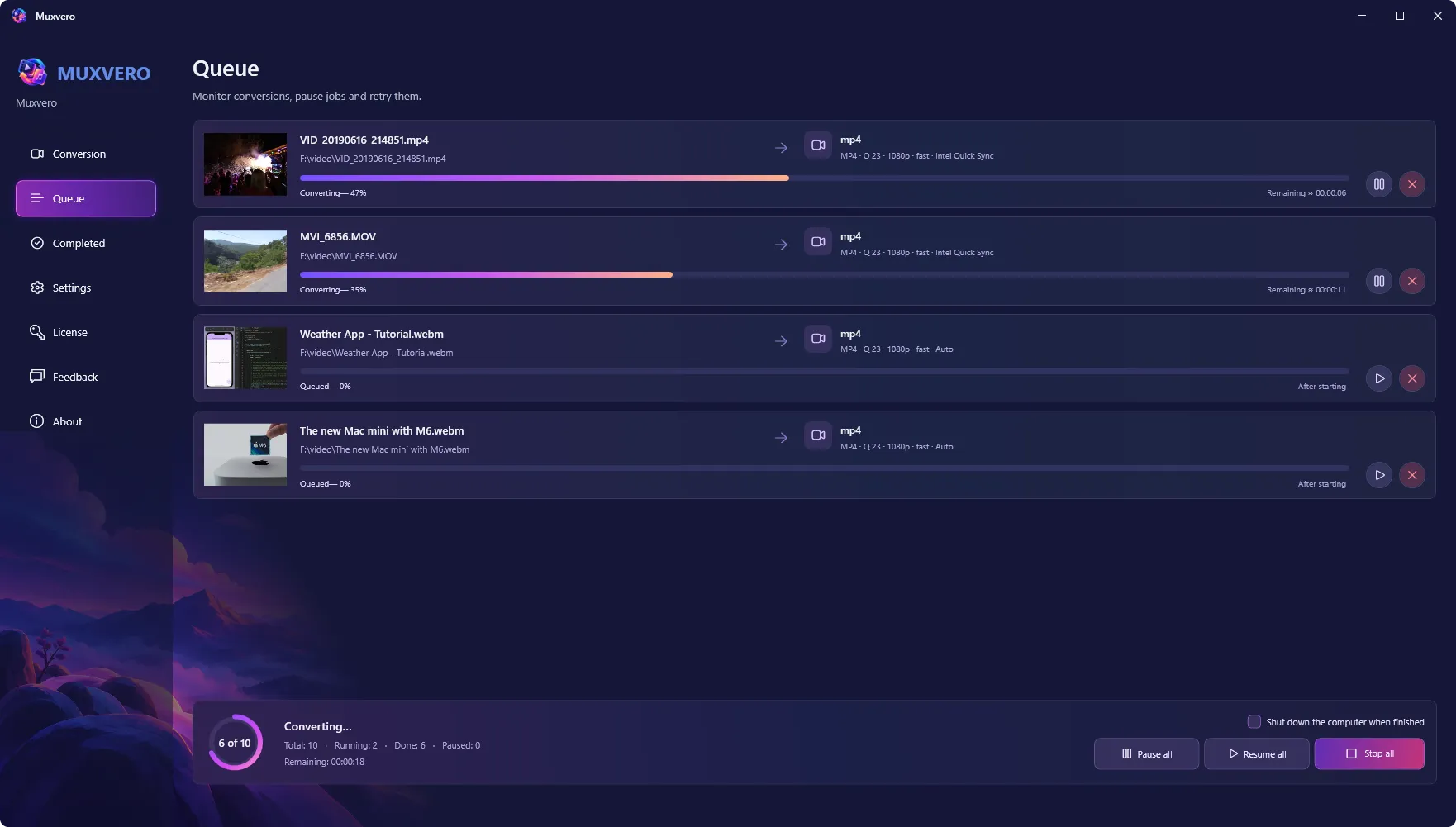
Muxvero queue showing an MP4 conversion running with Intel Quick Sync hardware encoding
Muxvero configured to copy compatible video and audio streams from MP4 to MKV without re-encoding
Stream copy without re-encoding

Change the container. Keep the original quality.

When the source codecs are compatible with your chosen output format, copy the video and audio streams without encoding them again. Move H.264/AAC video from MP4 to MKV, or extract an AAC audio track from MP4 to M4A while keeping its original quality.

  • Copy compatible streams without re-encoding
  • Preserve the quality of the copied video and audio
  • Move compatible media into another container
  • Extract compatible audio without quality loss
Queue control and progress tracking

Know what is running and what comes next

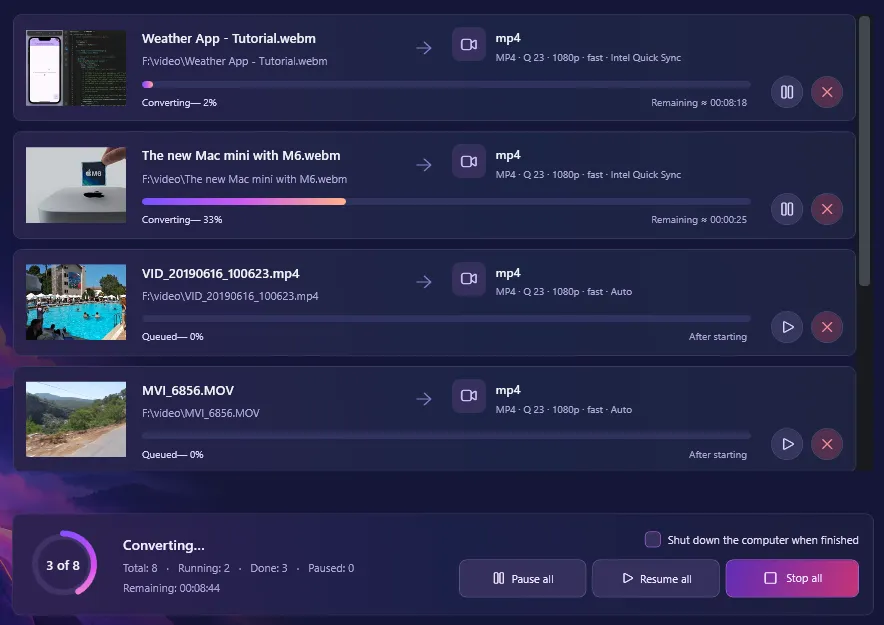
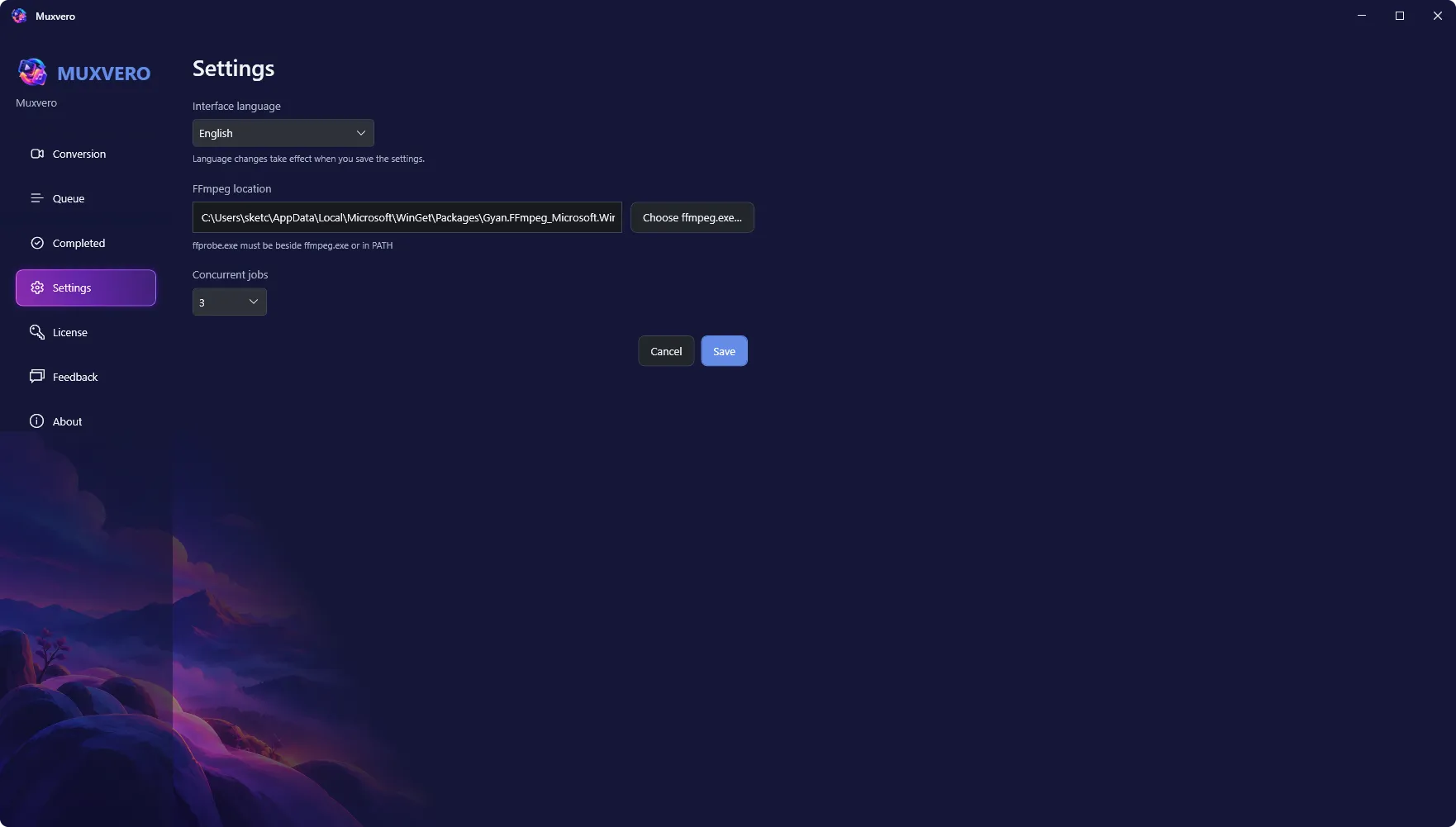
Follow each conversion with progress and estimated completion times. Run up to eight jobs at once, pause individual tasks or the whole queue, and retry jobs that failed or were canceled. While the app stays open, paused conversions continue from where they stopped.

  • Choose from one to eight simultaneous jobs
  • Track progress and estimated completion times
  • Pause, resume, cancel, and retry individual jobs
  • Pause or resume the entire queue
Muxvero conversion queue with running, waiting, and paused jobs, progress indicators, and estimated completion times
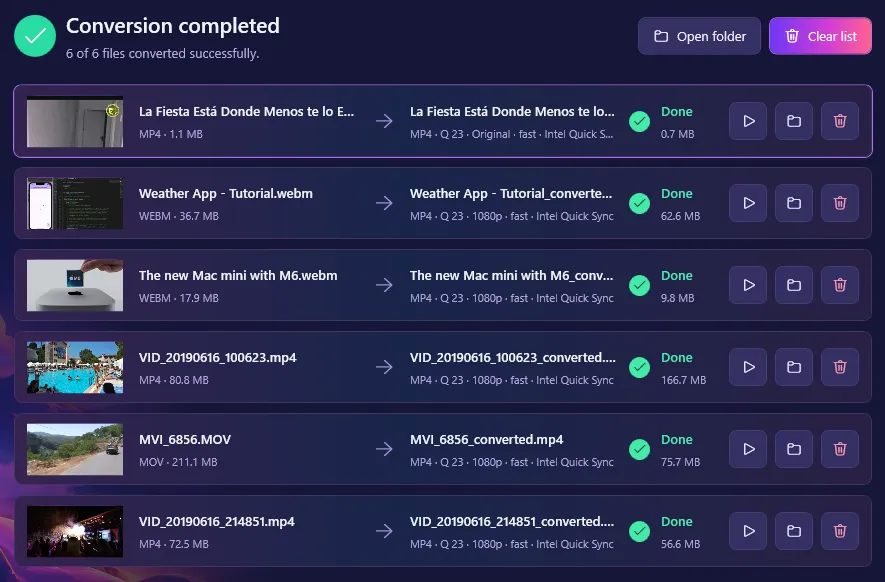
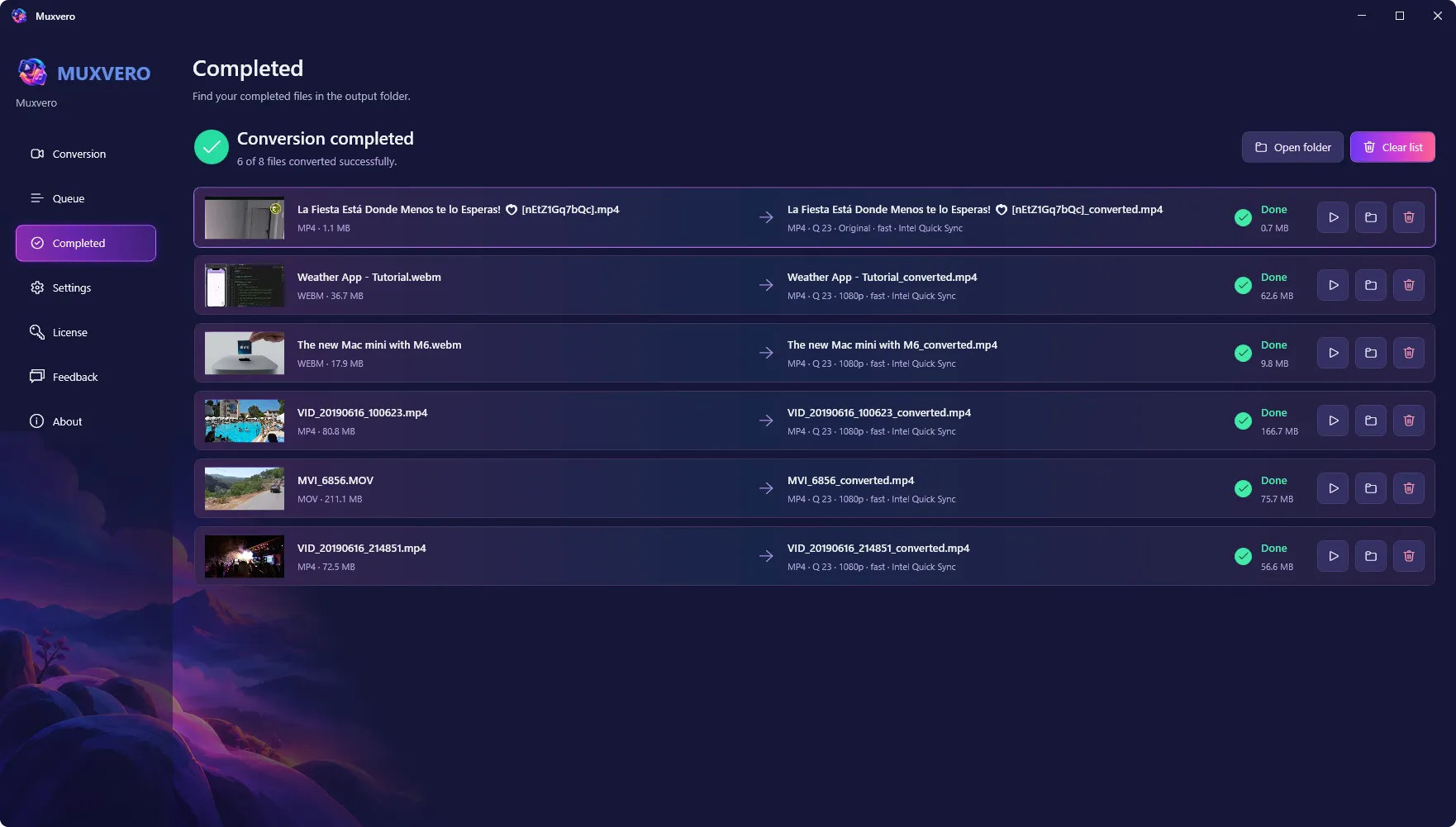
Muxvero Completed view showing converted files and actions to reveal their location in Windows Explorer
Saved queue and completed files

Keep your tasks organized between sessions

Muxvero saves your queue and conversion settings when you close the app. Unfinished jobs return paused when you reopen it and restart from the beginning when resumed. Completed files appear in their own view, ready to reveal in Windows Explorer.

  • Keep queued tasks and their settings between sessions
  • Find successful conversions in the Completed view
  • Reveal output files in Windows Explorer
  • Keep source files intact and avoid overwriting existing results
Gallery

Interface Screenshots

Take a visual tour through the different panels and dashboards of Muxvero.

Muxvero video converter with selected files and settings for output format, quality, resolution, and encoding speed.
Muxvero conversion queue showing file progress, remaining time, and controls to pause, resume, or stop conversions.
Muxvero completed conversions with output file sizes and controls to play files or open their folders.
Licensing

Choose Your Edition

Download the free evaluation trial or purchase a lifetime commercial license.

Evaluation Trial

Perfect for testing compatibility and evaluating features on your system.

Free
  • Standard product features enabled
  • 14-day fully functional trial period
  • Local file creation and analysis
  • Custom exports disabled
Download for Windows

One-Time Purchase

Full commercial license. One-time purchase, yours forever with free updates.

$24.95
  • Unlimited commercial usage rights
  • Unlock all export capabilities
  • Free lifetime minor & major updates
  • Priority email engineering support
Buy for Windows

Latest Product Updates

Discover new releases, features, improvements, and development updates from Abintrix.

Introducing Muxvero for Windows: Batch Video and Audio Conversion With a Queue You Control
October 6, 2026 Muxvero

Introducing Muxvero for Windows: Batch Video and Audio Conversion With a Queue You Control

Muxvero converts video and audio in batches on Windows - popular output formats, audio extraction, Intel Quick Sync acceleration, stream copy without re-encoding, and a queue that survives closing the app. Out now, $24.95 one-time.

Read Article
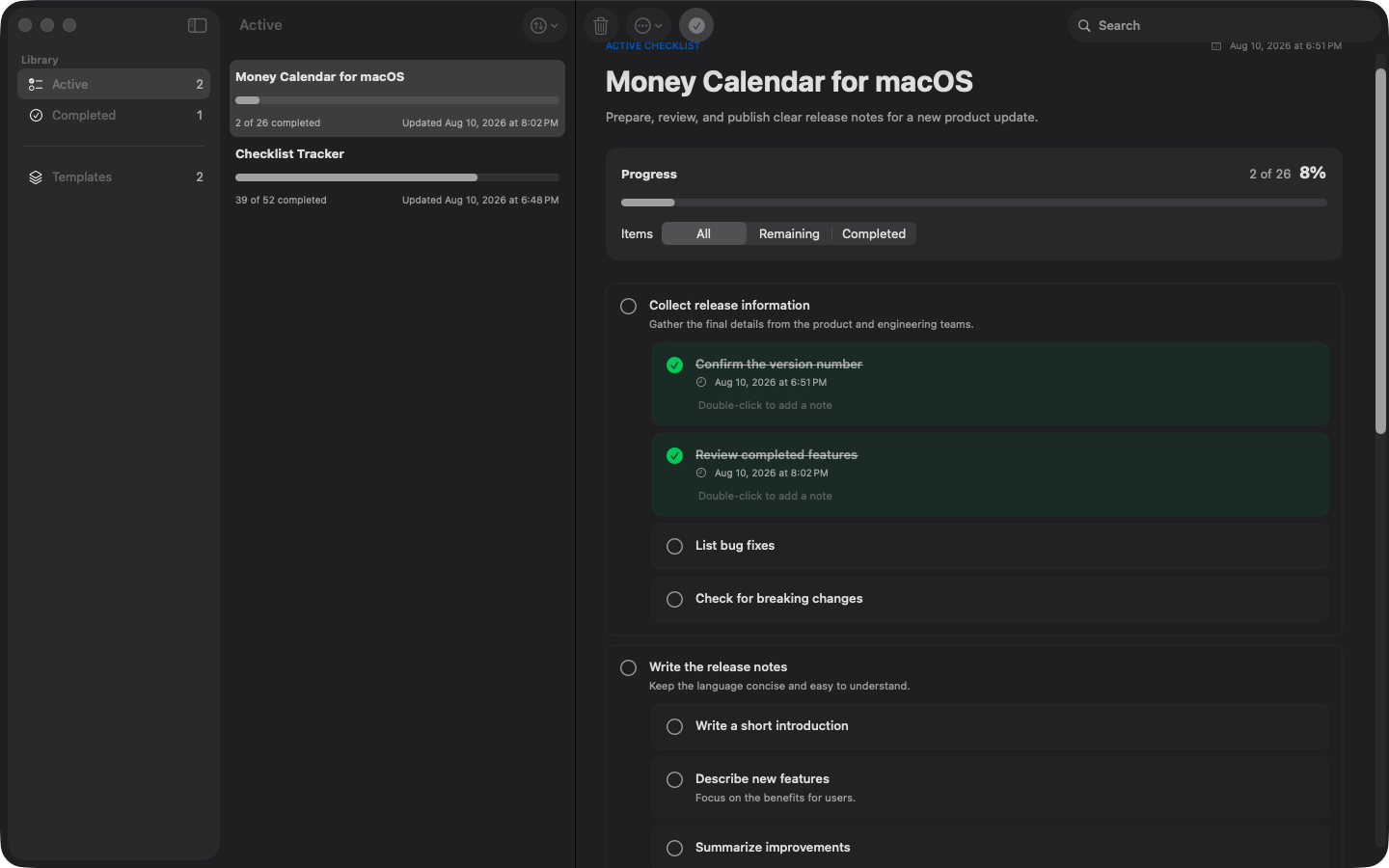
Introducing Checklist Tracker for Mac: Reusable Checklists With a Fresh Copy Every Time
September 23, 2026 Checklist Tracker

Introducing Checklist Tracker for Mac: Reusable Checklists With a Fresh Copy Every Time

Meet Checklist Tracker for macOS: write a checklist template once, then start an independent run whenever you need it. Unlimited nesting, honest progress, PDF and Markdown export - offline, no account.

Read Article
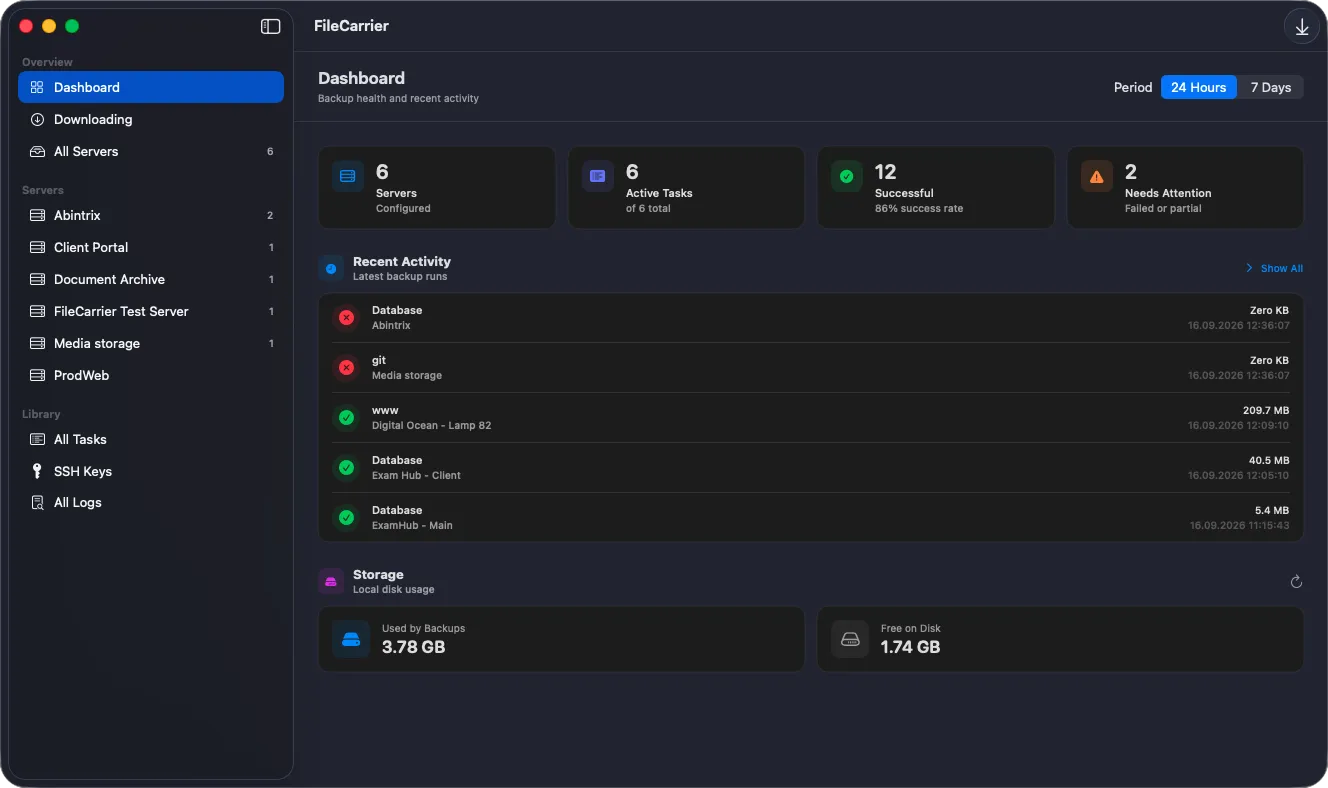
FileCarrier Released: Automated SFTP Backups, Dumps, and Logs for macOS - Without Jenkins or Brittle Scripts
September 16, 2026 FileCarrier

FileCarrier Released: Automated SFTP Backups, Dumps, and Logs for macOS - Without Jenkins or Brittle Scripts

Meet FileCarrier for macOS: automatically download server backups, database dumps, and logs via SFTP on schedule. Menu bar app with zero setup headache.

Read Article