Usability testing software for Windows

See your product through the eyes of real users

Record the screen, webcams, mouse activity, and audio while participants complete structured tasks. Review every usability session, understand where users struggle, and share the findings as a single video.

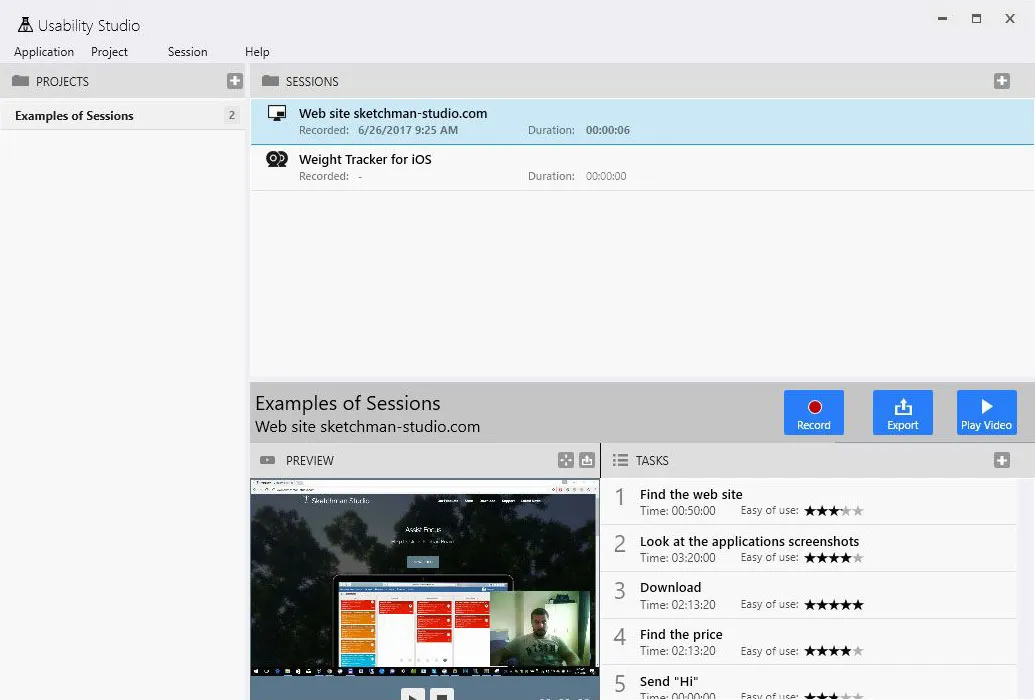
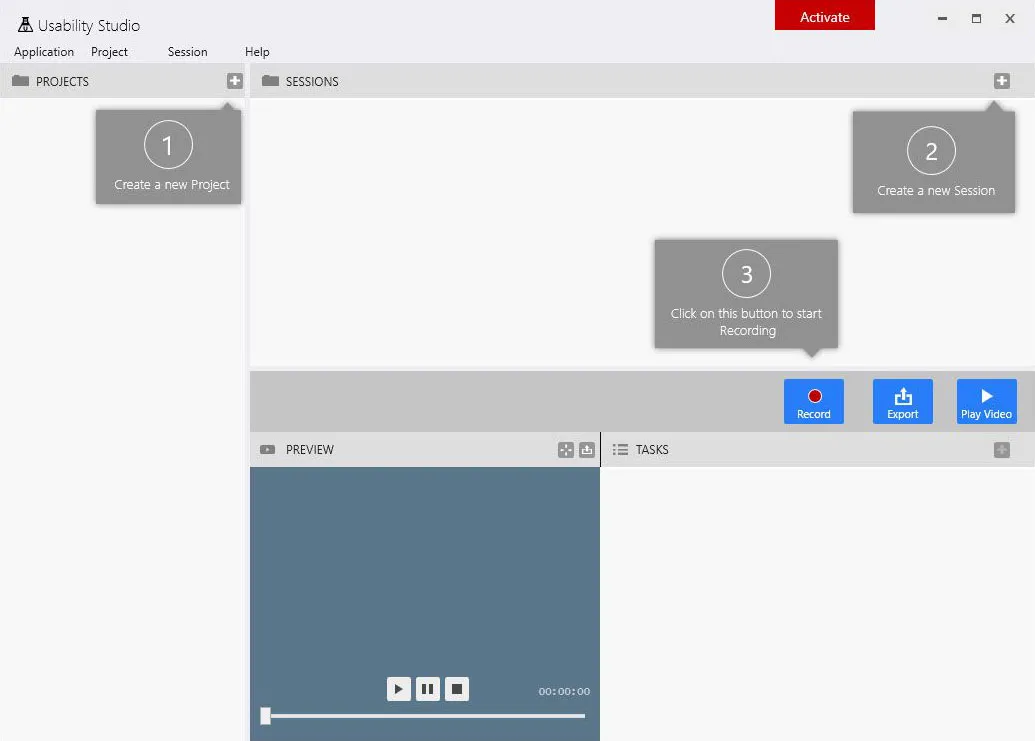
Usability Studio for Windows showing usability research projects, recorded test sessions, participant details, and session status

Everything you need to record and review a usability test

Usability Studio connects the practical parts of UX research in one desktop workflow: organize studies, guide participants through tasks, capture their behavior and reactions, then review and export the complete session.

Capture behavior

Record the screen, mouse, webcams, microphone, and system audio in synchronized streams.

Guide the session

Use structured scenarios and timed tasks to keep every participant focused on the same goals.

Review and share

Replay the full test, highlight interactions, balance audio, and export a standard video file.

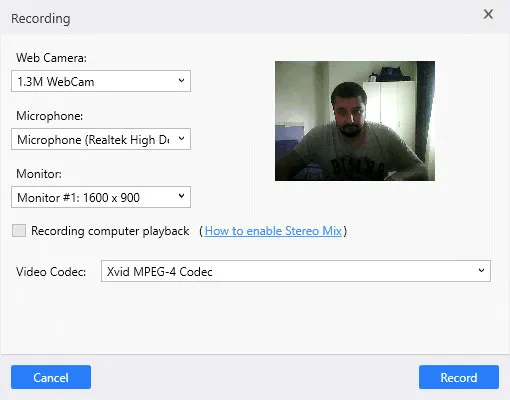
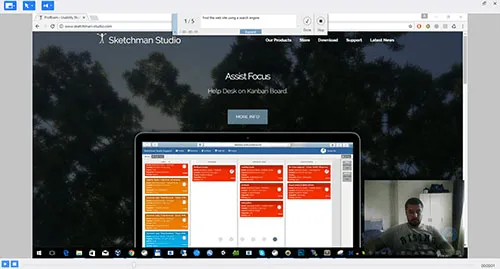
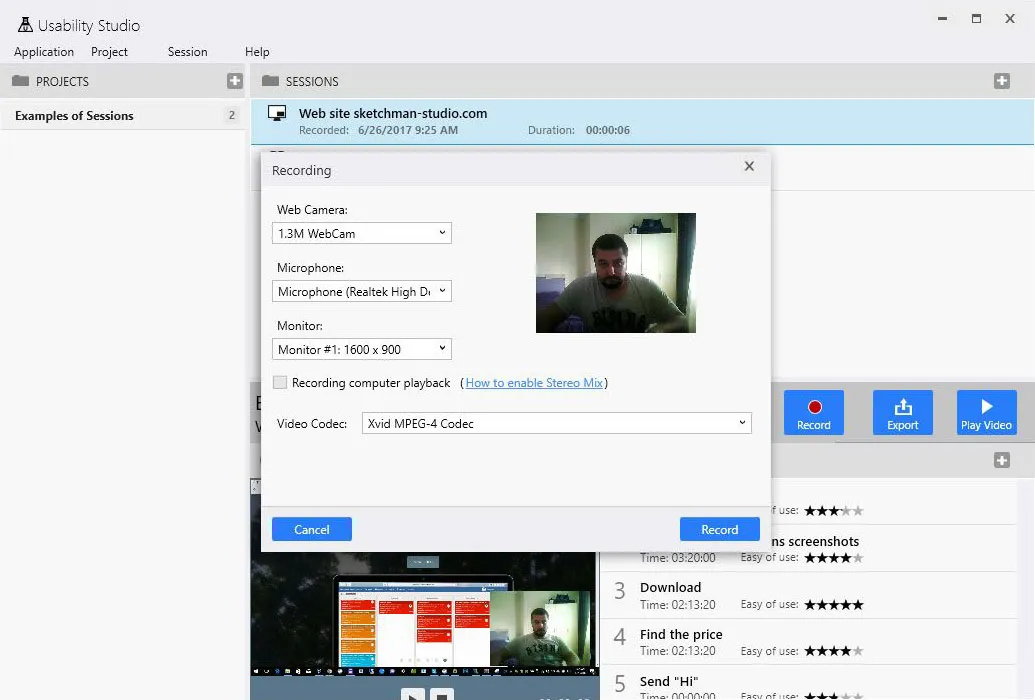
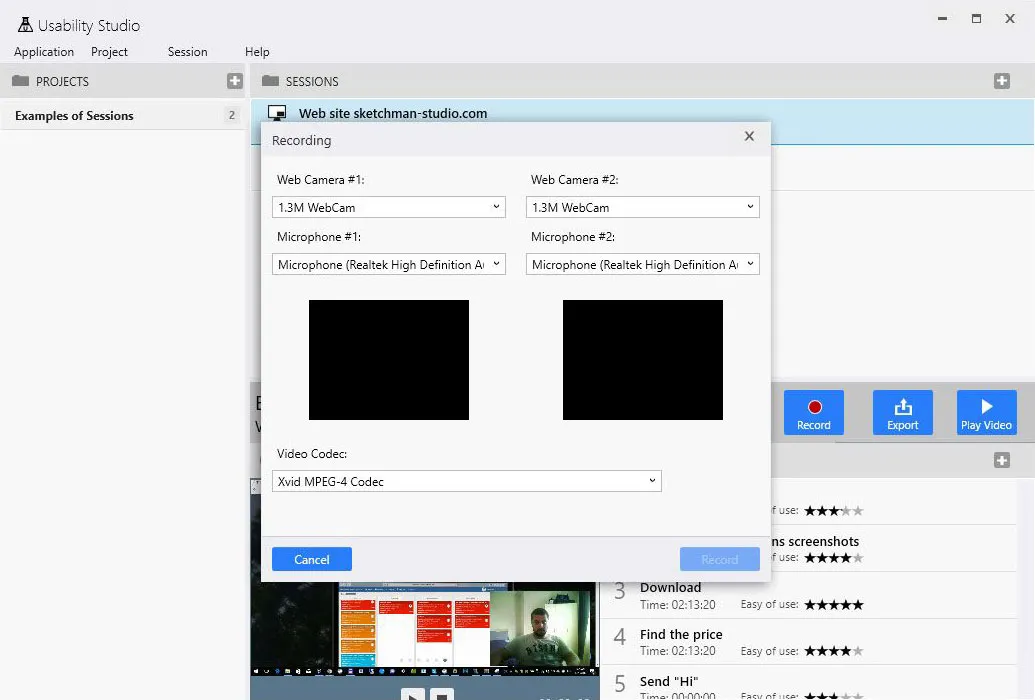
Usability Studio screen recording setup with desktop capture, participant webcam, mouse activity, microphone, and system audio
Screen and webcam recording

Capture the complete desktop experience

Test any website or application that runs on the participant’s PC. Usability Studio records what happens on screen together with pointer movement, mouse clicks, webcam video, microphone input, and operating-system audio, preserving both interaction and reaction in context.

  • Full screen activity and application workflows
  • Mouse movement, clicks, and pointer states
  • Participant webcam and microphone recording
  • Windows system audio capture
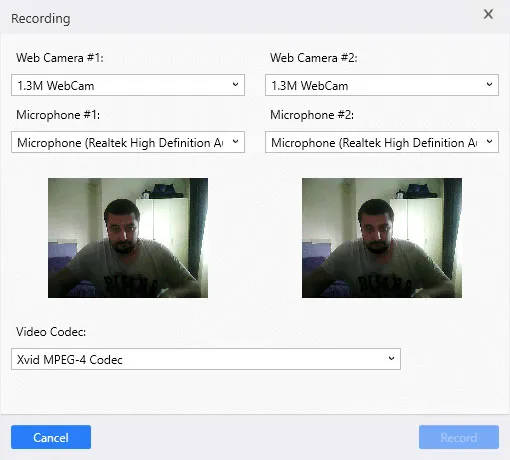
Dual webcam user testing

Take usability research beyond the computer screen

Record two camera views simultaneously to observe both the participant and the object they are using. This makes the same research workflow suitable for mobile apps, paper prototypes, devices, packaging, toys, appliances, and other physical products.

  • Two synchronized webcam streams
  • Mobile application testing
  • Paper prototype and product evaluation
  • Participant reactions and hand movements in one session
Dual webcam usability test recording a participant and mobile device interaction at the same time
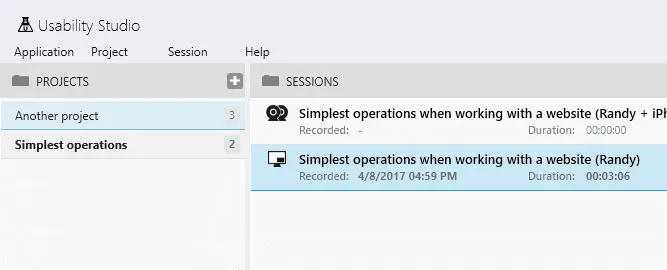
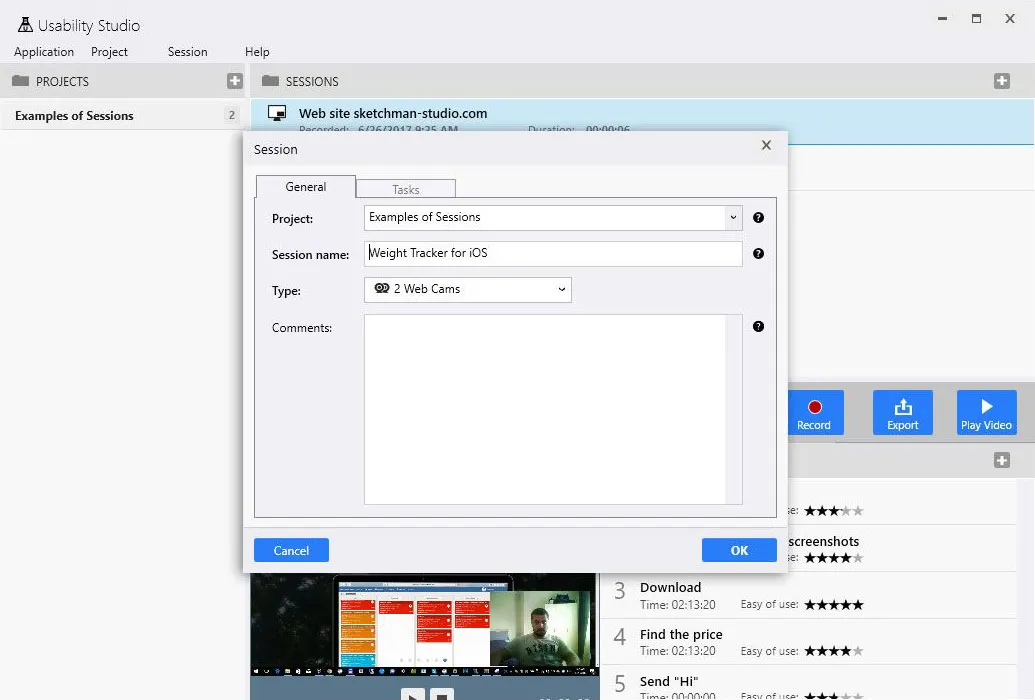
Usability Studio project dashboard organizing participants, usability test sessions, recording modes, dates, and completion status
Projects and research sessions

Keep every study and participant organized

Create a dedicated project for each product, feature, or research question, then collect individual participant recordings as sessions inside it. The project view keeps test history, participant information, recording mode, dates, and status together.

  • Separate projects for products and research goals
  • Multiple participant sessions per project
  • Session status and recording type at a glance
  • No need to outsource every small usability check
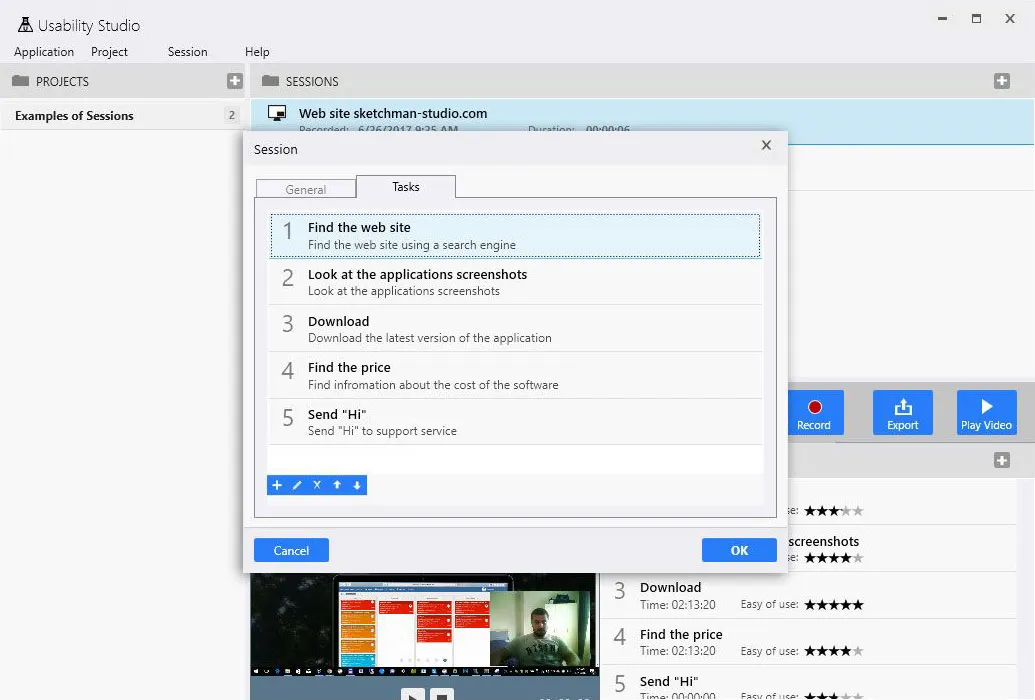
Test scenarios and timed tasks

Give every participant a clear path through the study

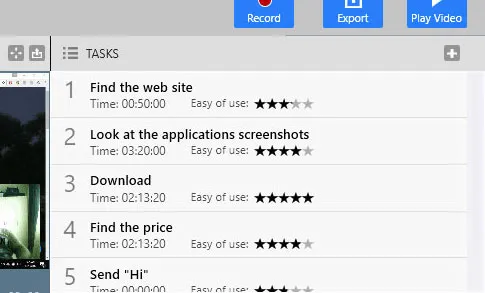
Build a reusable scenario from the tasks that matter to your research. During the session, participants move from one task to the next while Usability Studio measures completion time, giving you comparable behavioral evidence instead of relying on memory or handwritten timing.

  • Reusable usability test scenarios
  • Step-by-step participant tasks
  • Automatic time measurement per task
  • Quick report of task completion duration
Usability Studio test scenario editor with ordered participant tasks and automatic task completion timing
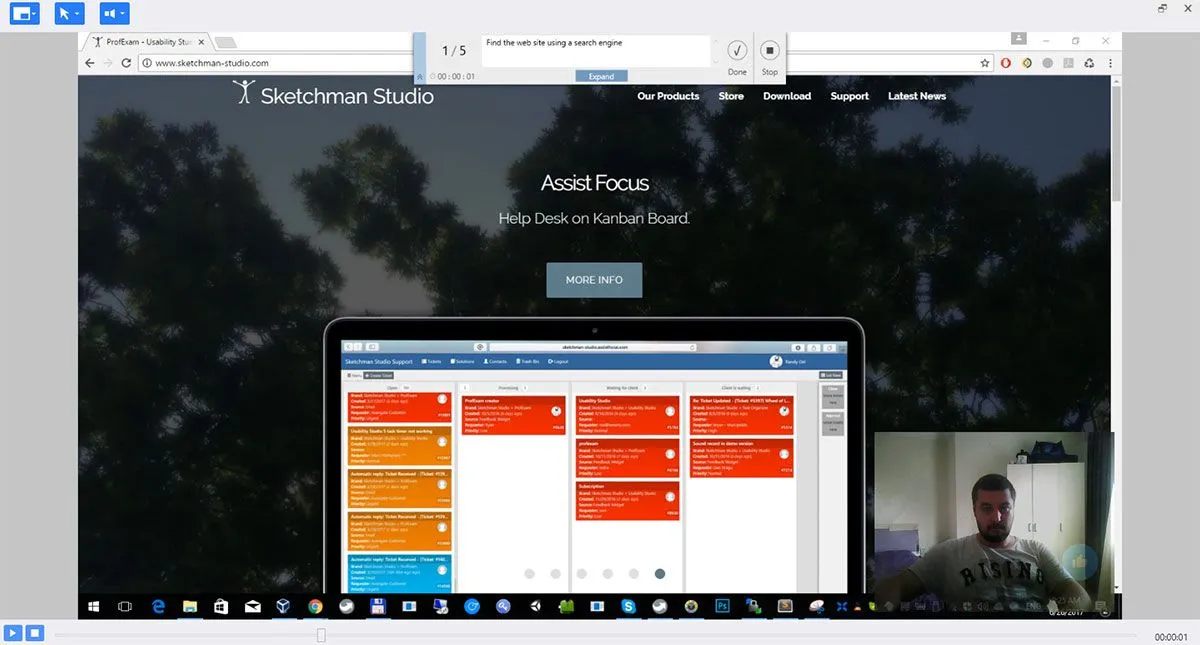
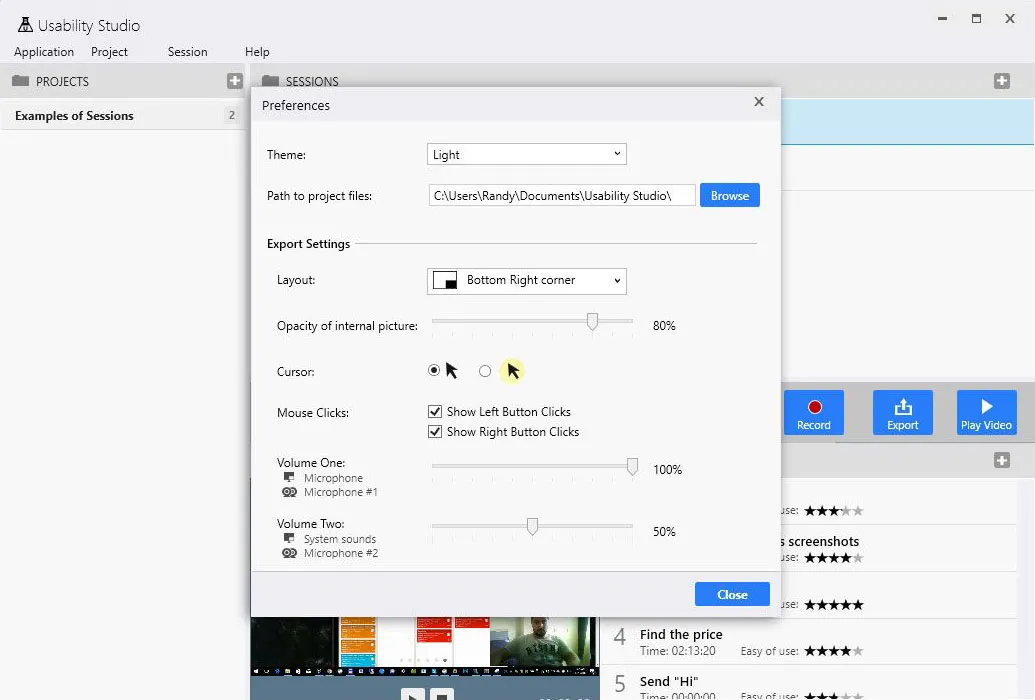
Usability Studio session viewer with synchronized screen and webcam video, mouse click highlighting, and audio controls
Synchronized session playback

Review what happened and why it happened

Replay a recorded usability test immediately after the session. Position webcam overlays, adjust their transparency, highlight the pointer, visualize mouse clicks, and balance individual audio streams to focus the review on the evidence that matters.

  • Screen and webcam streams in one viewer
  • Configurable webcam position and transparency
  • Mouse pointer and click visualization
  • Independent volume controls for audio sources
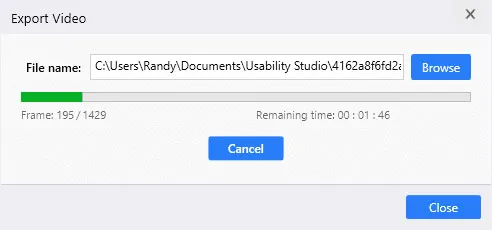
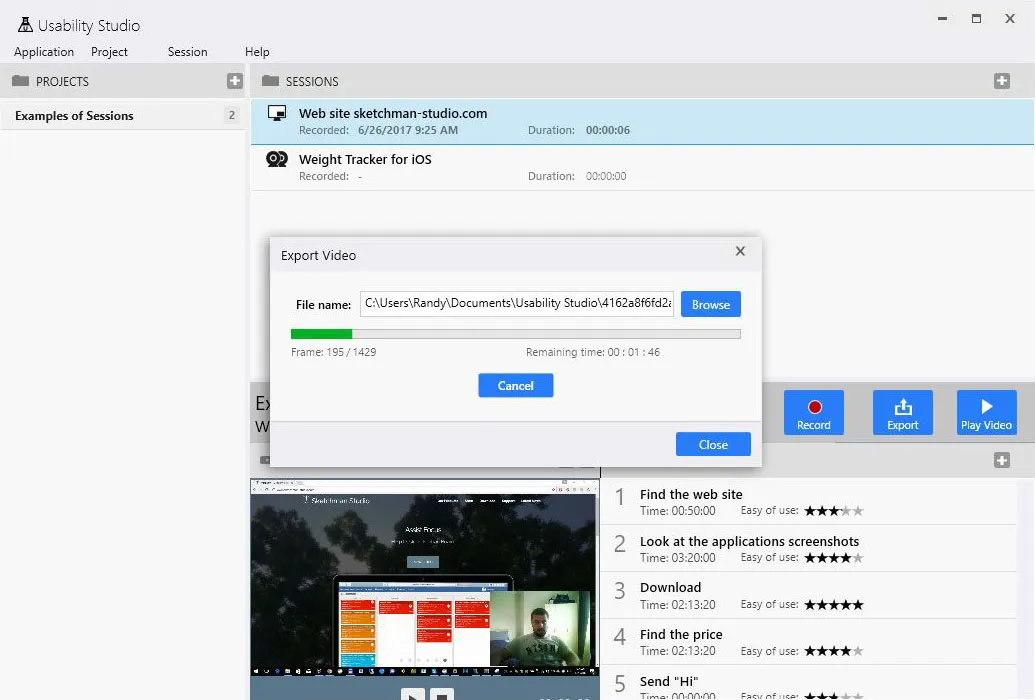
Usability session export

Turn the complete study into one shareable video

Combine the recorded screen, camera views, pointer visualization, and audio into a standard video file directly in Usability Studio. Share findings with designers, developers, clients, and stakeholders without requiring them to install the research application.

  • All session streams combined into one video
  • Export without separate video-editing software
  • Playback in standard media players
  • Easy handoff to a product or research team
Usability Studio video export combining screen recording, participant webcam, mouse visualization, and audio into one file
Gallery

Interface Screenshots

Take a visual tour through the different panels and dashboards of Usability Studio.

Usability Studio - Main window
Usability Studio - New session
Usability Studio - Test scenarios
Flexible Pricing

Subscribe to Edition

Choose a subscription plan that fits your needs. Cancel or upgrade anytime.

Evaluation Trial Try all premium features free for 14 days on your system.

1-Month Subscription

Short-term projects

$9.95/ mo
  • Full premium access
  • Multi-platform license
  • Standard updates
  • Email support
Subscribe Now

3-Month Subscription

Medium-term usage

$24.95/ 3 mo
Equivalent to $8.32/mo
  • Full premium access
  • Multi-platform license
  • Standard updates
  • Email support
Subscribe Now

1-Year Subscription

Maximum commitment

$49.95/ 12 mo
Equivalent to $4.16/mo
  • Full premium access
  • Multi-platform license
  • Priority updates
  • Priority support
Subscribe Now

Lifetime Commercial License

One-time purchase, yours forever. Unlimited usage, lifetime updates and priority engineering support.

Today's Special Offer

Claim Your 30% Discount for Usability Studio!

Limited Time Offer
Usability Studio

Usability Studio

Don't miss out! Subscribe for 12 months at the special price of $34.95!

Click code to copy coupon
USABILITY_30 Copy Code
02
Days
18
Hours
45
Mins
00
Secs
Original Price: $49.95
Discount: -30%
New Price: $34.95
Buy Now

Latest Studio Updates

Keep up with product announcements, new features, and development logs from our team.

Retake Incorrect, Correct, or Skipped Questions in ProfExam Simulator 10.21.6
July 9, 2026 ProfExam

Retake Incorrect, Correct, or Skipped Questions in ProfExam Simulator 10.21.6

New in ProfExam Simulator 10.21: retake incorrect, correct, skipped, or all exam questions directly from the results screen for more effective certification exam preparation.

Read Article
ProfExam Creator 10.2.2.495: Import questions from JSON - a new dedicated window
May 29, 2026 ProfExam

ProfExam Creator 10.2.2.495: Import questions from JSON - a new dedicated window

Import from JSON is a new window in ProfExam Creator 10.2.2.495 that lets you load questions from a JSON file directly into your exams - with a built-in editor, live preview, and flexible import options

Read Article
ProfExam Simulator 10.20.5 - What's New
May 14, 2026 ProfExam

ProfExam Simulator 10.20.5 - What's New

A focused update packed with usability improvements - faster navigation, full keyboard control, flexible answer styles, and long-requested fixes for macOS and Linux users.

Read Article