Scheduled SFTP downloads for macOS

Files from your servers arrive on their own, on schedule

FileCarrier lives in the menu bar and pulls files and entire directories off your SFTP servers on a schedule you set: database dumps, logs, backups, exports. Set it up once and it keeps running without you.

FileCarrier menu bar app for macOS showing scheduled SFTP download tasks

Set it up once, and it runs by itself

Add a server, describe a task, and close the window - FileCarrier handles the rest from the menu bar, even when no window is open.

Add a server

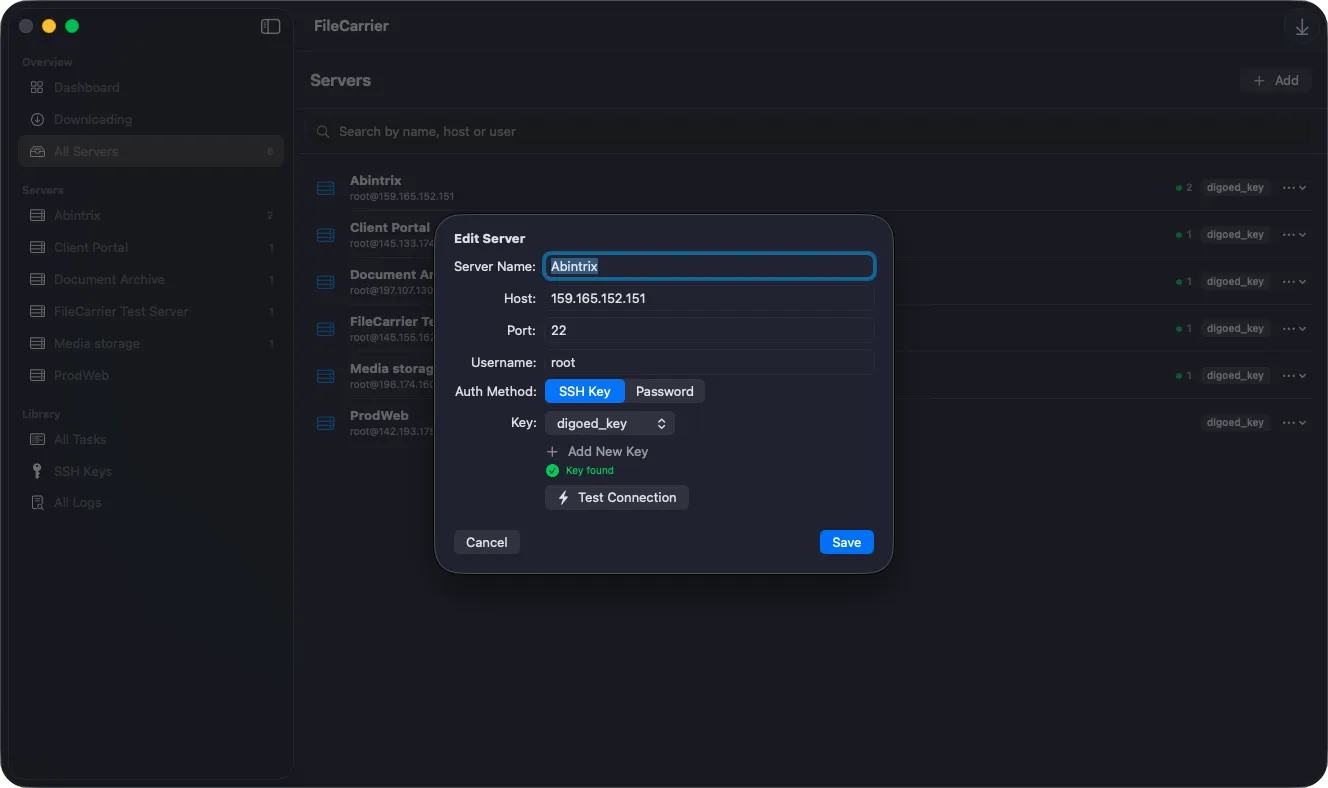
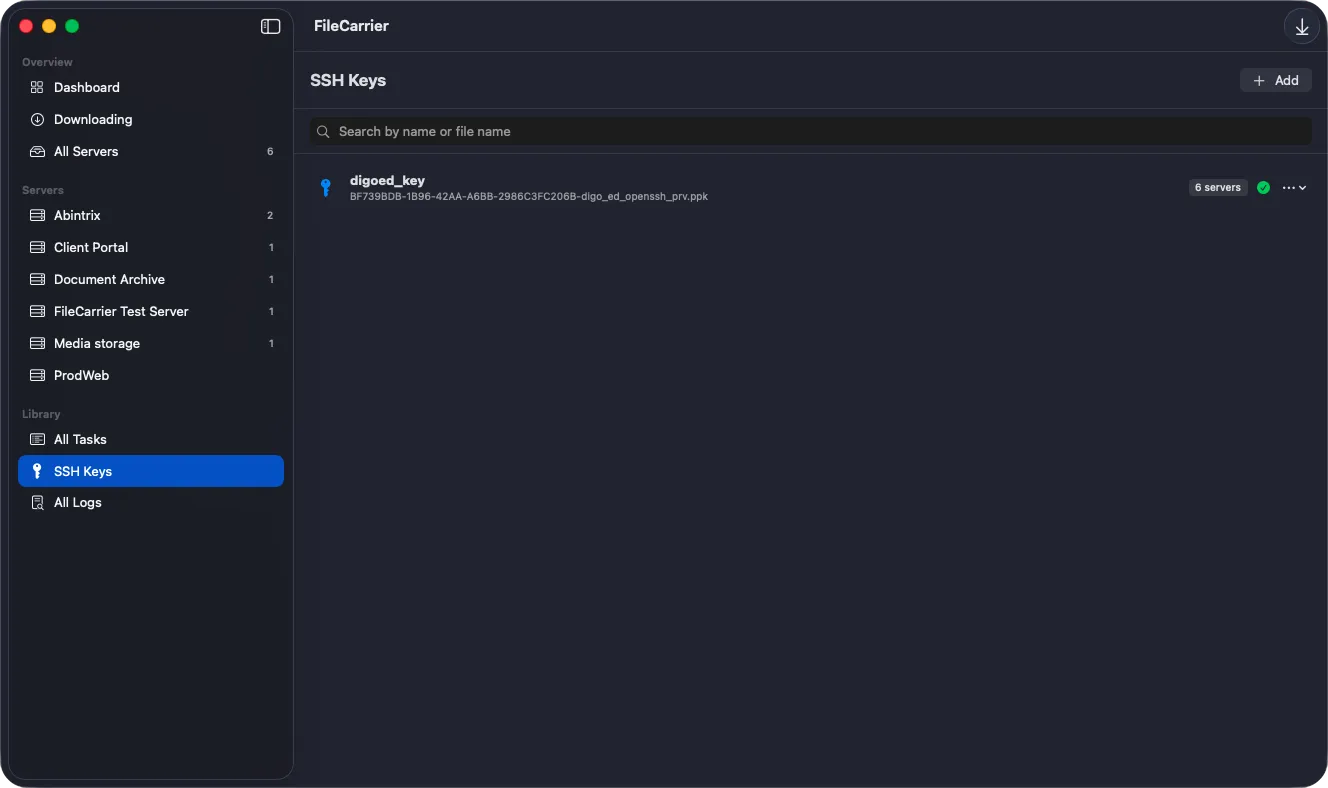
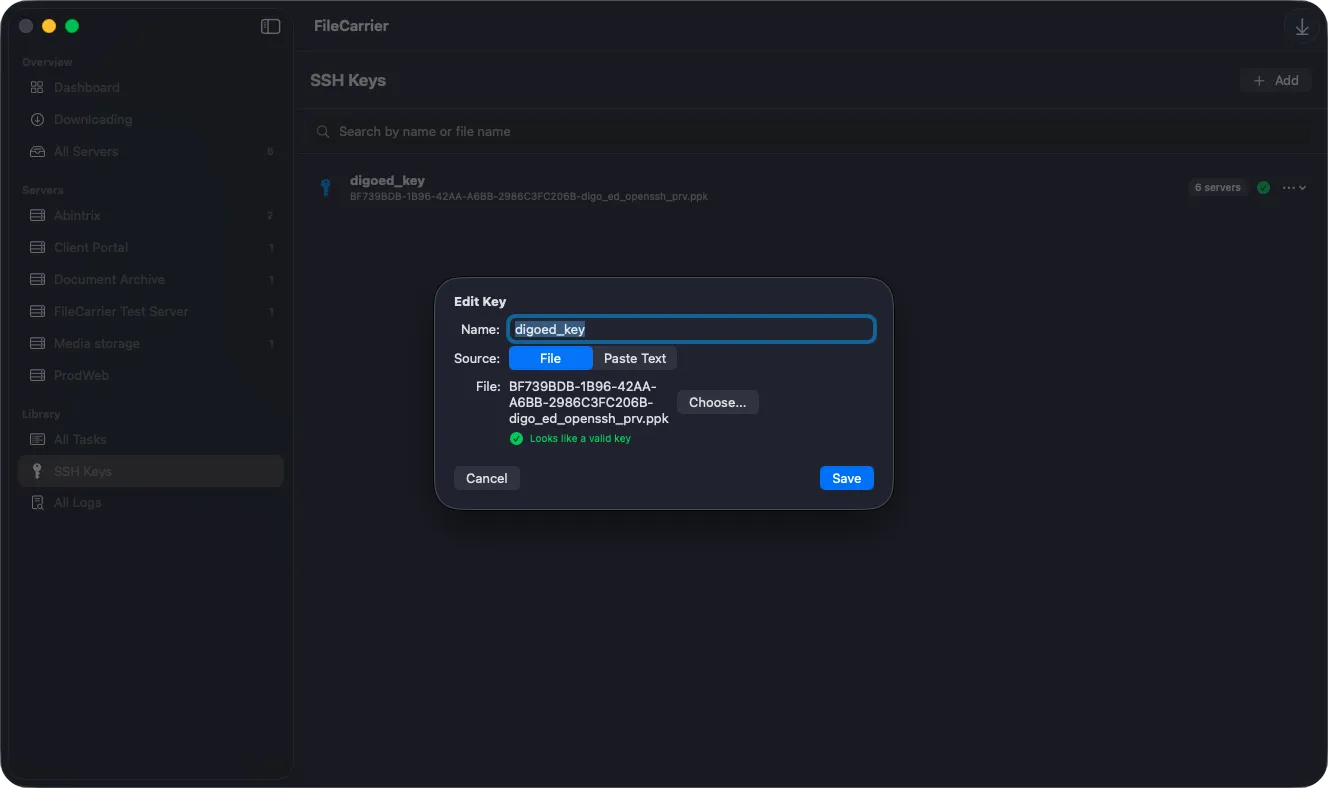
Host, port, user, and how you sign in: an SSH key or a password. Passwords go into the macOS Keychain; the key is copied into the app's own container.

Describe the task

Point it at a file or a directory, pick a schedule, choose a naming template for the saved files, and how many copies to keep on disk.

Close the window

From there FileCarrier works from the menu bar - and in the background, even when no window is open.

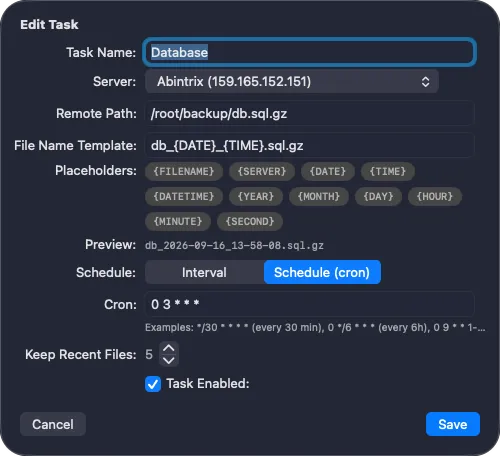
Task schedule editor with interval and cron expression options in FileCarrier for macOS
SCHEDULING

Schedule by interval or by cron

Some tasks just need "every 30 minutes"; others have to hit an exact moment. FileCarrier speaks both, so logs, exports, and nightly dumps all run on the timing that actually fits them.

  • Plain intervals in minutes and hours
  • Standard five-field cron expressions, e.g. 0 3 * * * for 3 a.m. nightly
  • Run any task by hand, one at a time or all at once
  • A cap on concurrent downloads keeps servers and your link comfortable
TRANSFERS

Files, folders, and honest progress

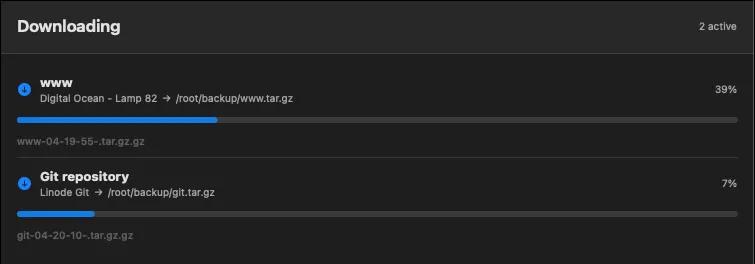
A task can fetch a single file or an entire directory tree - the walk is recursive and keeps the nested structure intact.

  • Live per-file progress on a dedicated Downloading screen
  • Interrupted transfers never look finished, thanks to temporary .part files
  • Reads are pipelined with several requests in flight
Live transfer progress for files and folders downloaded from an SFTP server
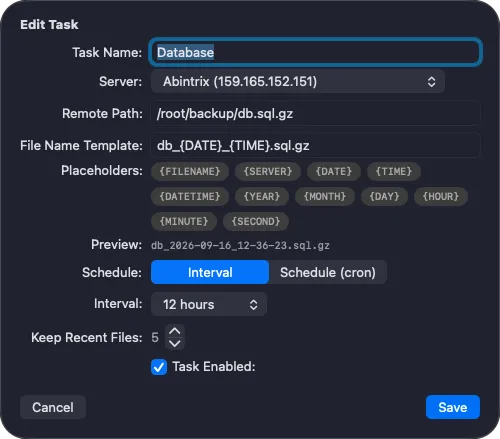
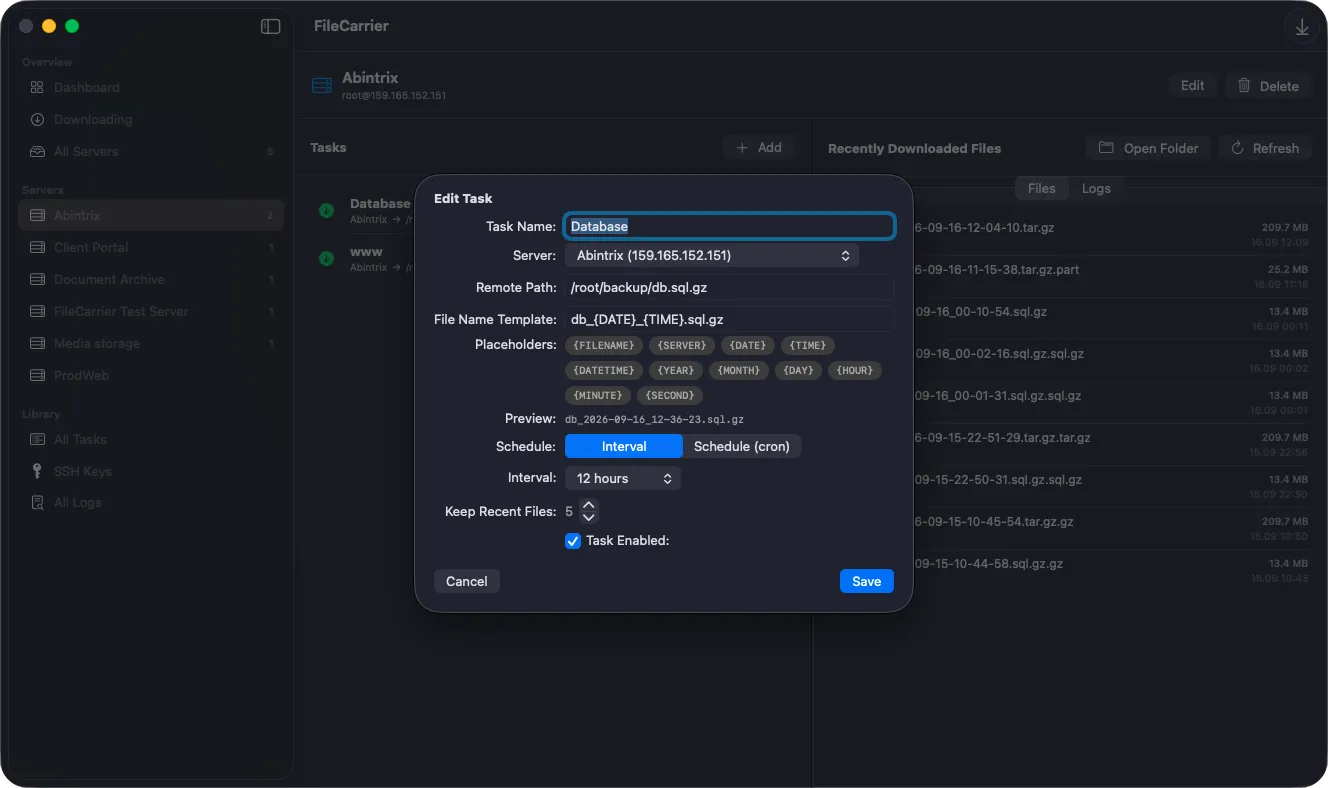
Filename template and retention settings for downloaded files in FileCarrier
FILE NAMING

Filename templates and a retention limit

Downloads land with names you can read at a glance, and the folder never quietly fills your disk.

  • Placeholders for filename, server, date, time, and more
  • Compound extensions such as .tar.gz are preserved
  • Older copies are removed automatically, keeping only the latest N
  • Renaming a task never orphans the files it already fetched
BACKGROUND & LOGS

Runs in the background, reports what happened

The schedule holds even when you never opened the window, and a failure reaches you the same day - not next week.

  • Background mode wakes FileCarrier to run tasks that are due
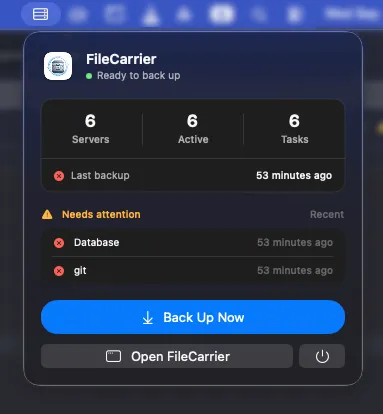
  • A macOS notification the moment a task fails
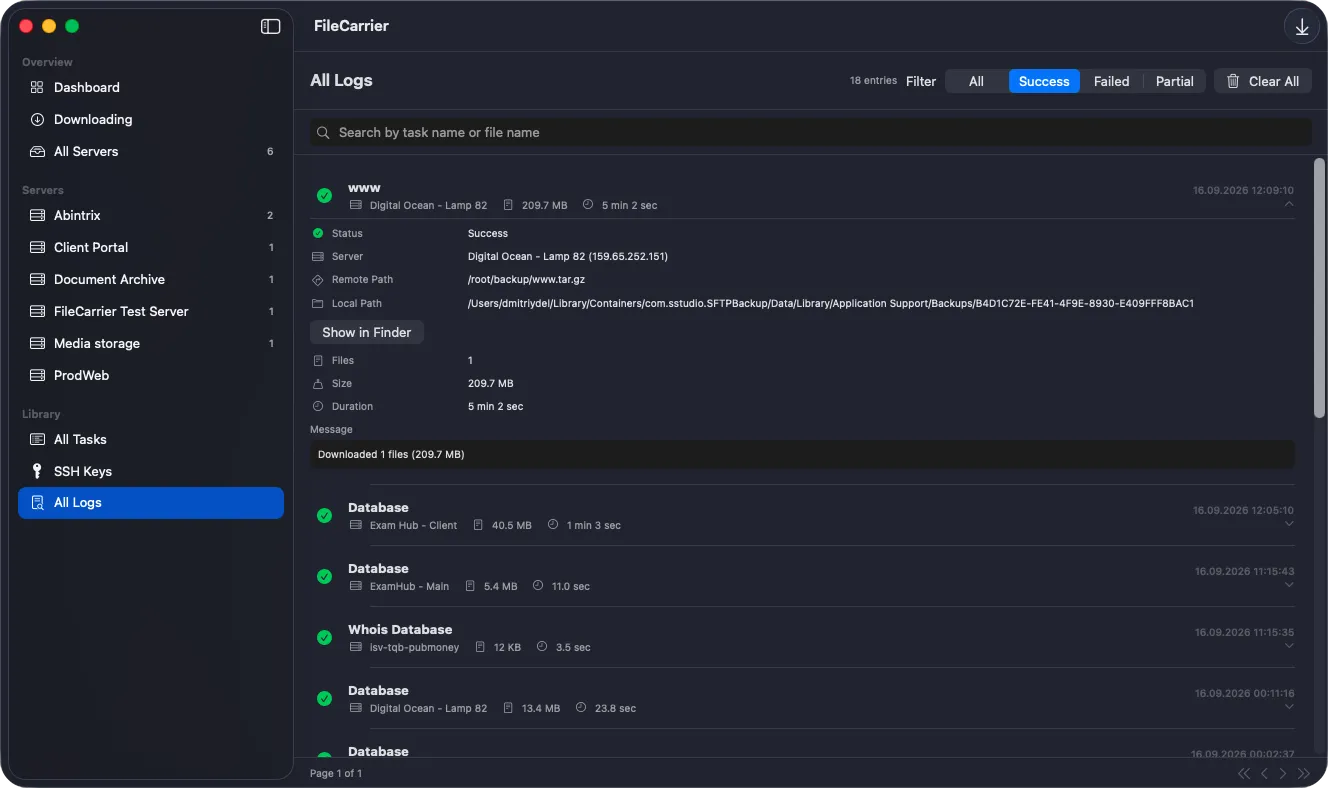
  • Every run is logged with its outcome, size, and duration
  • Launch at login with a single toggle
Menu bar panel and failure notification for a scheduled backup task
SECURITY

Your credentials stay on your Mac

Passwords, keys, and downloads are kept close, with the app asking for nothing beyond what it strictly needs.

Keychain-backed passwords Server passwords live in the macOS Keychain, not in the app's settings file.
SSH keys kept close The private key you pick is copied into the app's protected container, so it can't go missing and never asks for permission again.
App Sandbox The app asks for nothing but network access and the key file you chose yourself. Downloads land in its own folder.
Exports without secrets Servers and tasks export to JSON so you can move them to another Mac. Private keys and passwords are deliberately left out.
AND MORE

The small things that make it easy to live with

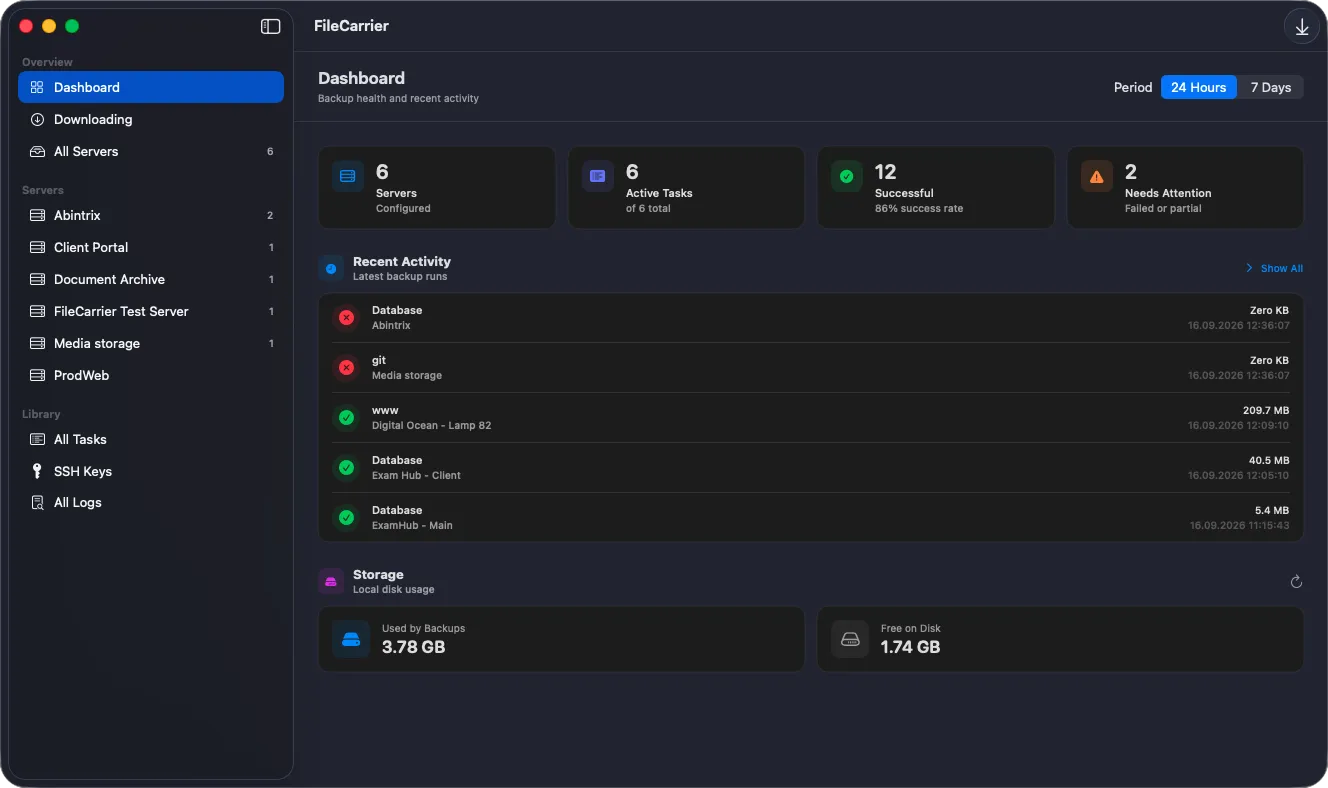
A dashboard that shows what matters, quick search across every list, and an interface that stays out of your way.

Dashboard first The opening screen shows active tasks, upcoming runs, and anything wrong in one glance.
Search and sorting Servers, tasks, keys, and logs are sorted alphabetically, with a search field above every list.
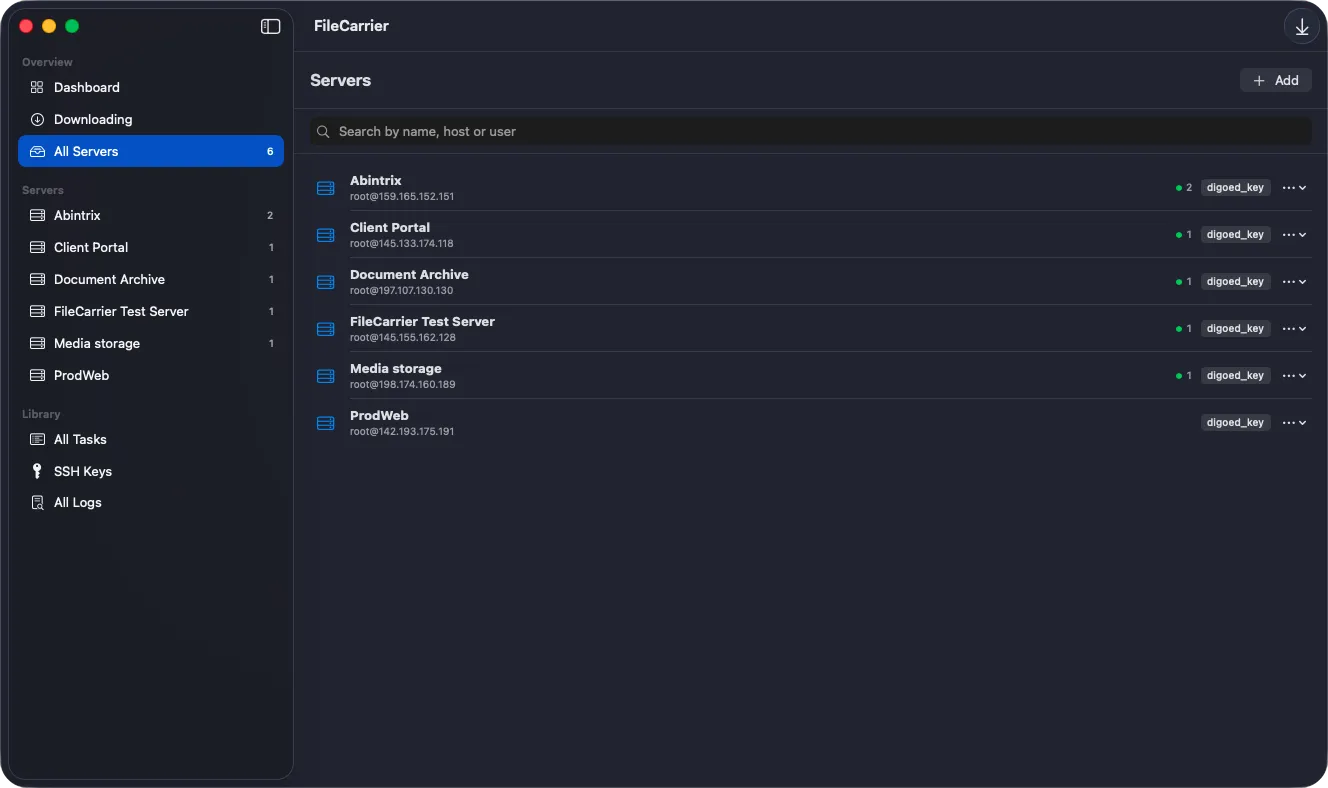
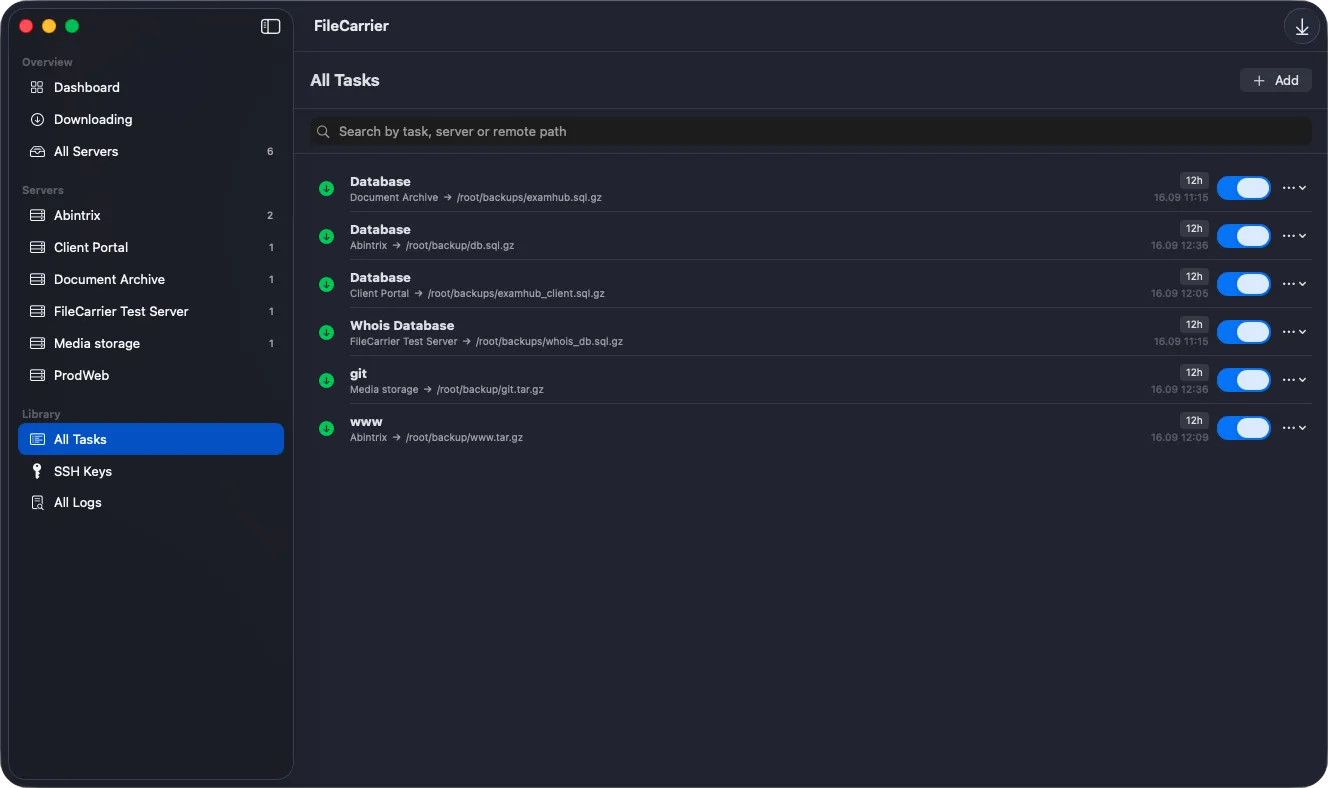
Task counts per server The server list shows how many tasks each server carries, and the server page lists them in full.
Clean deletion Deleting a task stops any transfer in progress and removes the files it downloaded - no leftovers on disk.
Stays out of the Dock The Dock icon appears only while a window is open. The rest of the time the app is just a menu bar icon.
Four languages English, German, Spanish, and French, following your system language.
Gallery

Interface Screenshots

Take a visual tour through the different panels and dashboards of FileCarrier.

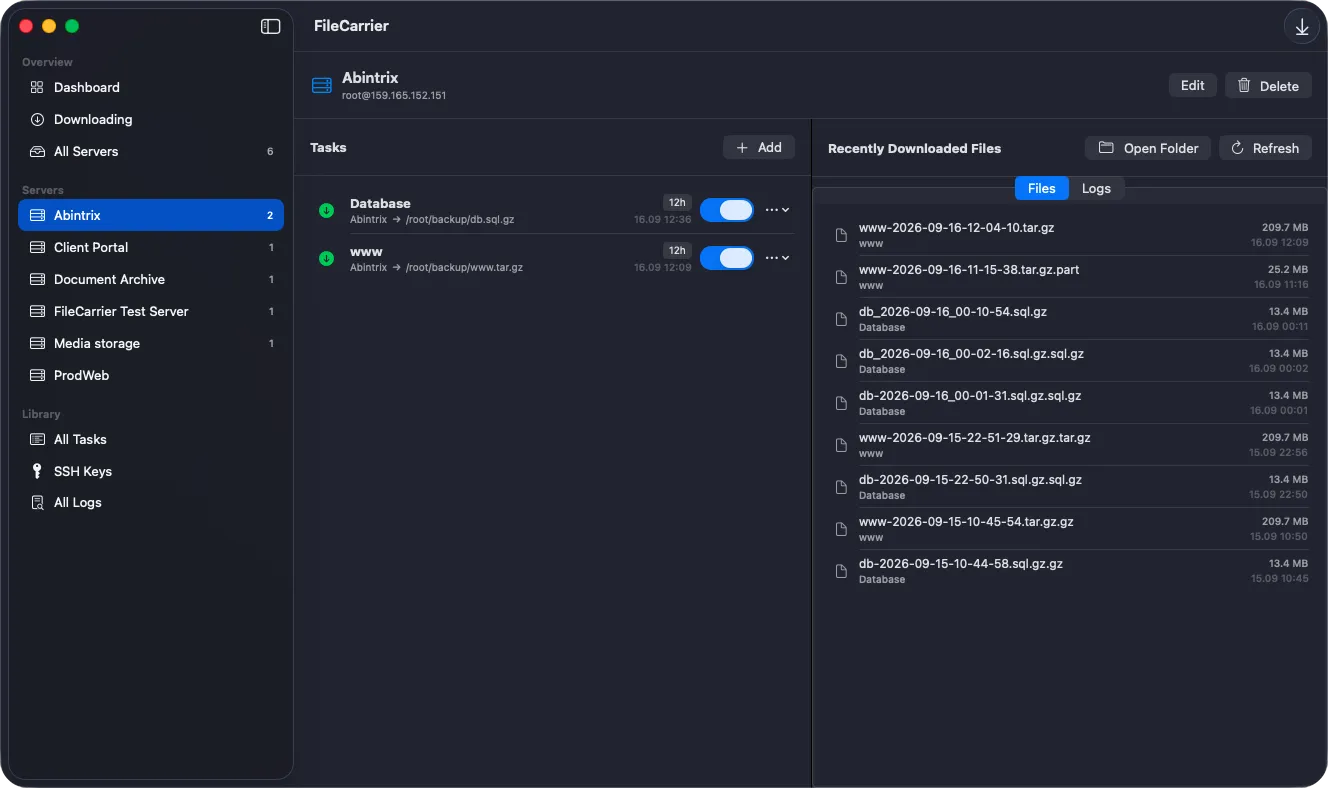
FileCarrier - Dashboard
FileCarrier - All servers
FileCarrier - Server Config
Licensing

Get FileCarrier

Available now on the Mac App Store.

FileCarrier

Files from your servers arrive on their own, on schedule

$4.95
  • Official release, kept up to date automatically
  • Managed installs and updates via Mac App Store
  • Secure, verified distribution
Get from Mac App Store
PRICING

Thirty days free, then one purchase

  • The app is a free download; you start the trial yourself.
  • 30 days of the full app, with nothing held back.
  • No subscription and no automatic charge when the trial ends.
  • Lifetime Unlock is a one-time purchase, future updates included.
  • Payment and restore go through the Mac App Store.

Latest Product Updates

Discover new releases, features, improvements, and development updates from Abintrix.

FileCarrier Released: Automated SFTP Backups, Dumps, and Logs for macOS - Without Jenkins or Brittle Scripts
September 16, 2026 FileCarrier

FileCarrier Released: Automated SFTP Backups, Dumps, and Logs for macOS - Without Jenkins or Brittle Scripts

Meet FileCarrier for macOS: automatically download server backups, database dumps, and logs via SFTP on schedule. Menu bar app with zero setup headache.

Read Article
New Money Calendar 7.0 for Windows Released
September 4, 2026 Money Calendar

New Money Calendar 7.0 for Windows Released

A new version of Money Calendar ver. 7.0 for Windows is now available.

Read Article
ProfExam Creator 10.7.0.534 Update: Faster Performance, New PDF Engine, and More
August 7, 2026 ProfExam

ProfExam Creator 10.7.0.534 Update: Faster Performance, New PDF Engine, and More

Discover the ProfExam Creator 10.7.0.534 update. Experience faster performance with .NET 10, a new PDF import engine, and advanced exam management tools.

Read Article