Professional exam authoring software

Turn knowledge into a structured, interactive exam

ProfExam Creator gives educators, trainers, certification authors, and organizations a visual Windows workspace for building exams of any complexity - from the first section to scoring, validation, and delivery.

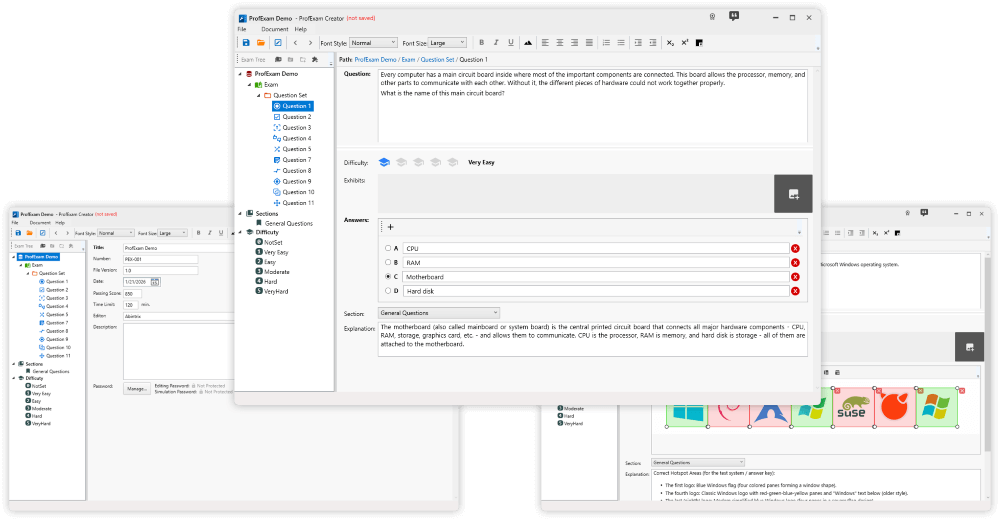
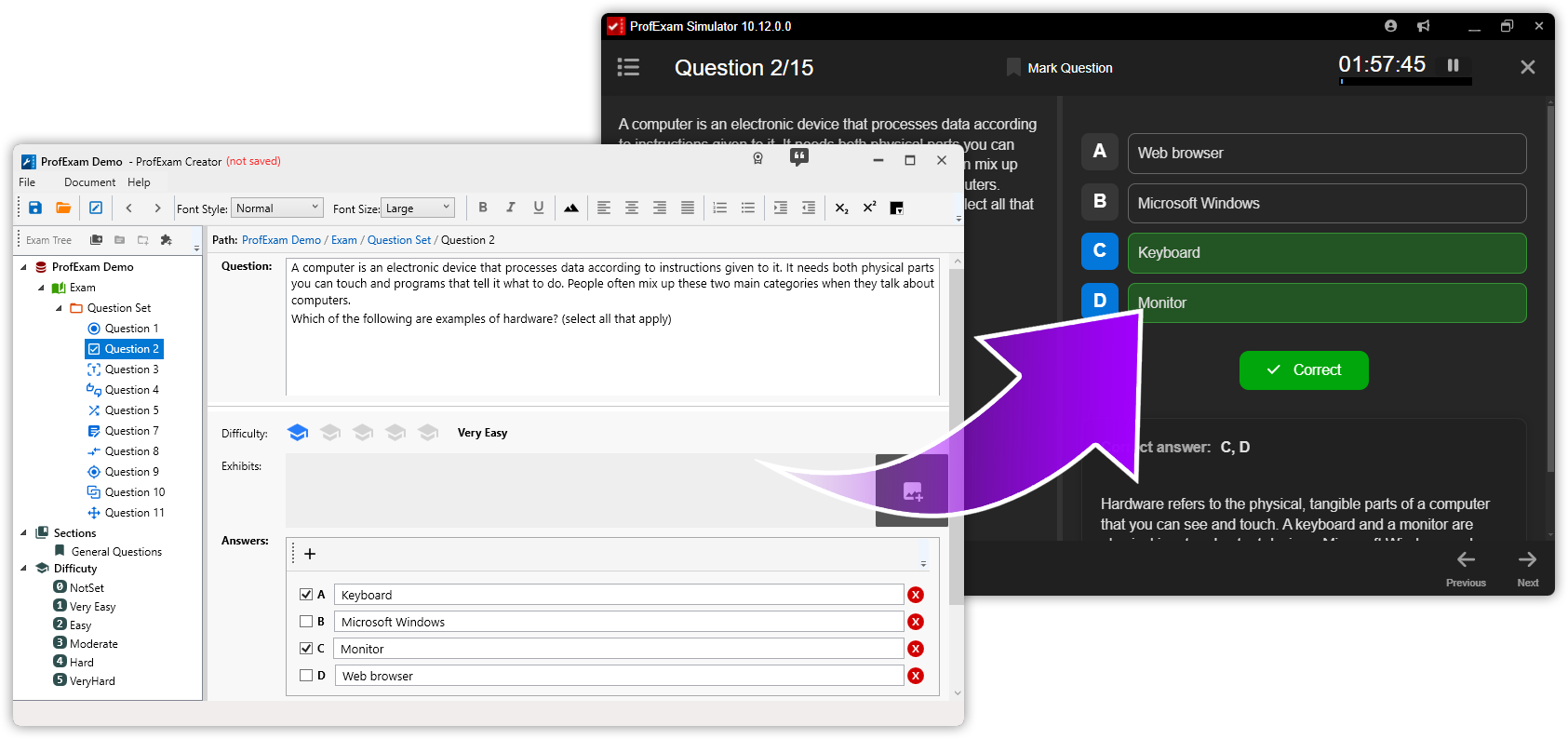
ProfExam Creator professional exam authoring software showing exam settings, a single-answer question, and an interactive hot-area question

Control content, structure, scoring, and exam behavior

The visual editor keeps the complete exam hierarchy and the current question in one workspace, so authors can concentrate on assessment quality instead of code or file syntax.

Create visually

Format questions and answers, add images, and configure interactions without scripting.

Structure clearly

Organize large exams into sections, question groups, and individual questions.

Validate before delivery

Find incomplete or incorrectly configured questions before learners open the exam.

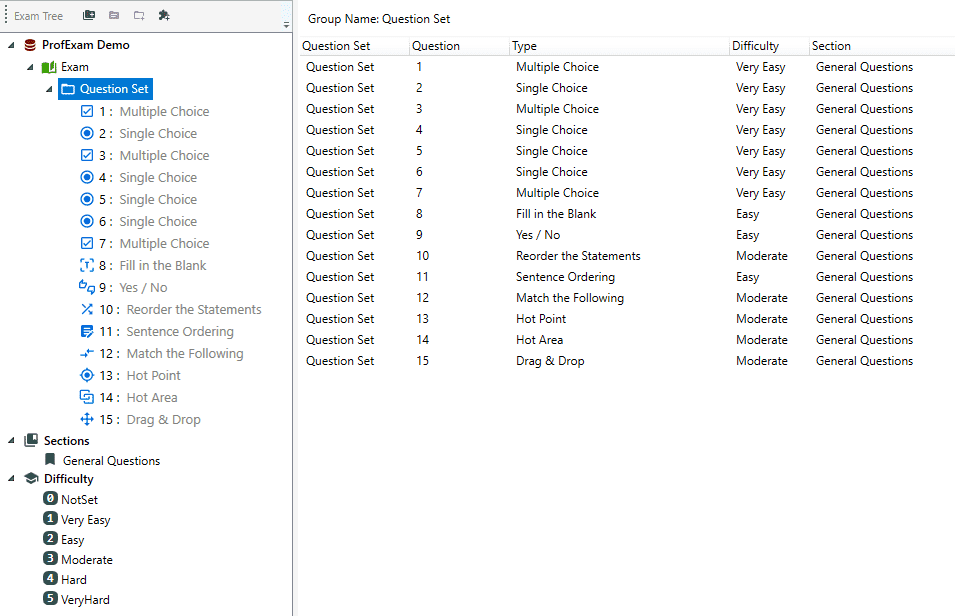
ProfExam Creator visual exam editor with hierarchical exam tree, rich question content, answers, and formatting controls
Visual exam editor

Create and maintain exams in one structured workspace

Edit exam information, questions, answers, explanations, and media through a clear interface. The exam tree keeps even large projects navigable while the main editor focuses on the selected element.

  • Visual editing without scripts
  • Rich question and answer formatting
  • Fast navigation through large exams
Flexible exam hierarchy

Model the way professional exams are organized

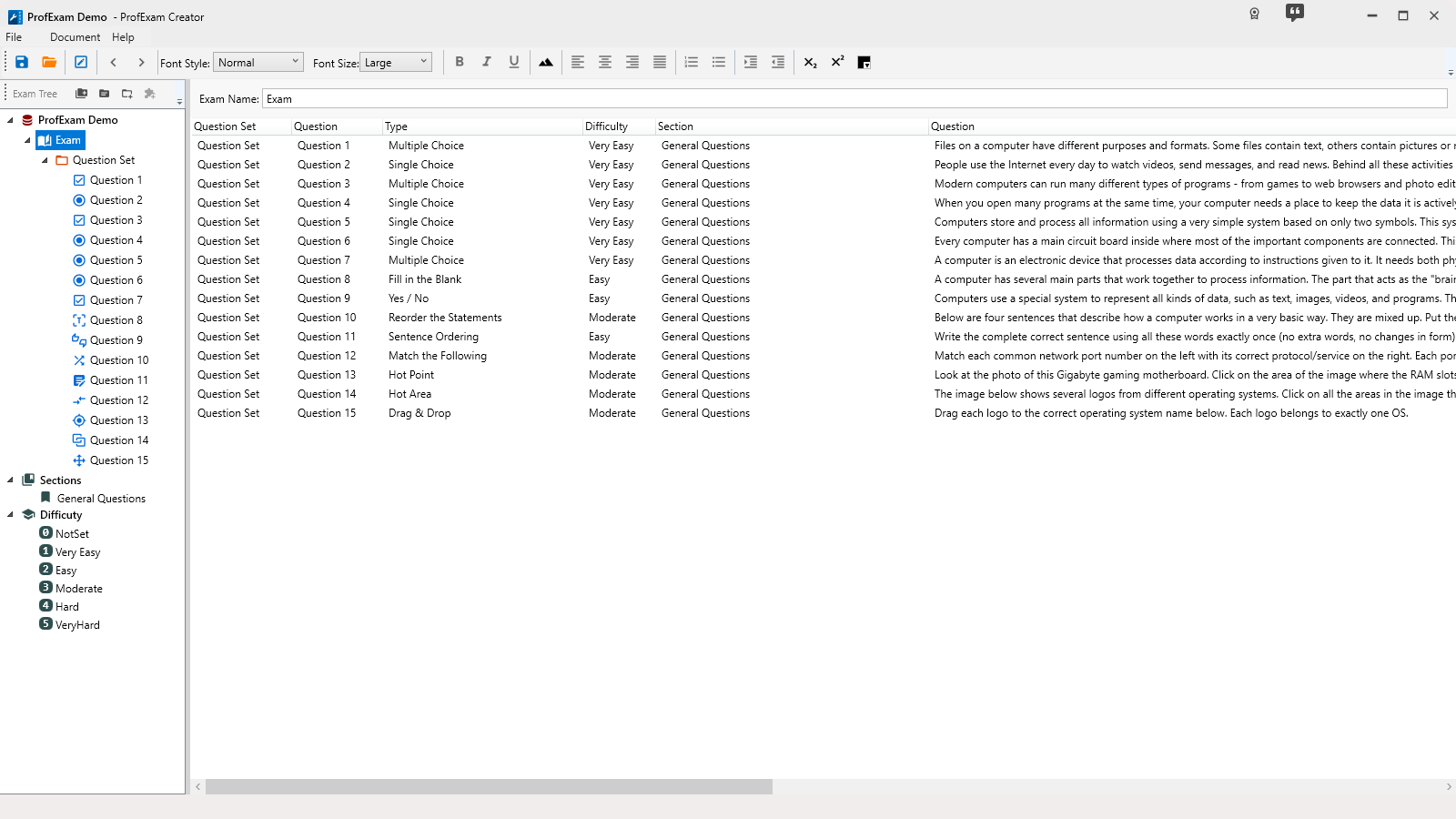
Build a hierarchy of sections, question groups, and individual questions. Keep content grouped by topic, objective, domain, or difficulty so complex certification projects remain understandable and maintainable.

  • Sections and question groups
  • Scoring and parameters tied to exam structure
  • Clear organization for long-term projects
ProfExam Creator hierarchical exam tree with sections, question groups, and individual certification exam questions
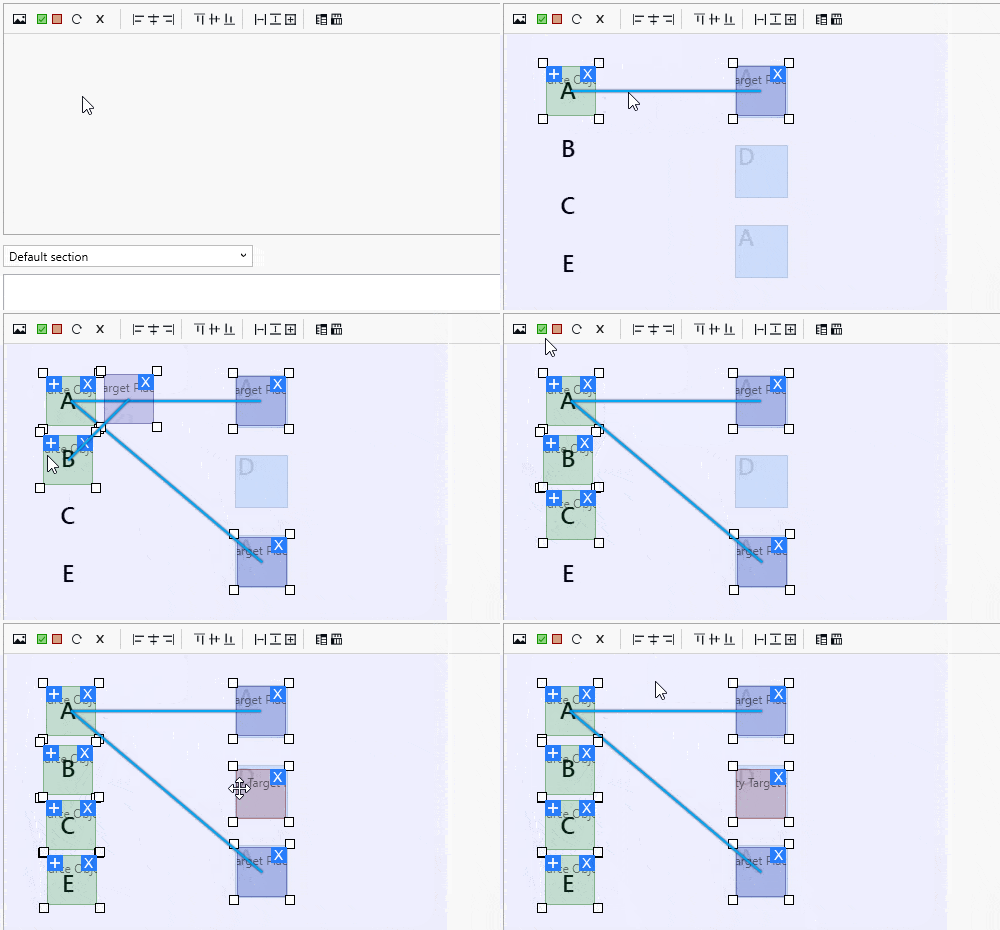
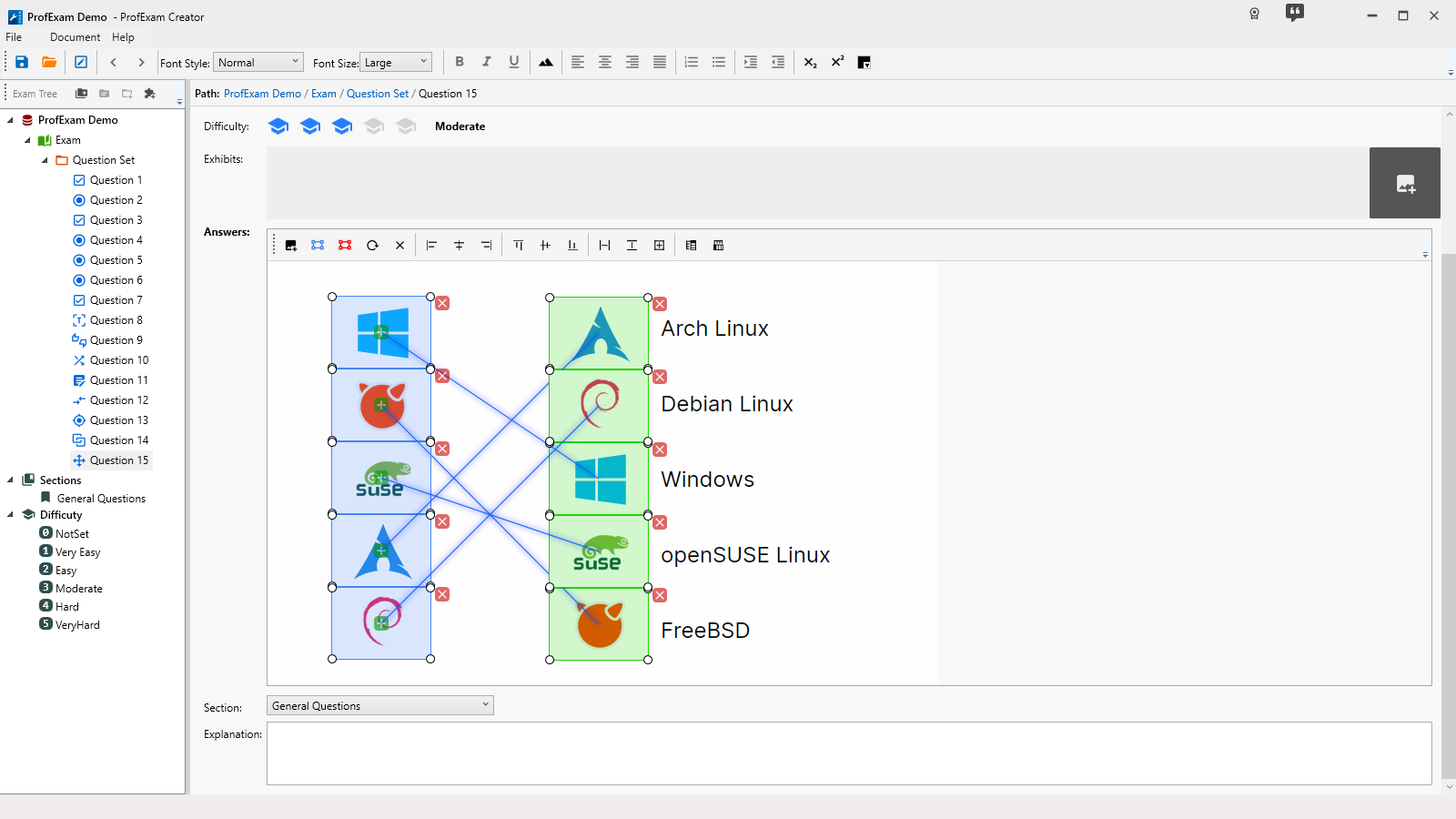
ProfExam Creator drag-and-drop question editor for building interactive professional certification exams
Interactive question authoring

Go beyond conventional multiple-choice tests

Combine 10 question formats in the same exam, including image-based selection, matching, ordering, and drag-and-drop interactions. Each question can carry its own difficulty level to help balance the complete assessment.

  • Classic choice and text-answer formats
  • Hot Point and Hot Area image questions
  • Drag & Drop, matching, and ordering
Scoring and exam parameters

Define the rules once, then deliver consistently

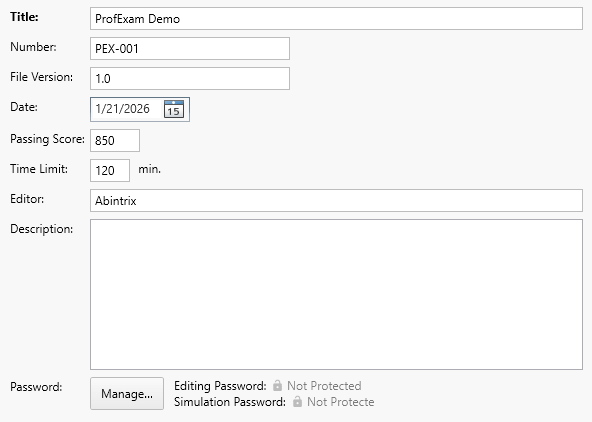
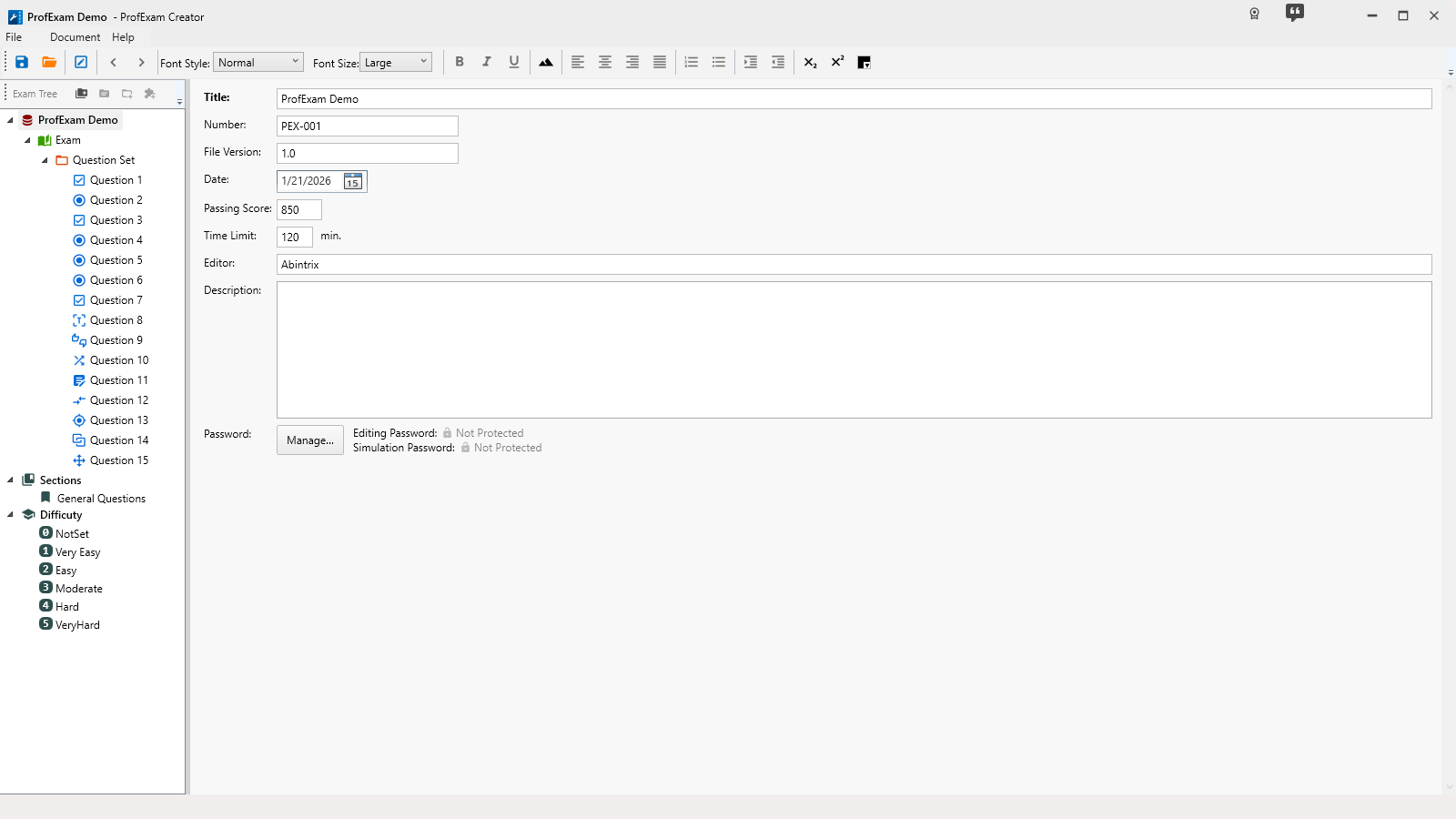
Configure the passing score, time limit, metadata, instructions, and scoring behavior in one place. Change parameters throughout the exam lifecycle without rebuilding the question content.

  • Time limits and passing scores
  • Exam title, metadata, and instructions
  • Question difficulty and exam balance
ProfExam Creator exam parameters for passing score, time limit, instructions, metadata, and scoring configuration
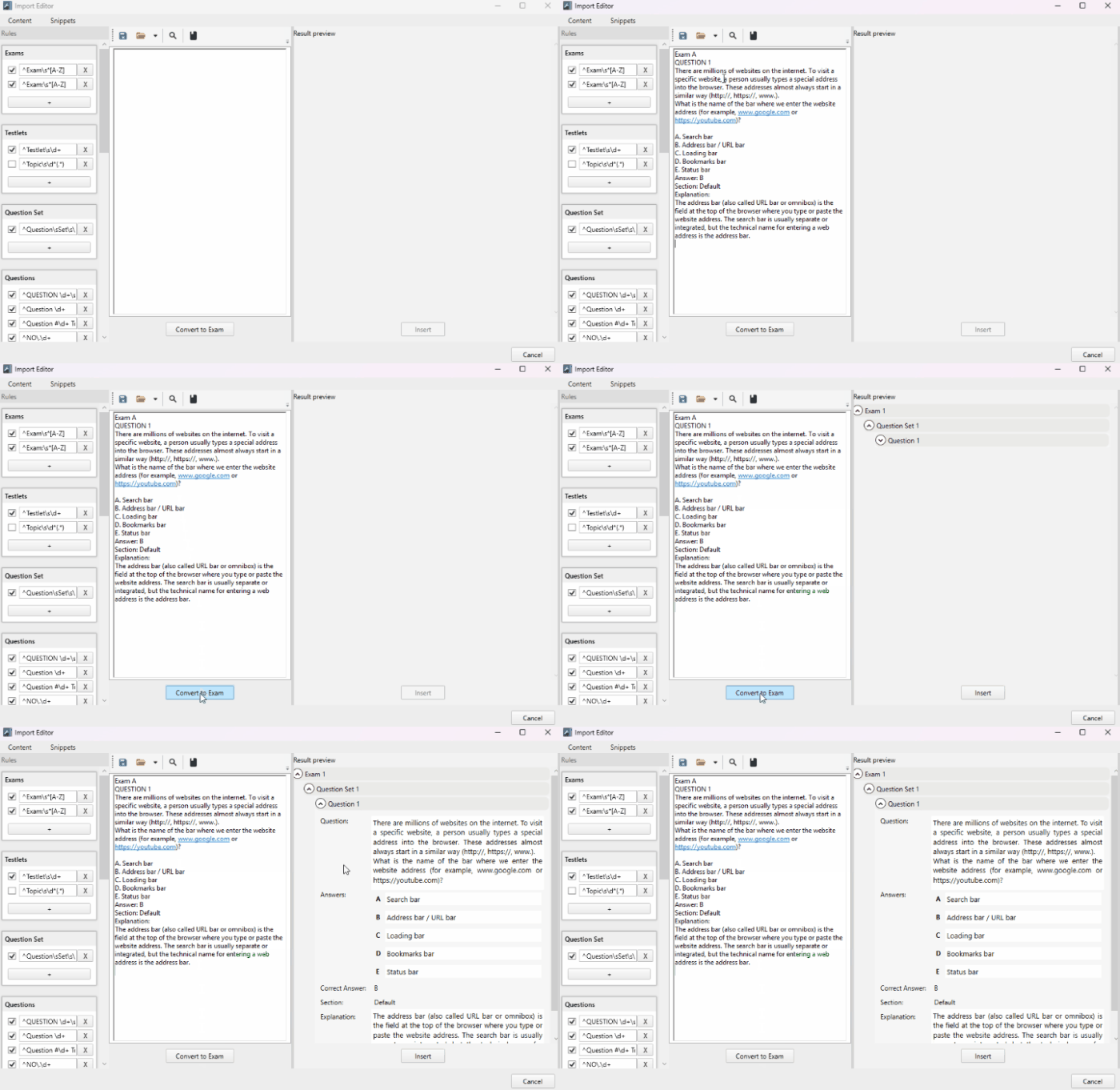
ProfExam Creator Import Editor converting TXT, RTF, or PDF source material into structured exam questions
Document and data import

Convert existing material instead of starting over

Use the Import Editor to paste or open TXT, RTF, and PDF documents, then convert their content into structured questions. For automated workflows and external systems, import questions in JSON format.

  • TXT, RTF, and PDF document import
  • JSON question import
  • Bulk creation and data migration workflows
Protection and publishing

Prepare reliable exam files for controlled delivery

Validate the project for incomplete questions, protect editing and playback with separate passwords, and save the complete exam as a single modern file for use in ProfExam Simulator.

  • Automatic incomplete-question detection
  • Separate editing and playback passwords
  • Direct compatibility with ProfExam Simulator
ProfExam Creator and ProfExam Simulator working together from visual exam authoring to realistic exam delivery
Gallery

Interface Screenshots

Take a visual tour through the different panels and dashboards of ProfExam Creator.

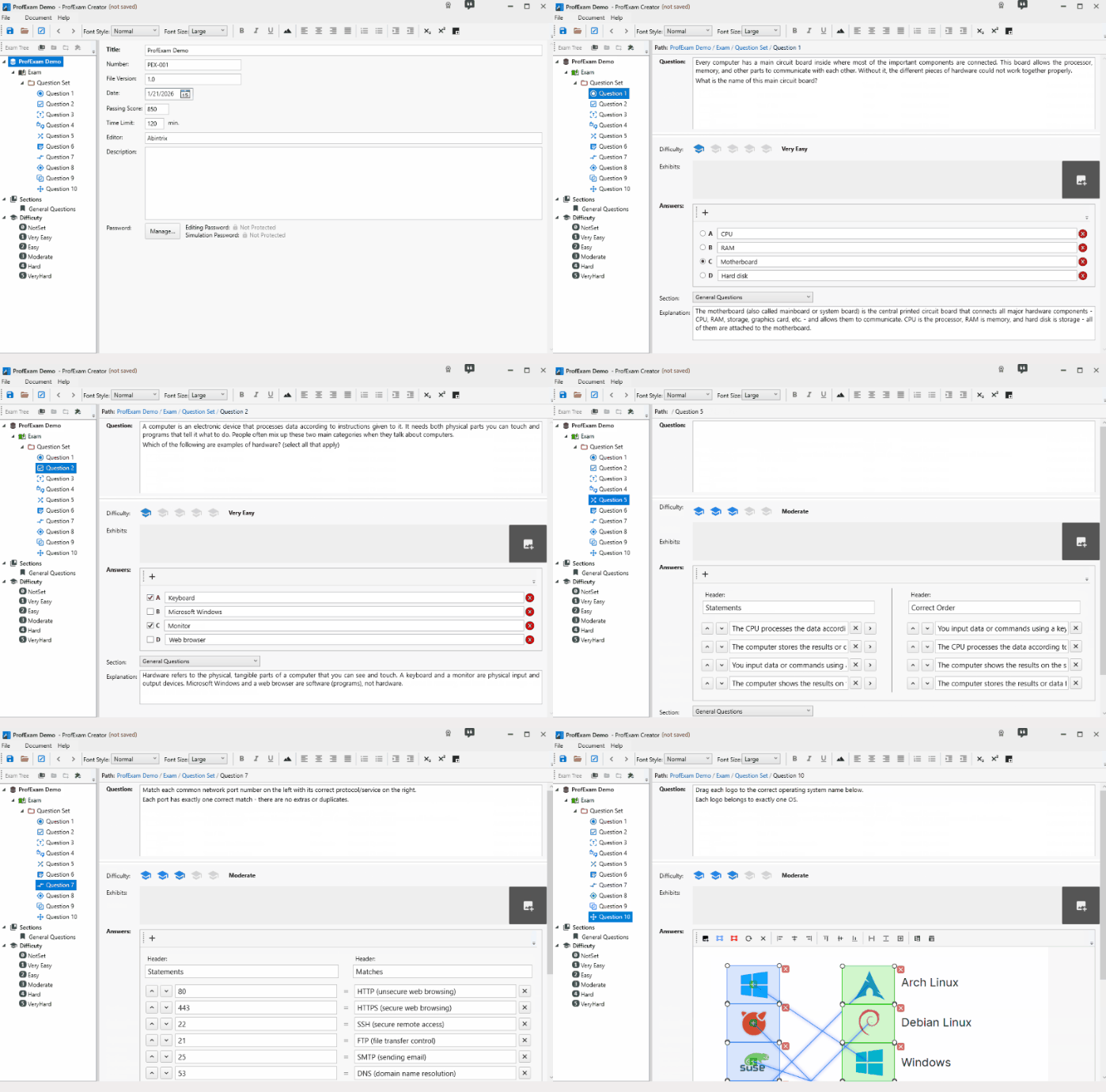
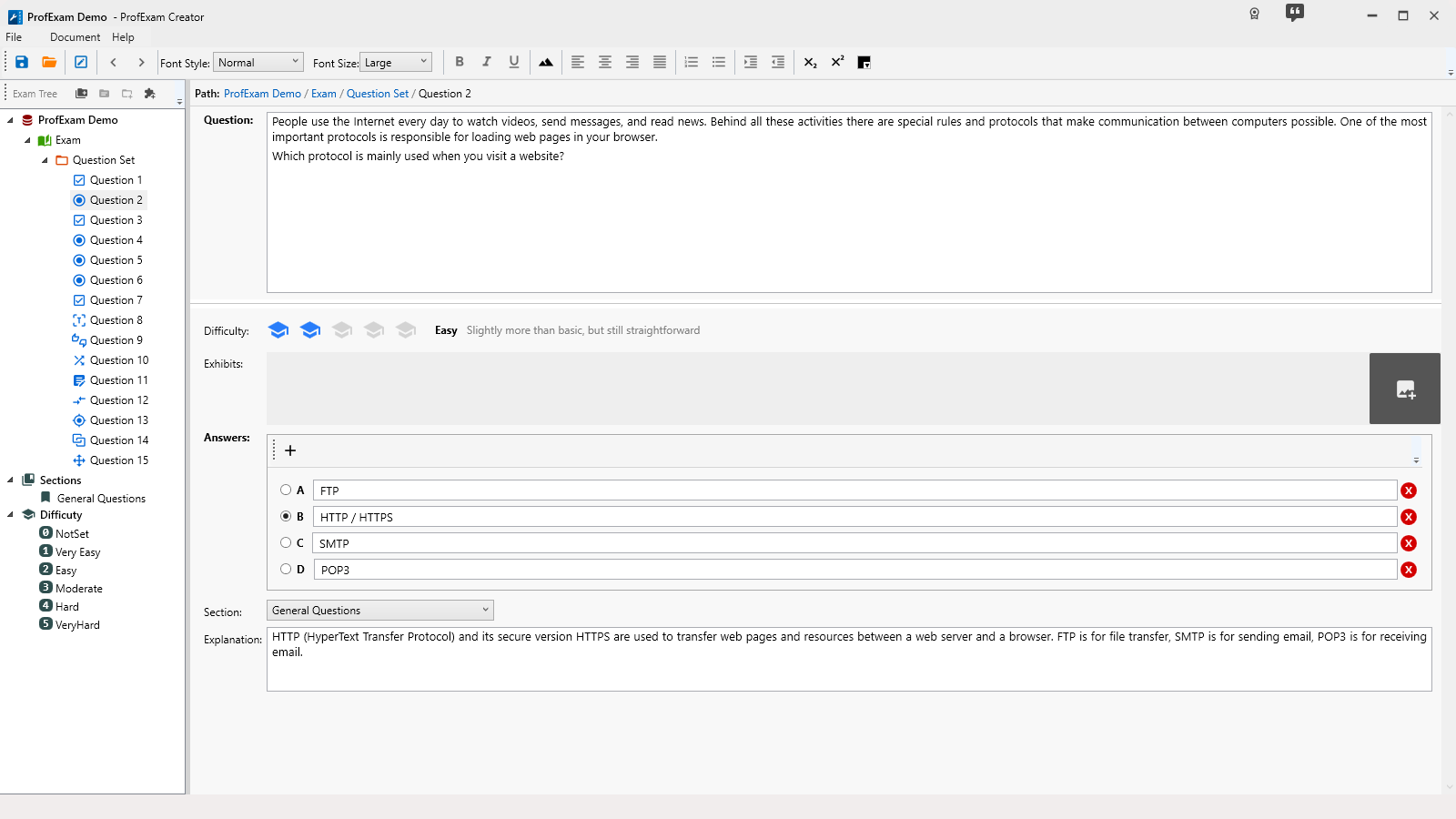
ProfExam Creator - Question Single Answer
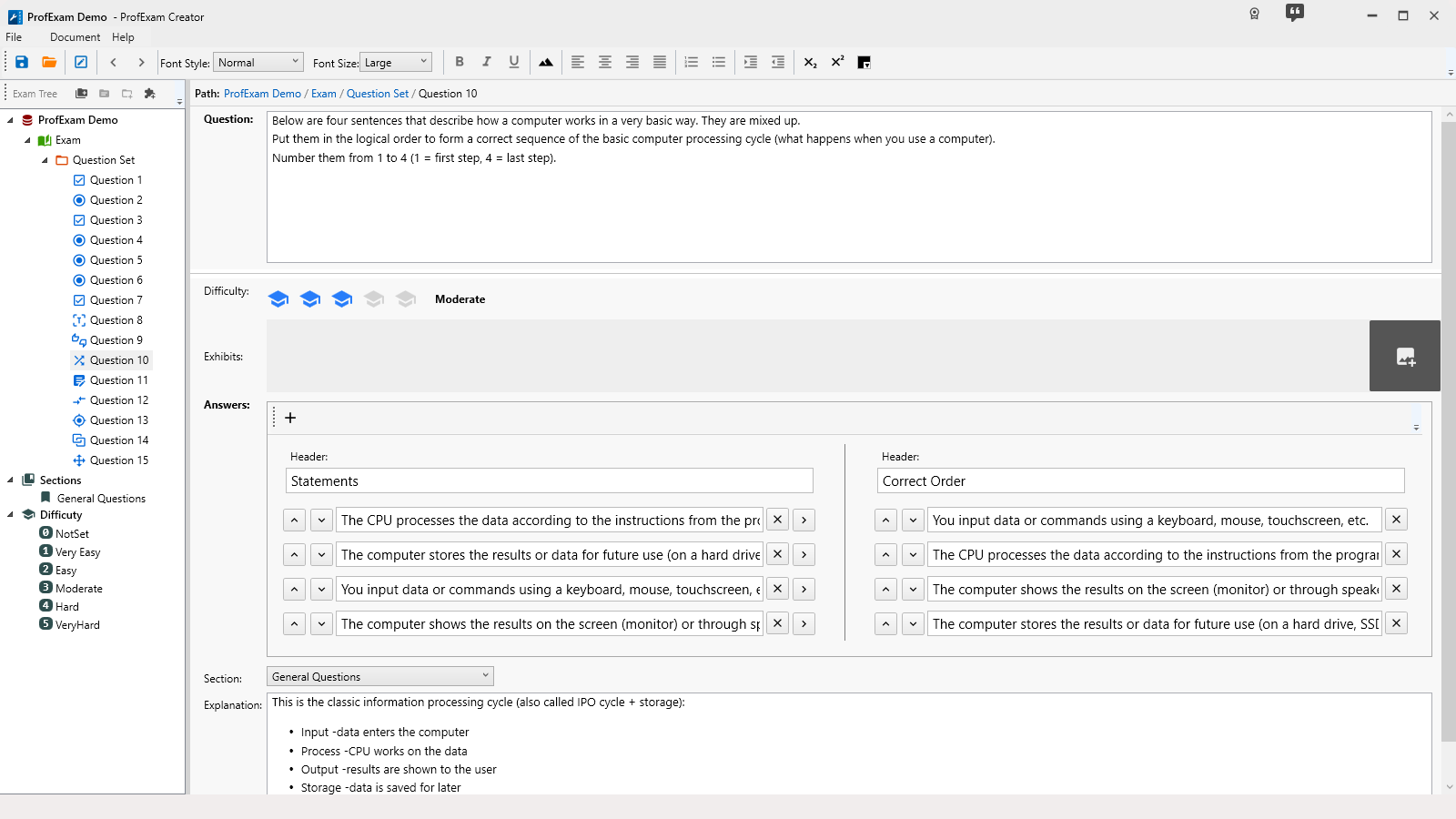
ProfExam Creator - Question Match
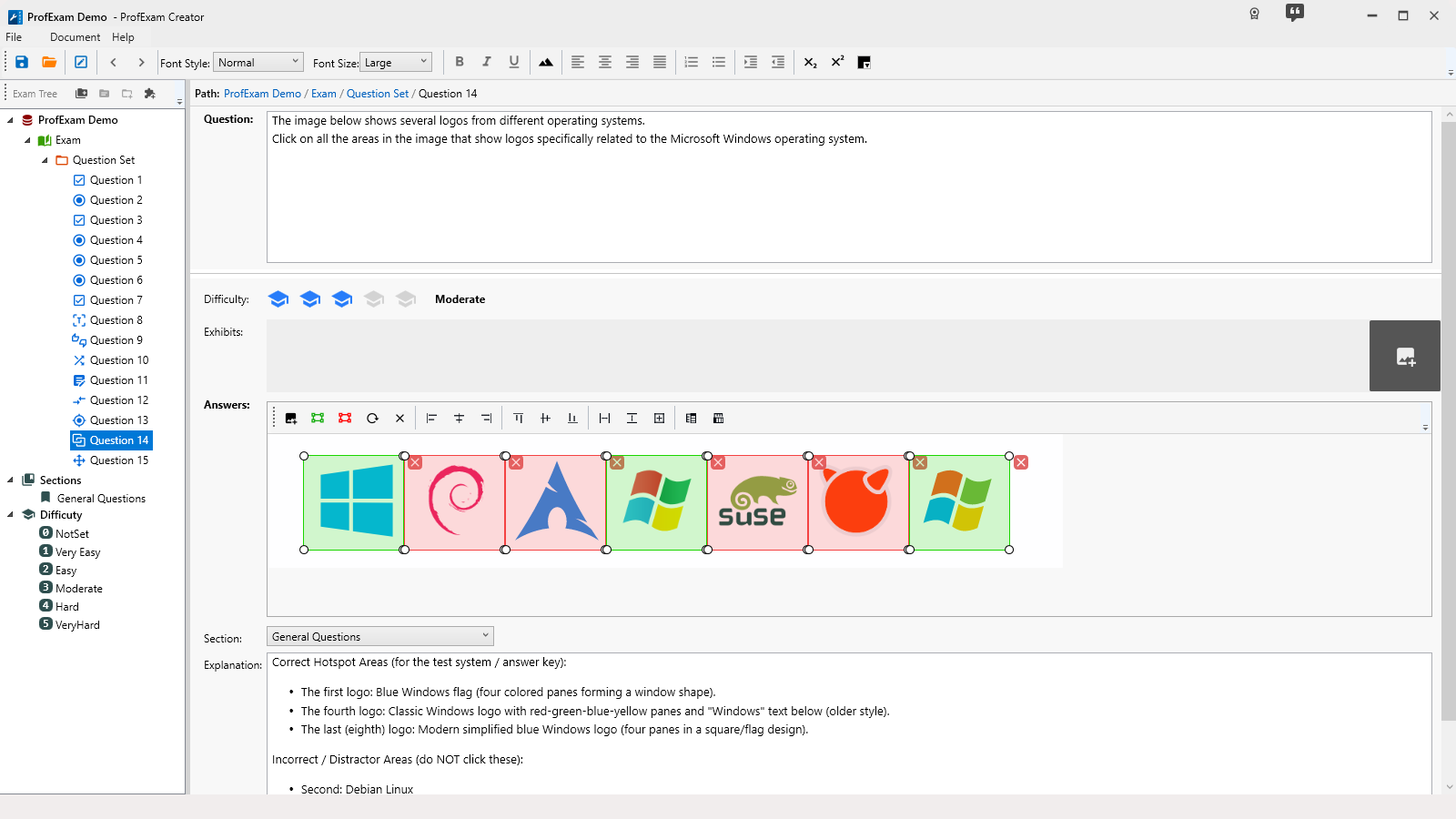
ProfExam Creator - Question HotArea
Licensing

Choose Your Edition

Download the free evaluation trial or purchase a lifetime commercial license.

Evaluation Trial

Perfect for testing compatibility and evaluating features on your system.

Free
  • Standard product features enabled
  • 14-day fully functional trial period
  • Local file creation and analysis
  • Custom exports disabled
Download for Windows

One-Time Purchase

Full commercial license. One-time purchase, yours forever with free updates.

$39.95
  • Unlimited commercial usage rights
  • Unlock all export capabilities
  • Free lifetime minor & major updates
  • Priority email engineering support
Buy for Windows

Latest Studio Updates

Keep up with product announcements, new features, and development logs from our team.

Retake Incorrect, Correct, or Skipped Questions in ProfExam Simulator 10.21.6
July 9, 2026 ProfExam

Retake Incorrect, Correct, or Skipped Questions in ProfExam Simulator 10.21.6

New in ProfExam Simulator 10.21: retake incorrect, correct, skipped, or all exam questions directly from the results screen for more effective certification exam preparation.

Read Article
ProfExam Creator 10.2.2.495: Import questions from JSON - a new dedicated window
May 29, 2026 ProfExam

ProfExam Creator 10.2.2.495: Import questions from JSON - a new dedicated window

Import from JSON is a new window in ProfExam Creator 10.2.2.495 that lets you load questions from a JSON file directly into your exams - with a built-in editor, live preview, and flexible import options

Read Article
ProfExam Simulator 10.20.5 - What's New
May 14, 2026 ProfExam

ProfExam Simulator 10.20.5 - What's New

A focused update packed with usability improvements - faster navigation, full keyboard control, flexible answer styles, and long-requested fixes for macOS and Linux users.

Read Article