Converting a video is never one video. It is the folder of clips from the weekend, the interview that has to become an MP3 before anyone will listen to it, the screen recording that is three times larger than the place you want to upload it to. Each one is a small, dull decision - which format, which quality, where to put the result - repeated until the folder is empty.
Muxvero turns that into one setup and one queue, and it is now available for Windows.
Set the batch up once
Drag in as many files as you have, pick a single set of output settings for the whole group, choose a destination folder, and send it off. Each job keeps the settings it was given, so nothing stops you from preparing the next batch - in a completely different format - while the first one is still running.
Video comes out as MP4, MKV, MOV or WebM; audio as MP3, M4A, WAV, FLAC or Opus. Pulling the sound out of a video is the same operation as any other: add the file, choose an audio format, convert.
Quality is yours to decide
Three video quality levels, an encoding speed preset, audio bitrates from 128 to 320 kbps, and a maximum height anywhere from 480p to 2160p - or the original dimensions, untouched, with the aspect ratio preserved either way. On a compatible Intel GPU, H.264 encoding to MP4, MKV and MOV can run through Intel Quick Sync; Auto mode tries the hardware first and quietly falls back to the CPU if that attempt does not work out.
And when the source codecs already match the container you are heading for, Muxvero skips encoding altogether. H.264/AAC video moves from MP4 to MKV, or an AAC track comes out of an MP4 as M4A, with the original quality intact and no second generation of compression.
A queue that waits for you
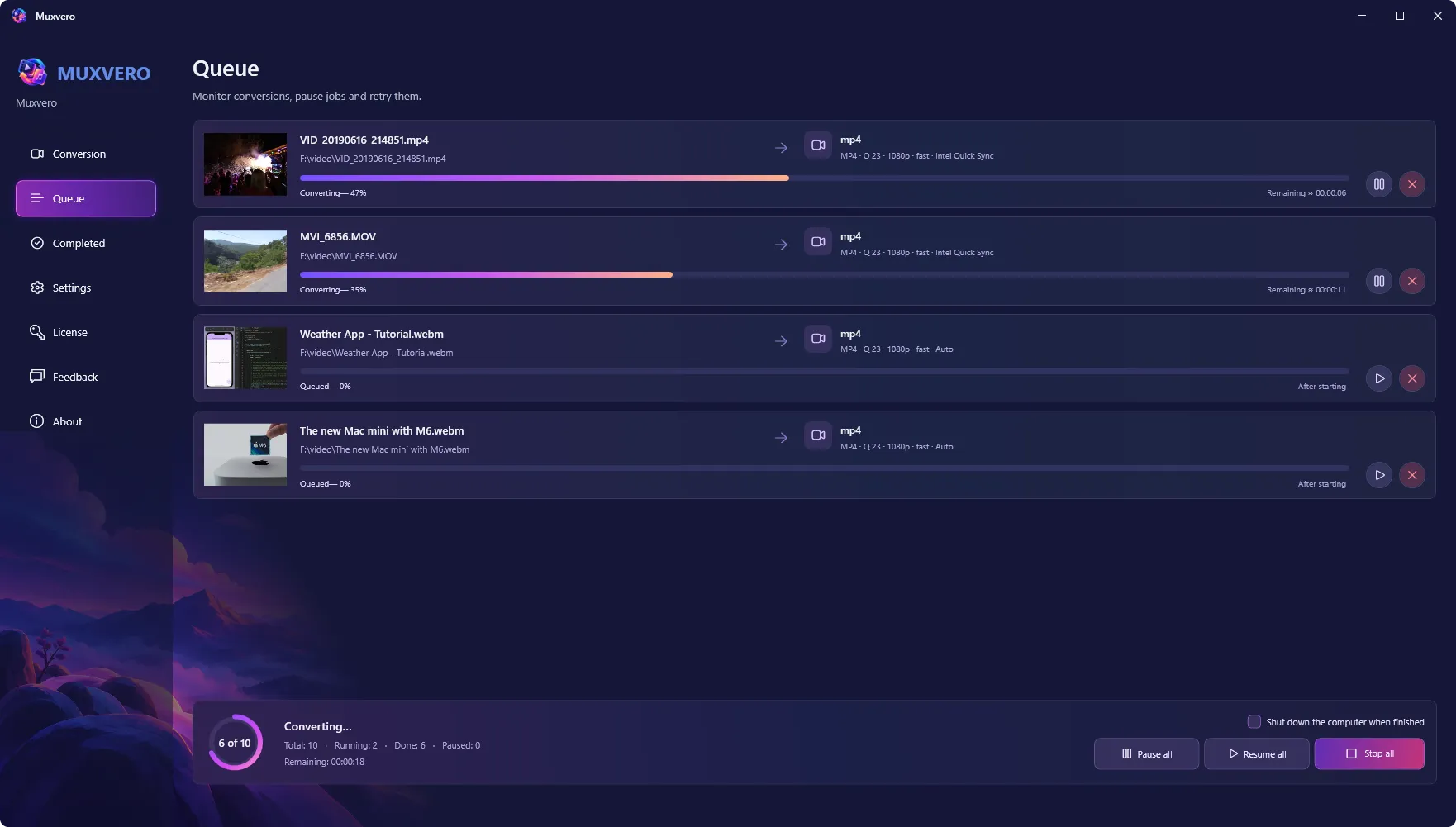
Run anywhere from one to eight conversions at a time and watch progress and estimated finish times for each. Pause a single job, pause the whole queue, cancel what you no longer need, retry what failed. Close the app and the queue is still there when you come back - unfinished jobs return paused, completed files wait in their own view with a shortcut to their folder in Windows Explorer. Source files are never touched, and existing results are never overwritten.
Muxvero 1.0 runs on Windows 11 with .NET 10 and costs $24.95 - a one-time purchase, no subscription, nothing that needs an online service to do its job.
Learn more: Muxvero product page