Sound familiar? You have a couple of production servers, a few client websites, or a VPS running your side projects. And every now and then, that nagging thought pops up in the back of your head:
"Right, I really need to remember to pull a fresh database dump locally, just in case..."
From there, it usually goes down one of two classic paths:
- The Manual Way: Open FileZilla or Cyberduck, navigate through nested folders, start the download by hand. The catch? In 9 out of 10 cases, you simply forget until something goes wrong.
- The DIY Script Way: Hack together a quick bash script using rsync or sftp, shove it into cron or launchd. A month later, an SSH port or key changes - the script silently dies in the background, and nobody notices. Or worse, it keeps pulling everything until your Mac's SSD is suddenly out of space.
You don't need a heavyweight Jenkins cluster or complicated corporate cloud pipelines for everyday tasks like this. You just need a simple, reliable tool that sits quietly in your menu bar and does exactly what it's told.
That's why we built FileCarrier.
How It Works
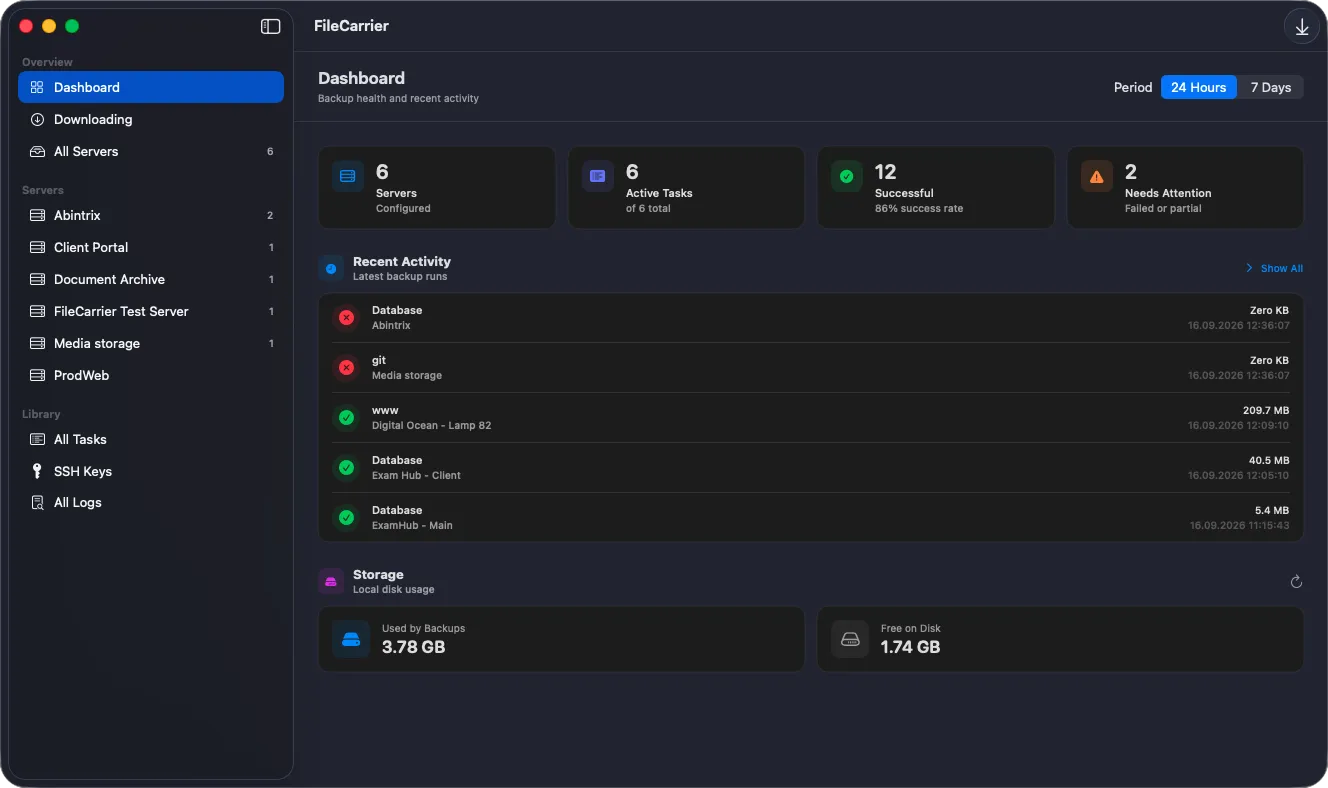
- Add your server: Host, port, username, and authentication - either a password (stored securely in the native macOS Keychain) or an SSH private key (copied safely into the app's sandboxed container).
- Set up a task: Point to a specific file or an entire remote folder, and pick a schedule - whether it's a plain interval ("every 4 hours") or a precise cron expression (0 3 * * * for 3:00 AM nightly dumps).
- Configure automatic retention: Choose how many recent copies to keep (e.g., the last 5). Older copies are pruned automatically, so your local disk never runs out of space.
- Close the window.
From that moment on, FileCarrier takes over. It runs in the background directly from your menu bar, staying out of your Dock and never getting in your way.
Why You'll Love It
- No Silent Failures: If a server is down, the connection drops, or credentials change, macOS pings you with a native notification immediately. You find out the same day - not weeks later when you urgently need that backup.
- Integrity & Honest Progress: Incomplete transfers use temporary .part files, so an interrupted download will never pretend to be finished.
- Complete Privacy: No intermediate cloud servers, no telemetry snooping on your data. It's a direct SFTP connection straight from your server to your Mac.
- On-Demand Runs: About to push changes to production and need an emergency snapshot right now? Hit the Run button and fetch it instantly with a single click.
Fair Pricing: No Subscriptions
We know everyone is tired of paying recurring monthly subscriptions for small utility apps.
- 30-Day Free Trial: Download and test the complete app with zero limitations. No automatic charges, no credit card required.
- Lifetime Unlock for $4.95: A single, one-time purchase on the Mac App Store unlocks FileCarrier forever, all future updates included.
Mac App Store: Get FileCarrier on the Mac App Store