Installing ffmpeg
ffmpeg is a free video processing tool that Screen Recorder uses for trimming. It is not needed for recording.
Option 1. Install with winget (recommended)
- Open Terminal or Command Prompt (press
Win + R, typecmd, press Enter). - Run:
winget install ffmpeg - Wait for the installation to finish.
- Restart Screen Recorder — it will find ffmpeg automatically.
Option 2. Specify the folder manually
If you already have ffmpeg (for example, downloaded as an archive from the official website):
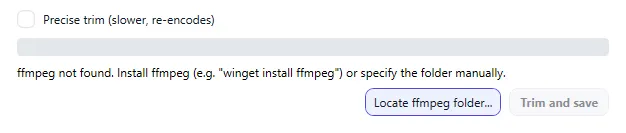
- In the Trim and Export window, click Locate ffmpeg folder....
- Select the folder that contains
ffmpeg.exeandffprobe.exe(usually thebinsubfolder). - If everything is correct, the line “ffmpeg found: ...” appears at the bottom of the window and the Trim and save button becomes available.
The selected folder is remembered — you don't need to specify it again.