Personal finance for macOS

Your financial life in one clear calendar

See your income, expenses, and upcoming payments day by day. Money Calendar turns everyday money management into a clear monthly picture.

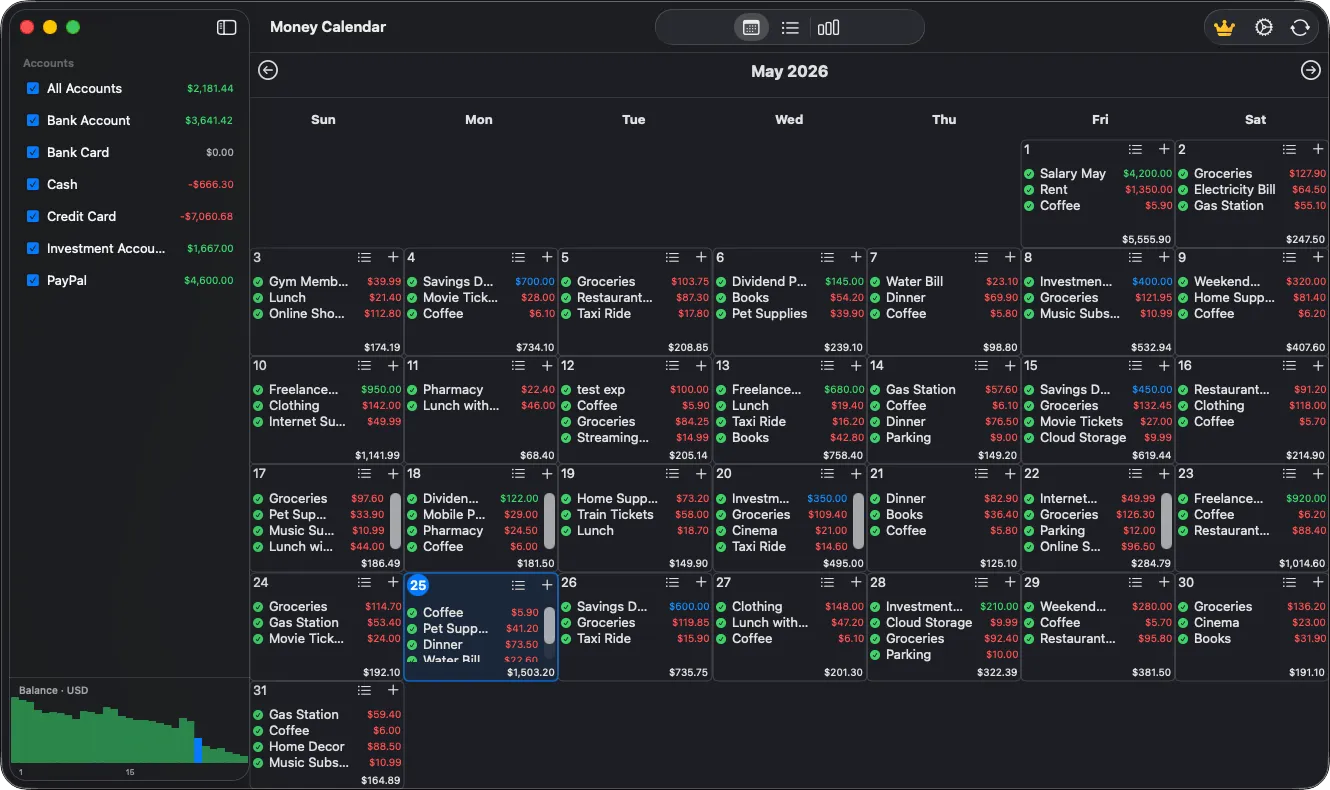
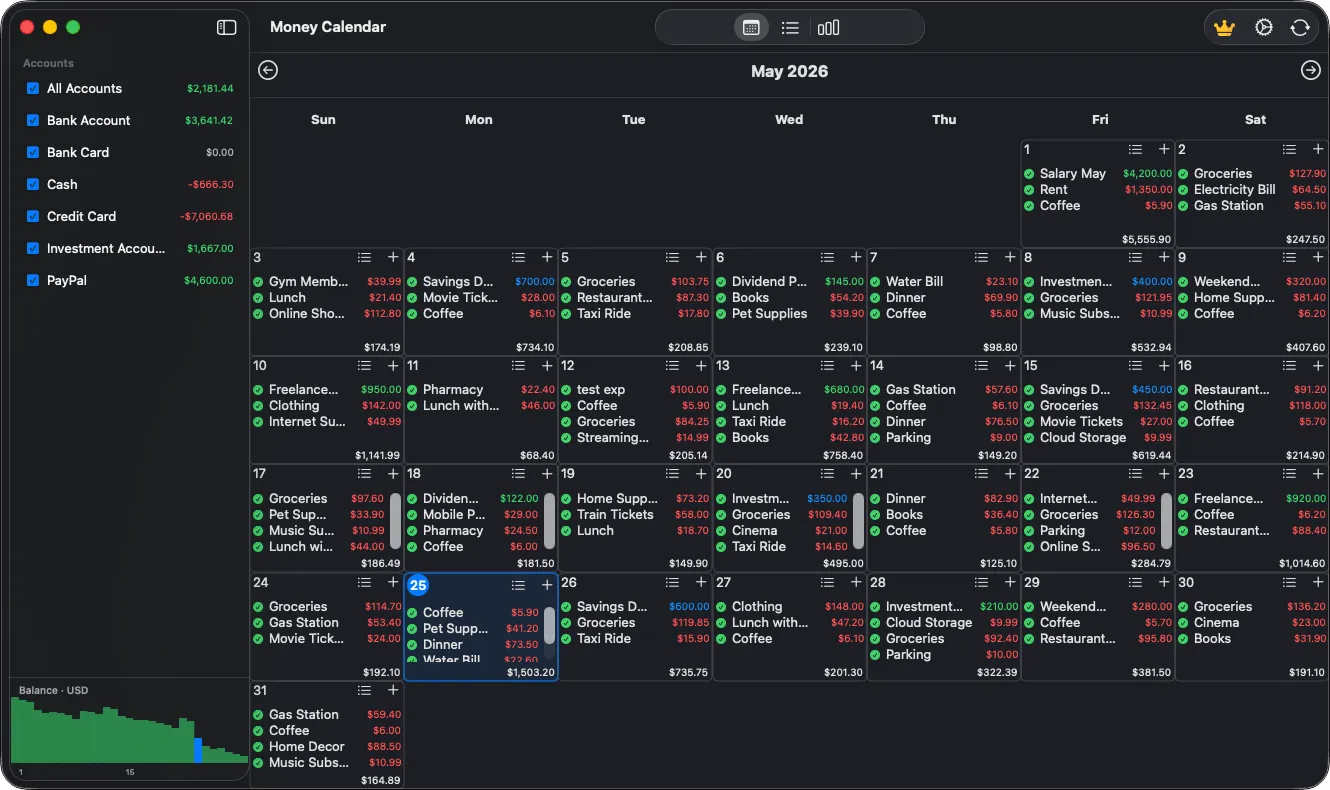
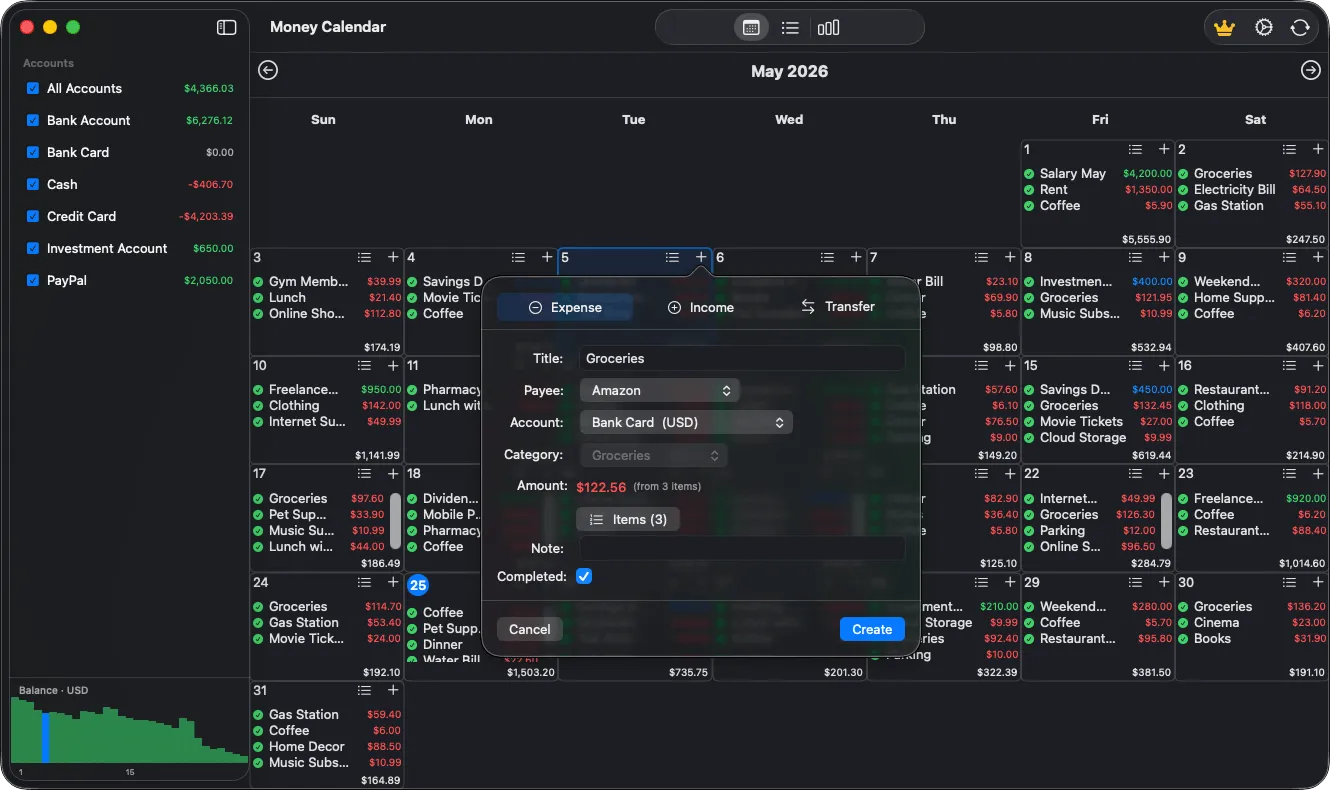
Money Calendar personal finance app showing daily income and expenses on a monthly calendar

More than a spreadsheet. Your money over time.

The calendar connects everyday transactions, accounts, and plans, so you can see not only how much you spent, but when it happened and what is coming next.

Budget calendar

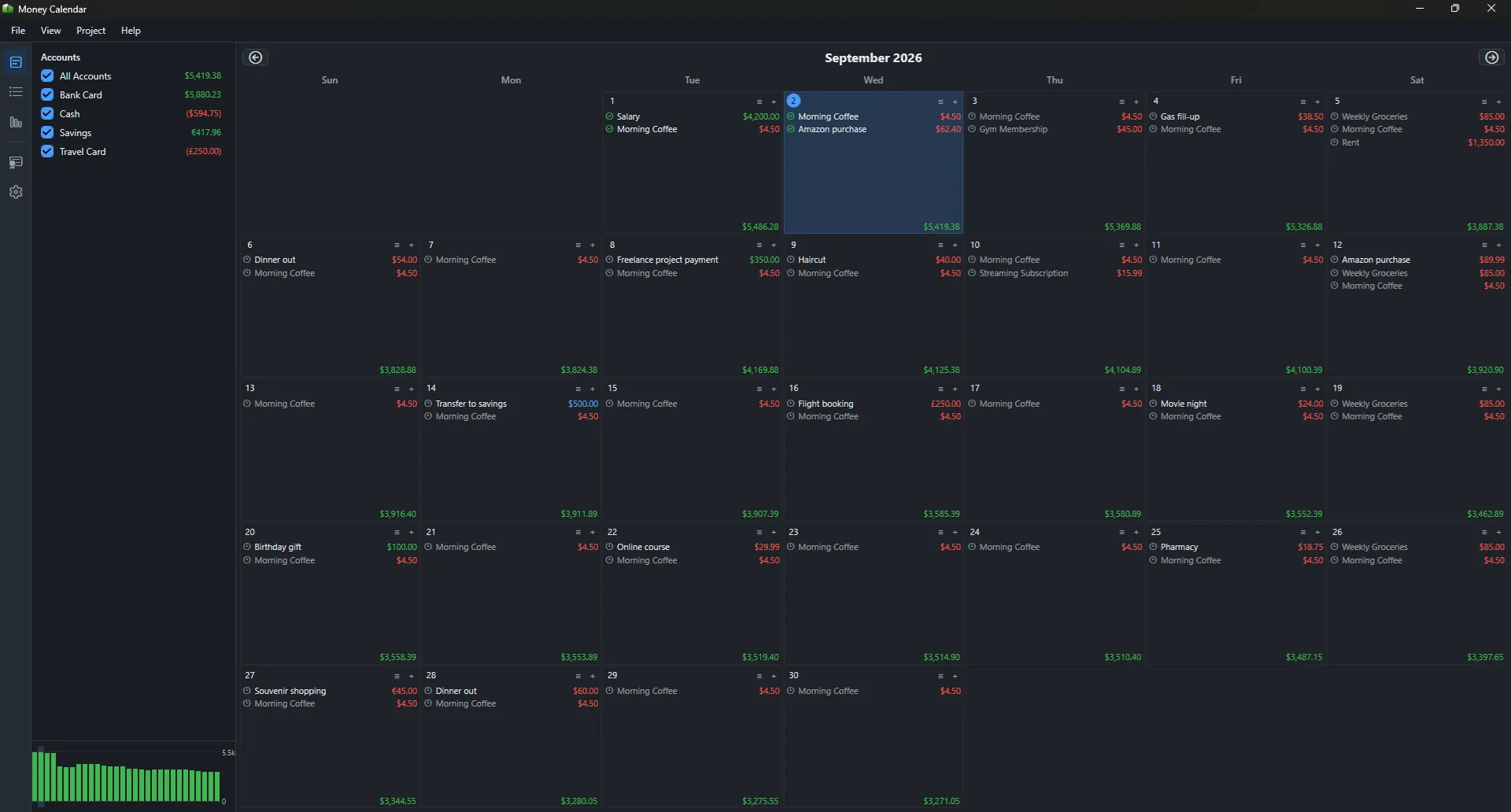
Income, expenses, transfers, and daily totals displayed directly in your monthly calendar.

Accounts and currencies

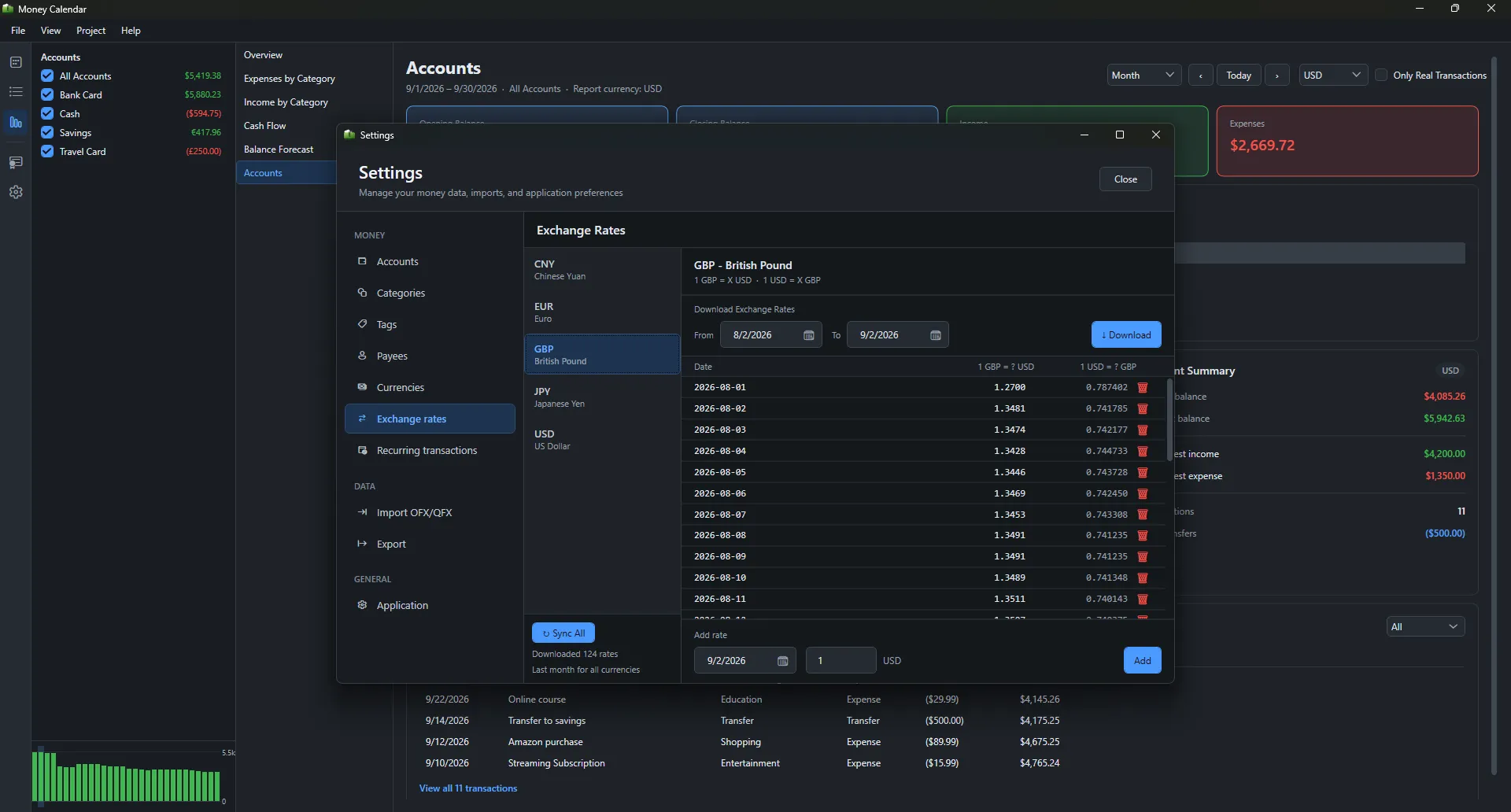
Manage bank cards, cash, investments, and multiple currencies in one finance app.

Reports and planning

Understand spending, balance trends, and upcoming payments without manual calculations.

Monthly budget calendar with color-coded income, expenses, and daily totals
BUDGET CALENDAR

See your entire financial month

Every transaction appears on the day it happens, with daily totals calculated automatically. Spot expensive weeks, major deposits, and upcoming obligations at a glance.

  • Color-coded income and expenses
  • Automatic totals for every day
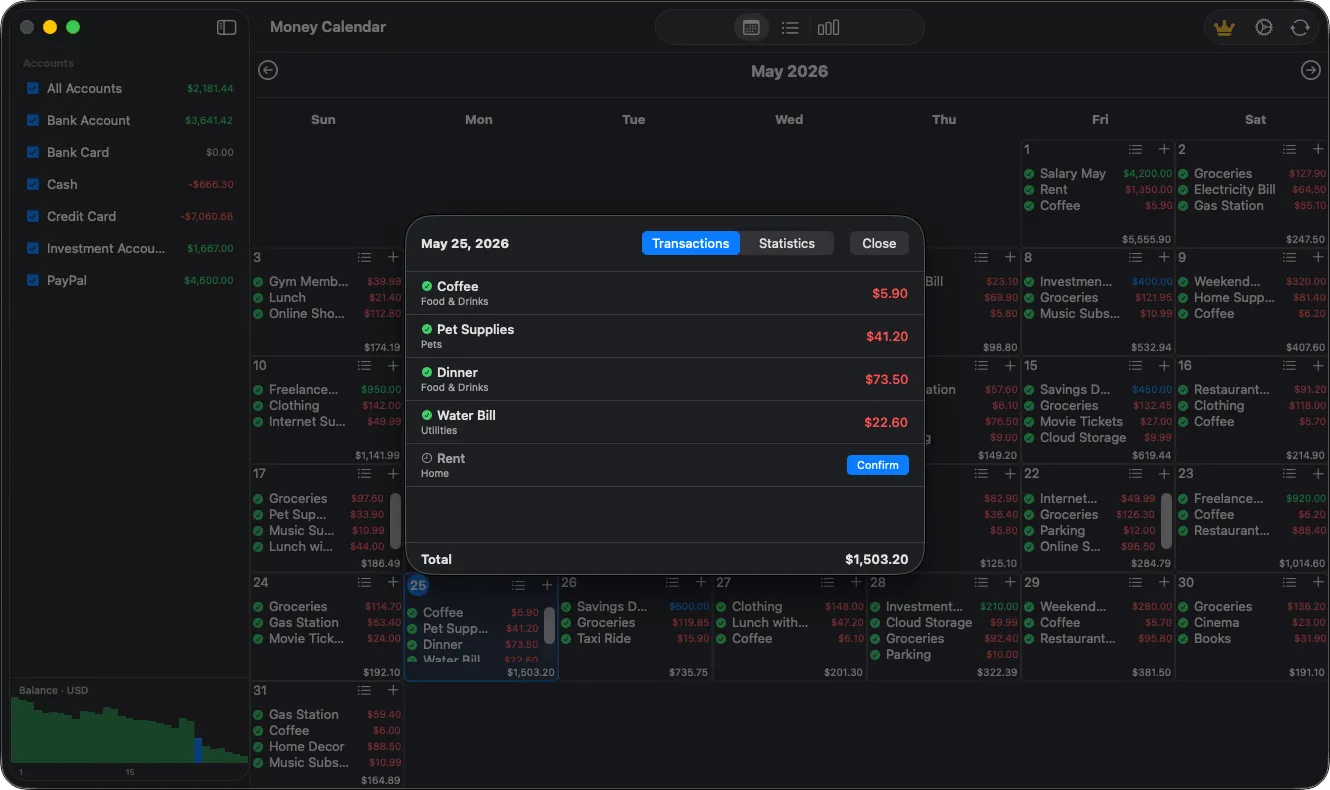
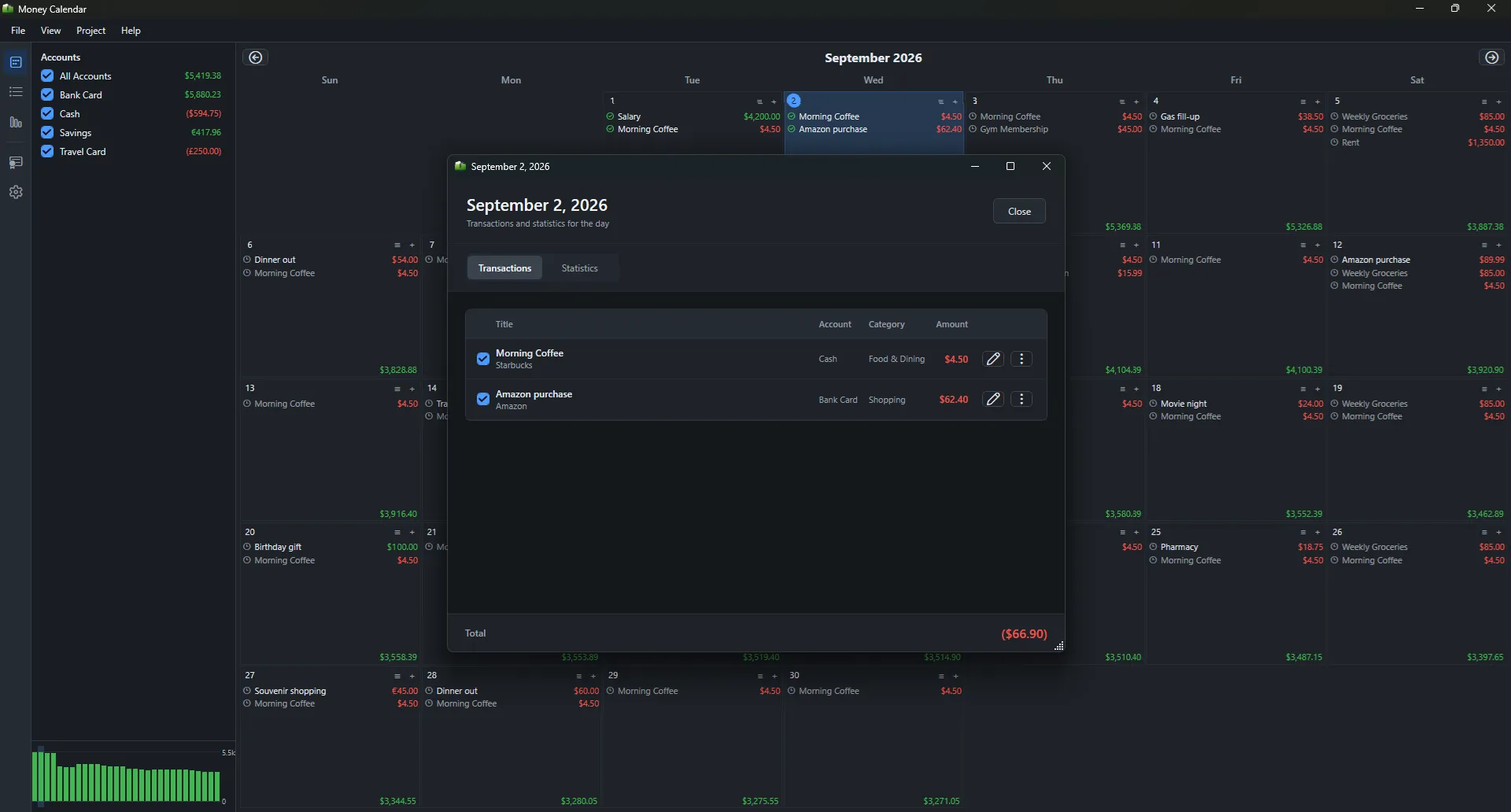
  • Quick access to transaction details and entry
TRANSACTIONS

Keep every purchase organized

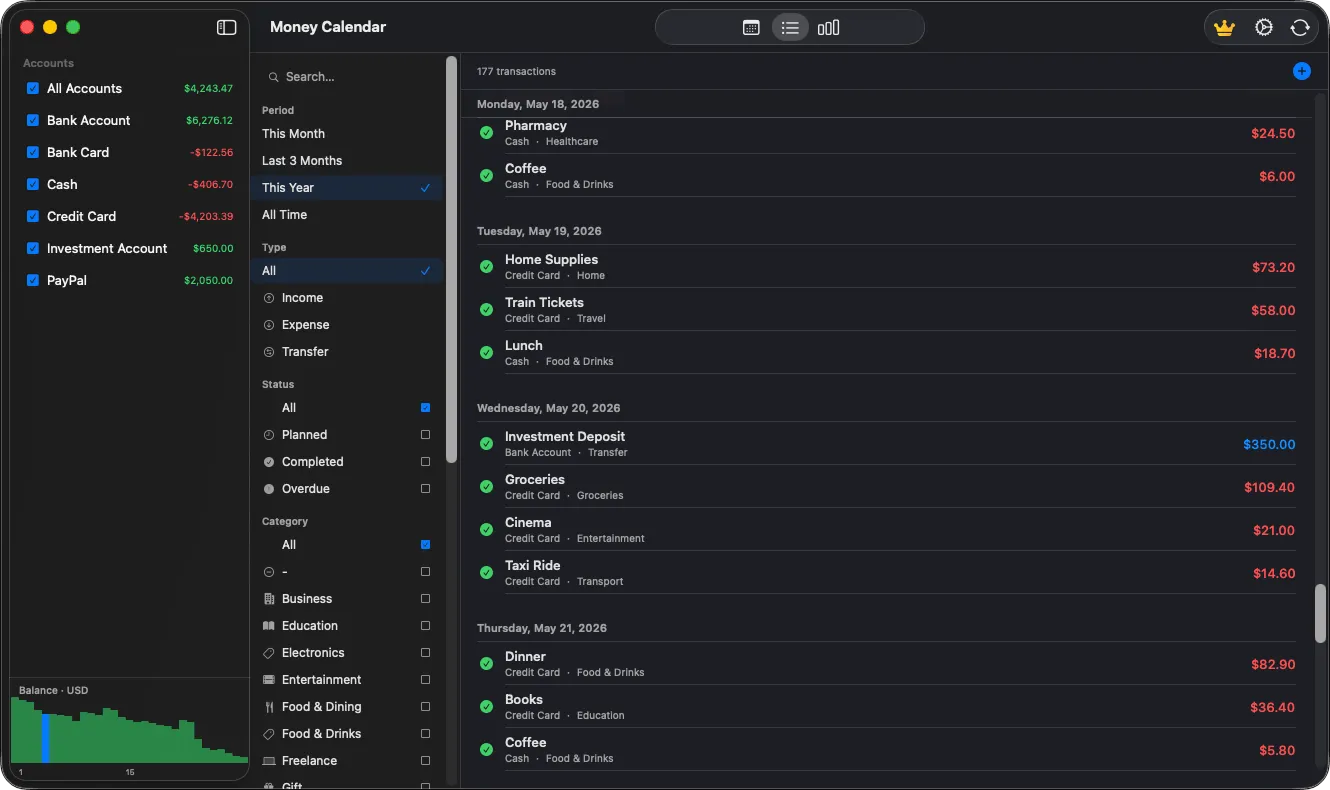
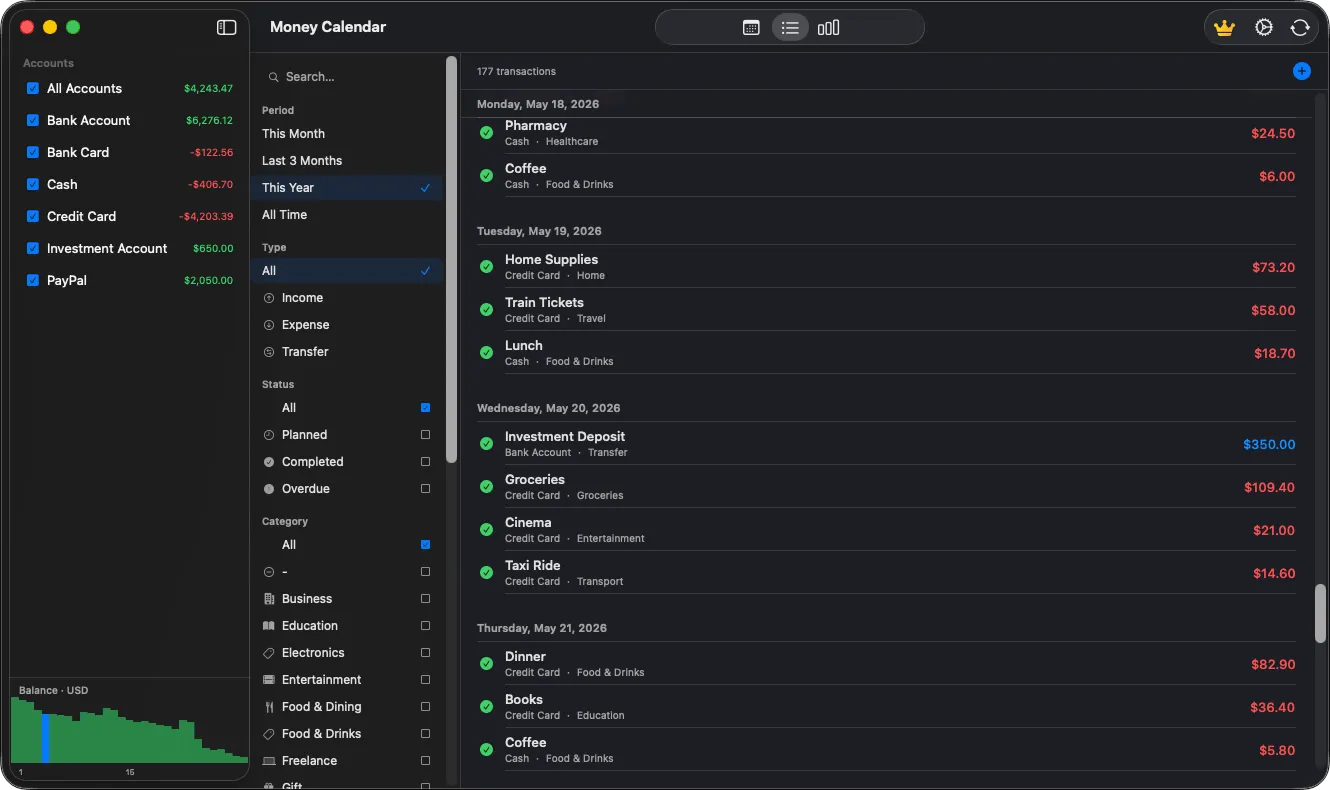
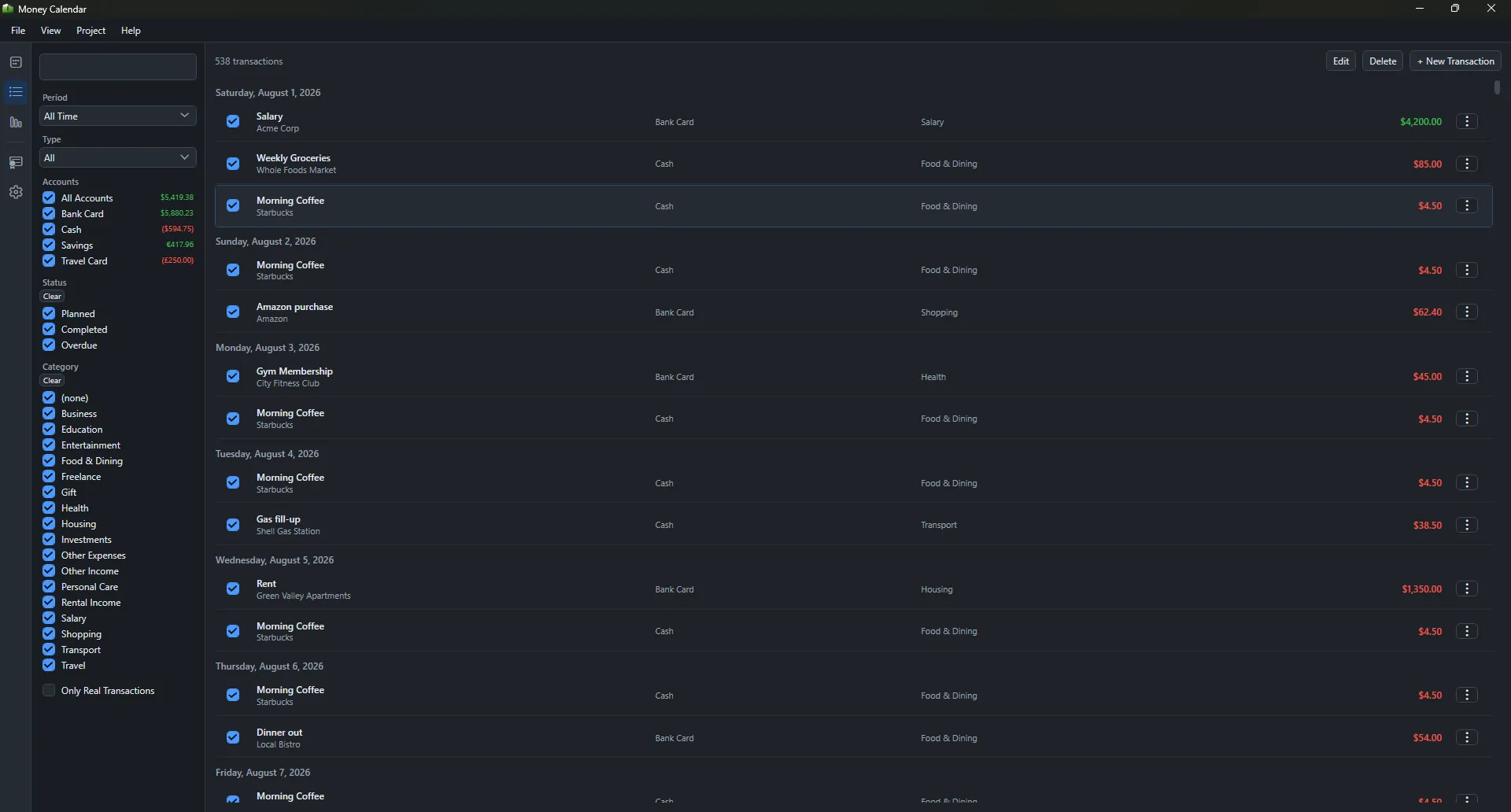
Add income, expenses, or transfers and assign an account, category, and payee. Search and filter your transaction history by period, type, status, or category.

  • Income, expenses, and account transfers
  • Categories, payees, notes, and itemized purchases
  • Planned, completed, and overdue transactions
Mac expense tracker with searchable transaction history and advanced filters
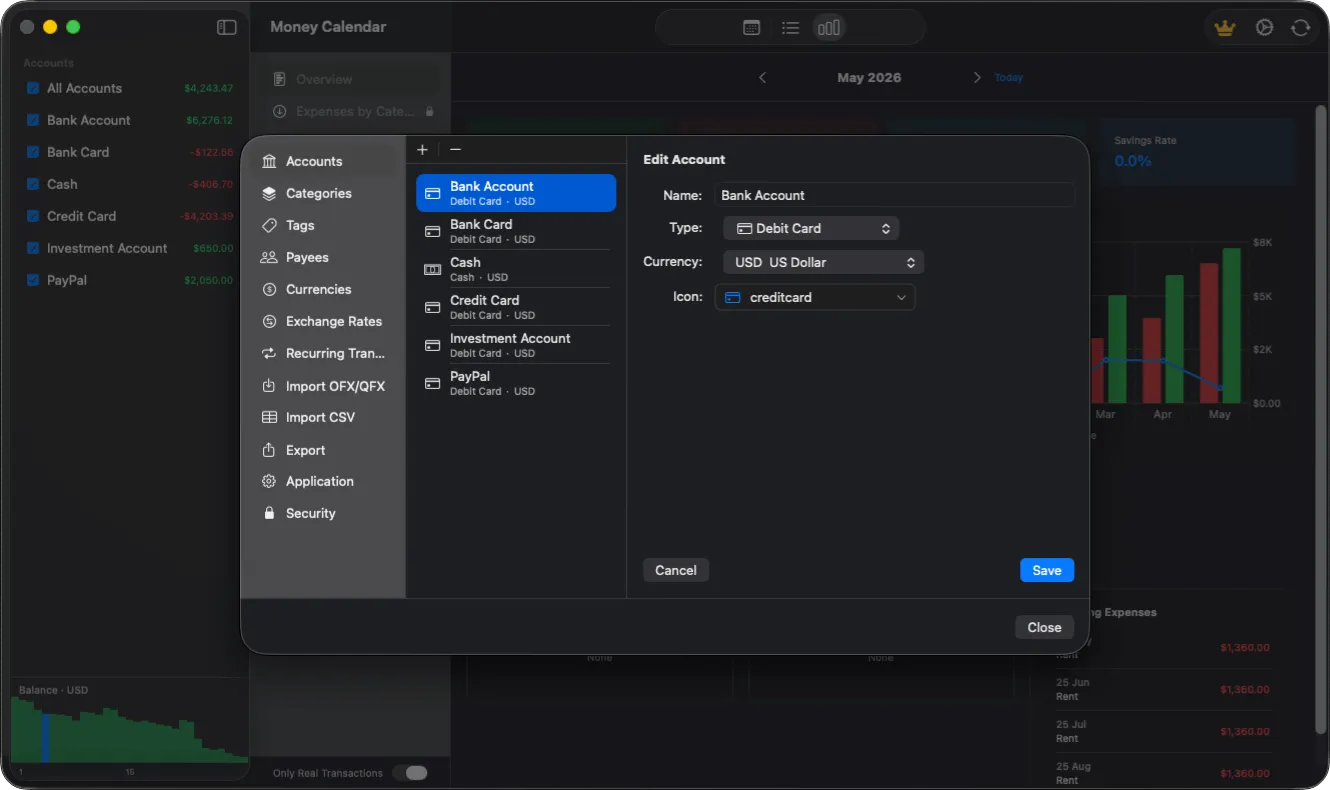
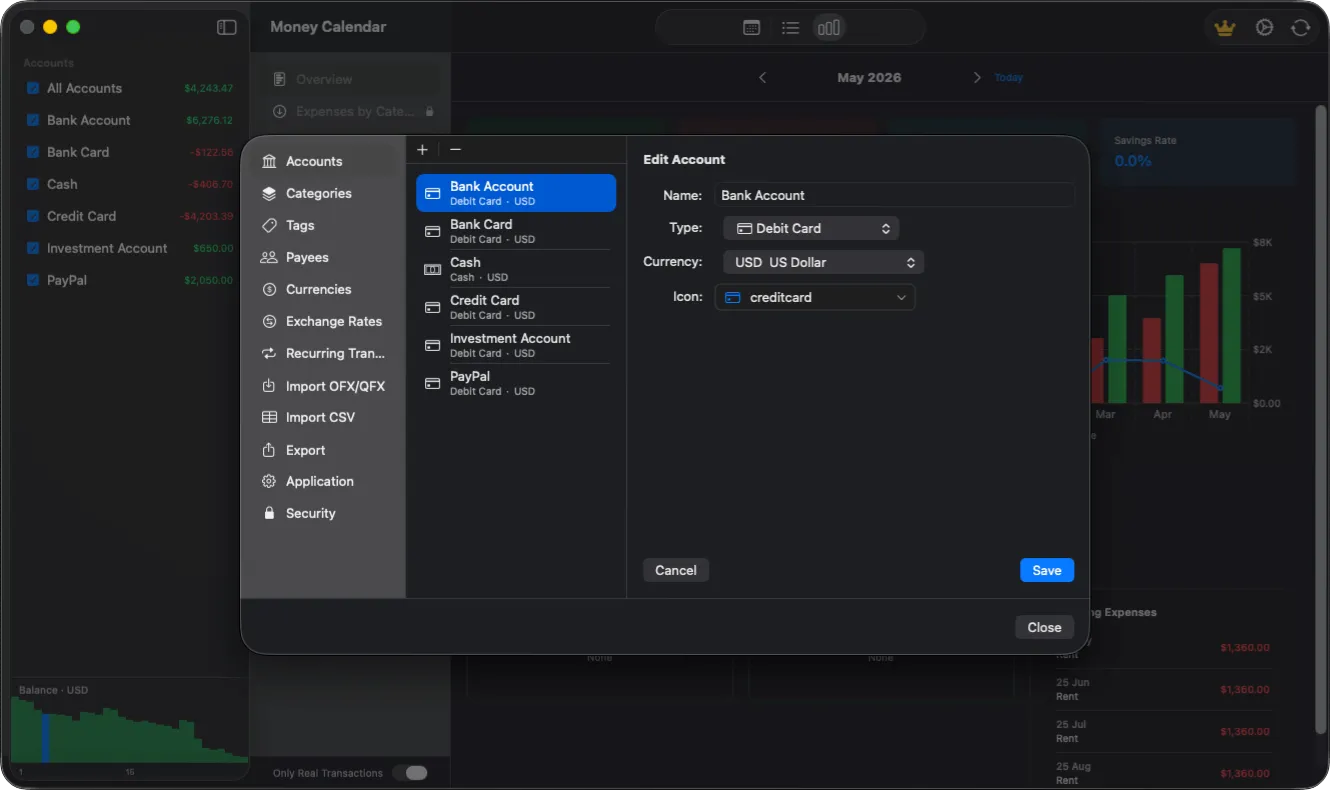
Personal money manager for organizing bank, cash, credit, and investment accounts
ACCOUNTS

Bring every account into one balance

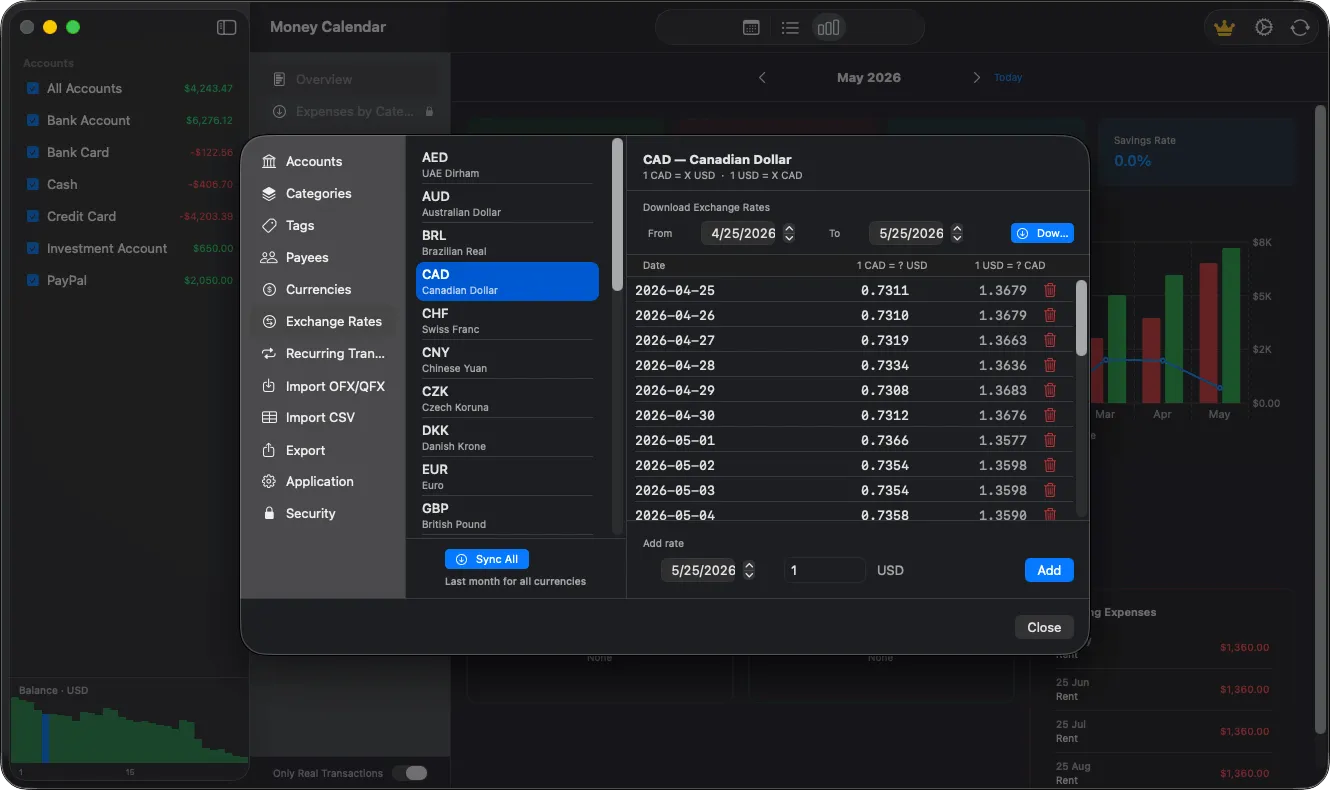
Create separate accounts for bank cards, cash, credit, PayPal, or investments. Include only the accounts you need and instantly understand how much money is truly available.

  • Multiple account types
  • A dedicated currency and icon for each account
  • Combined balance and transaction history
PLANNING

Stay ahead of recurring payments

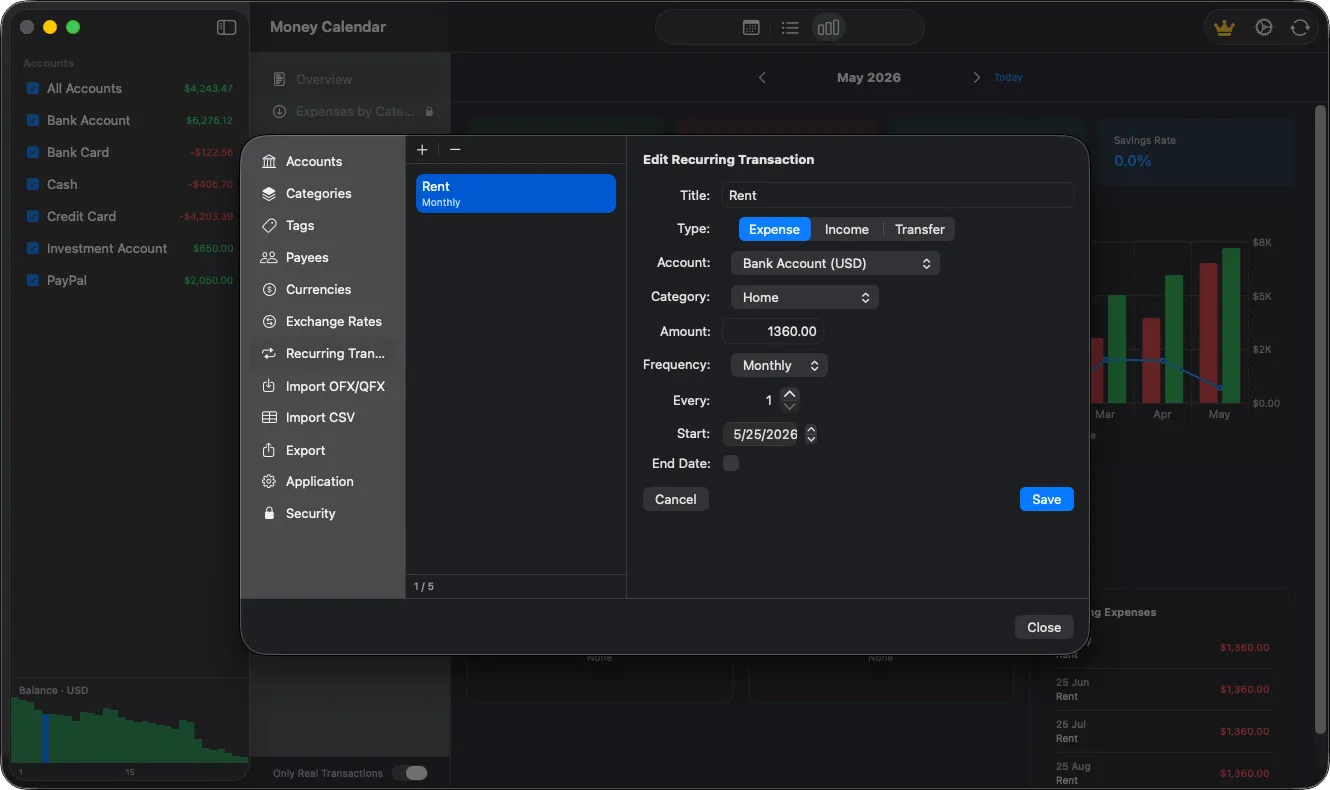
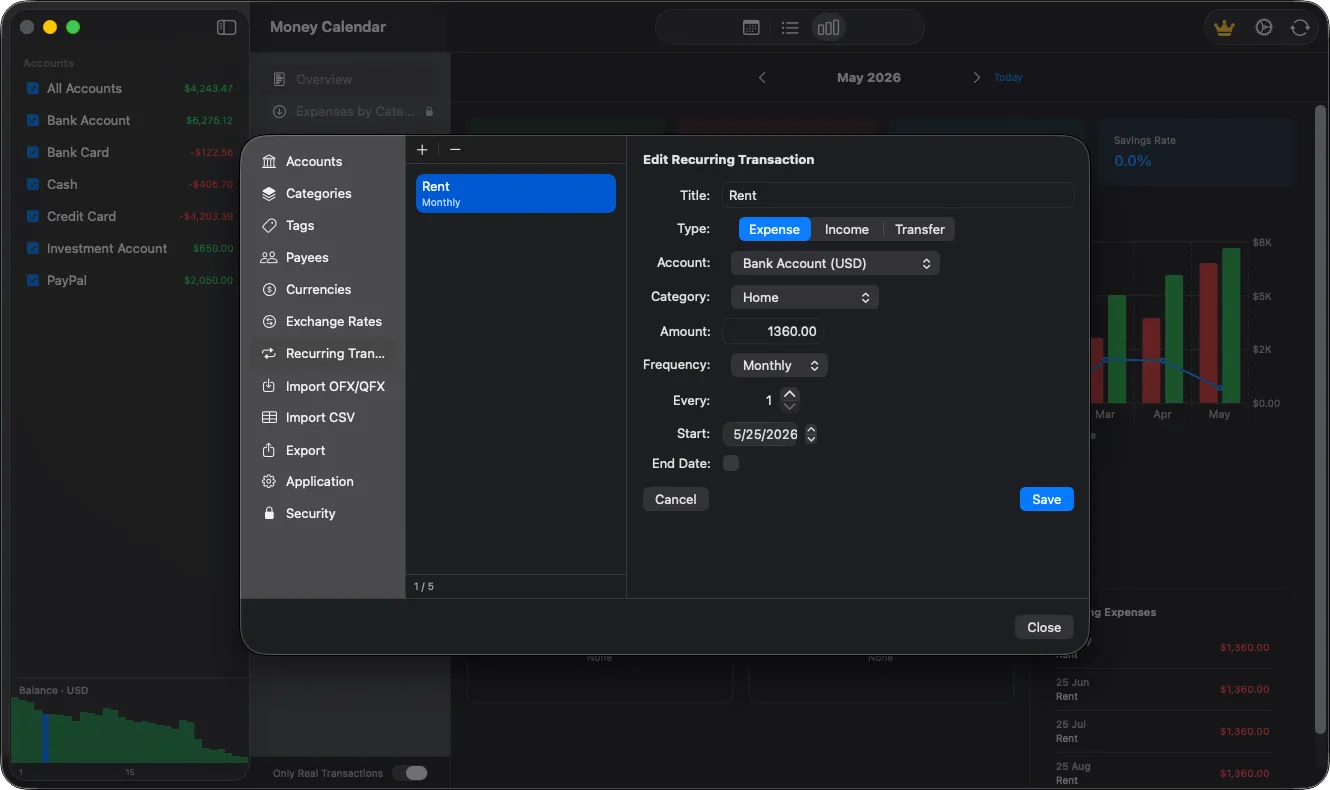
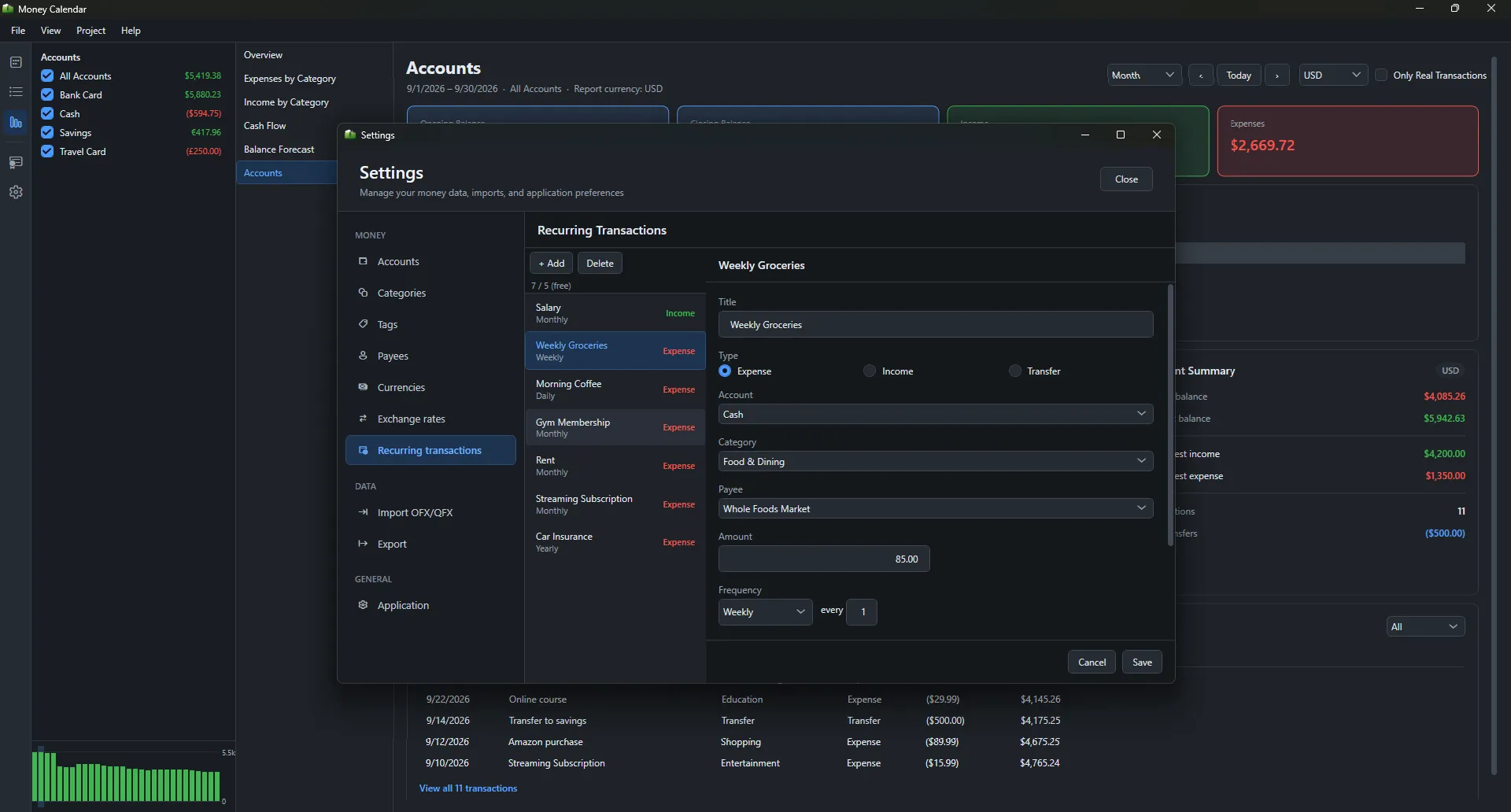
Set up salary, rent, subscriptions, and other recurring transactions once. Money Calendar schedules them ahead of time, helping you understand their impact on your future budget.

  • Flexible recurrence schedules
  • Start date and optional end date
  • Upcoming and overdue payment tracking
Recurring payment planner for rent, salary, bills, and subscriptions
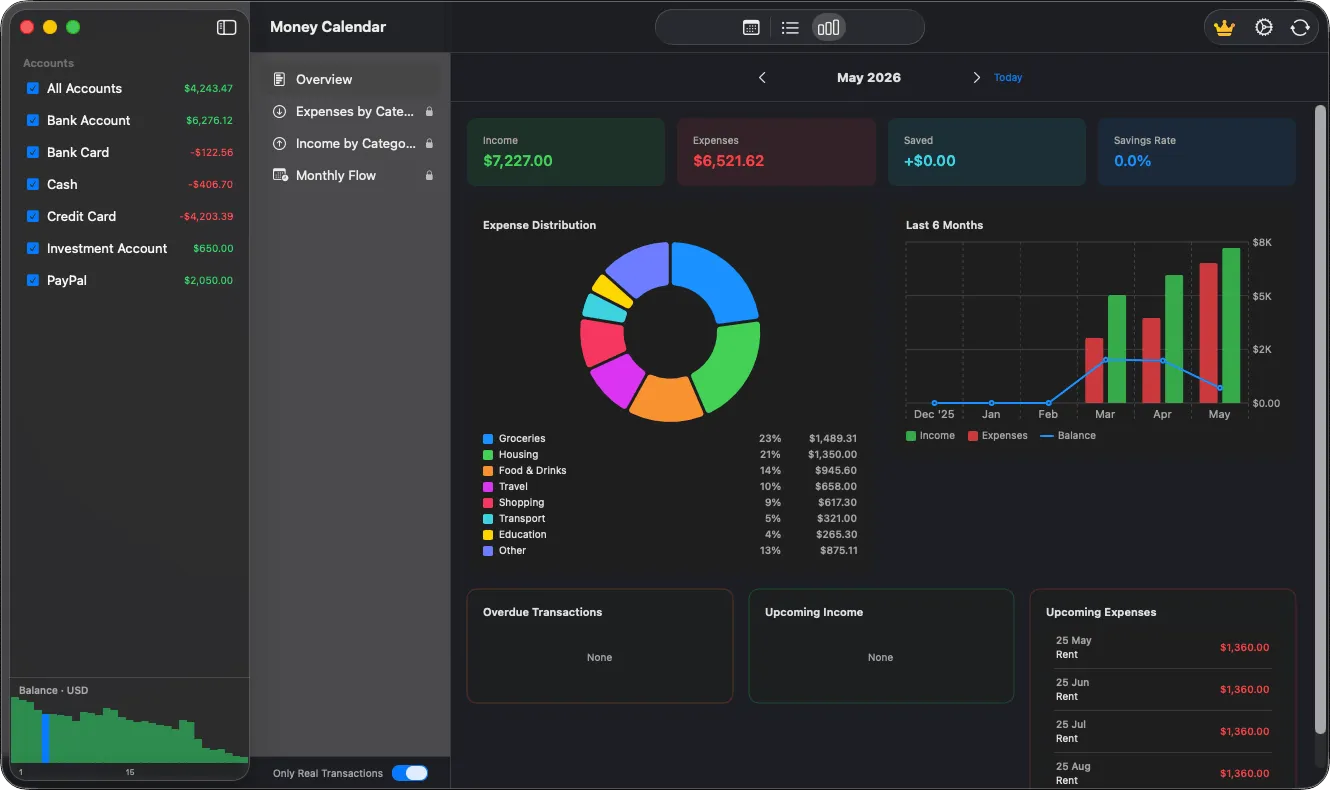
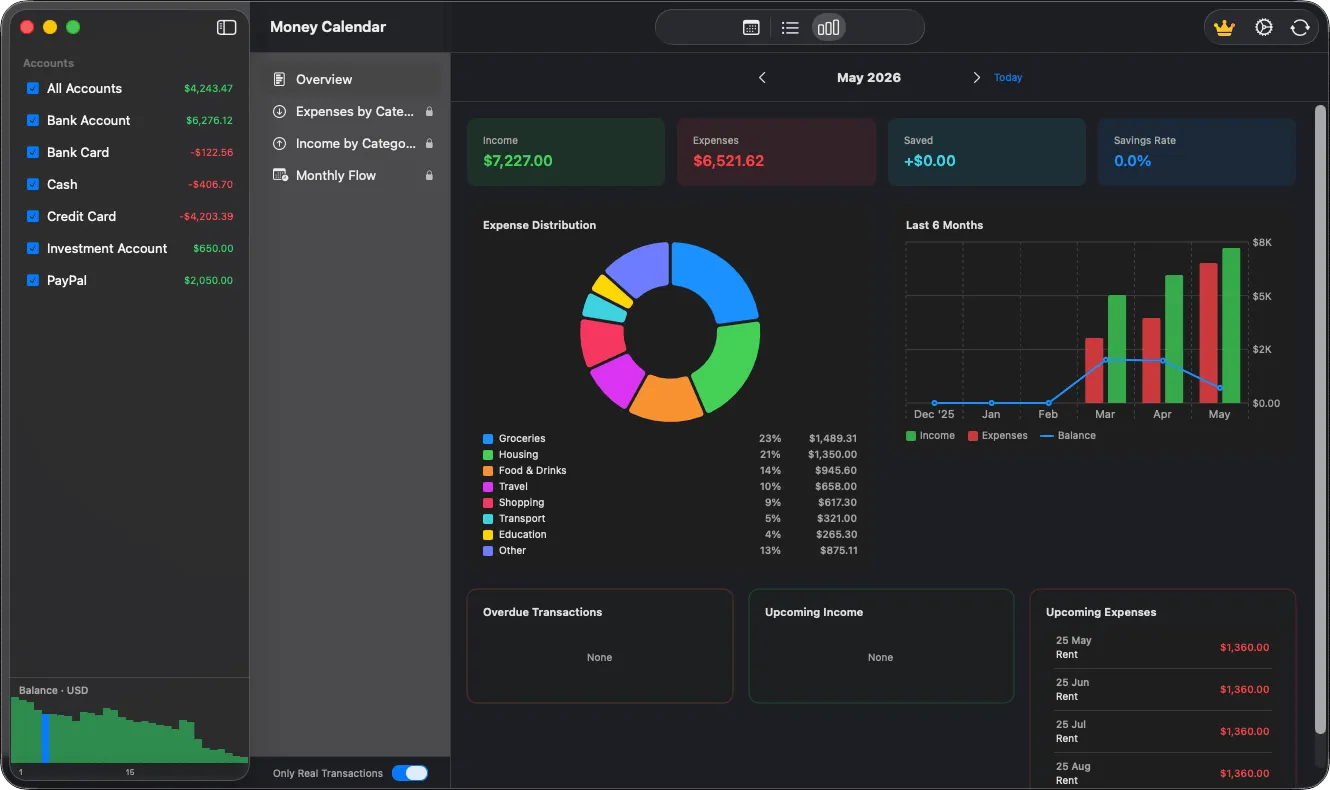
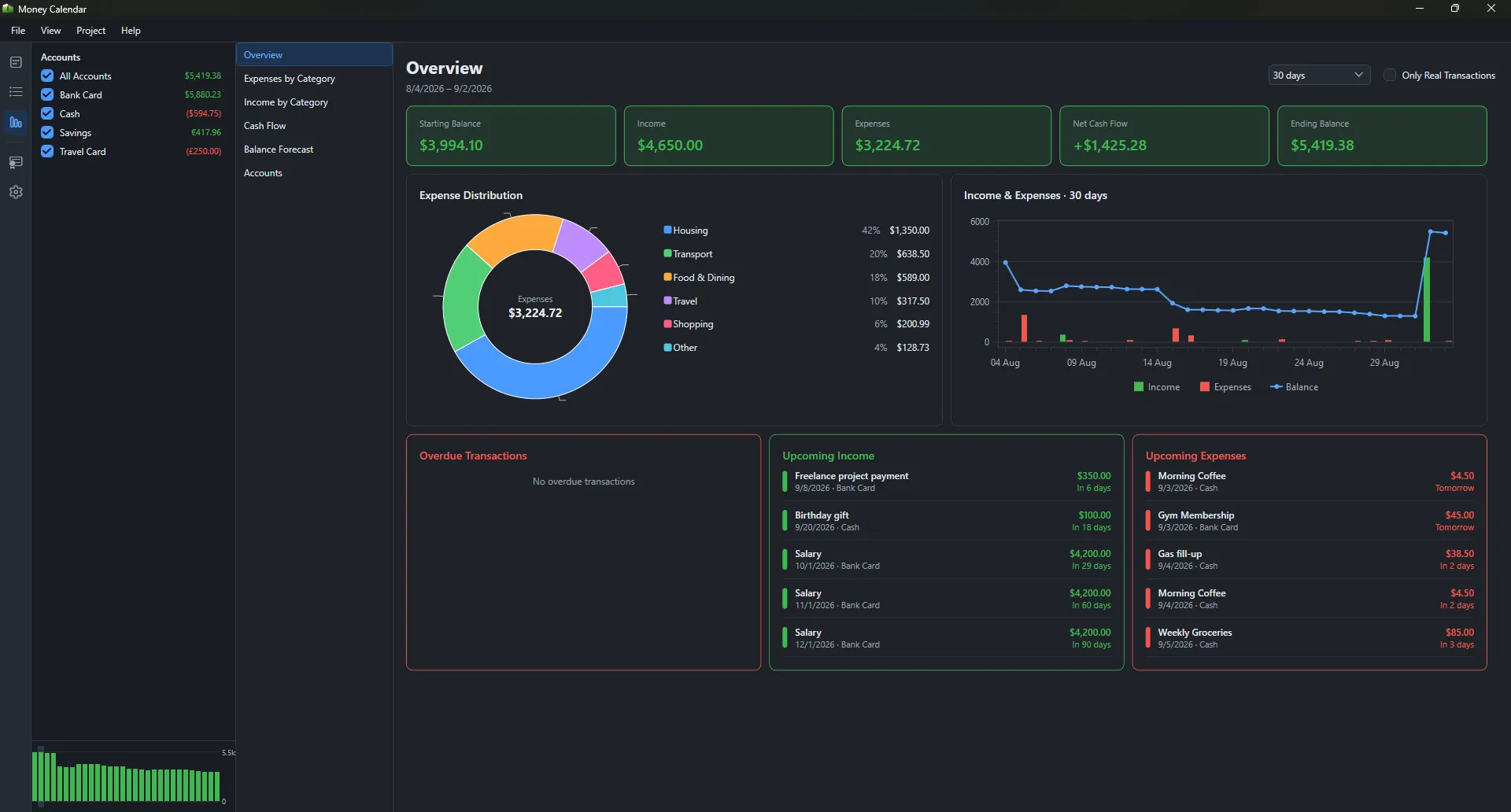
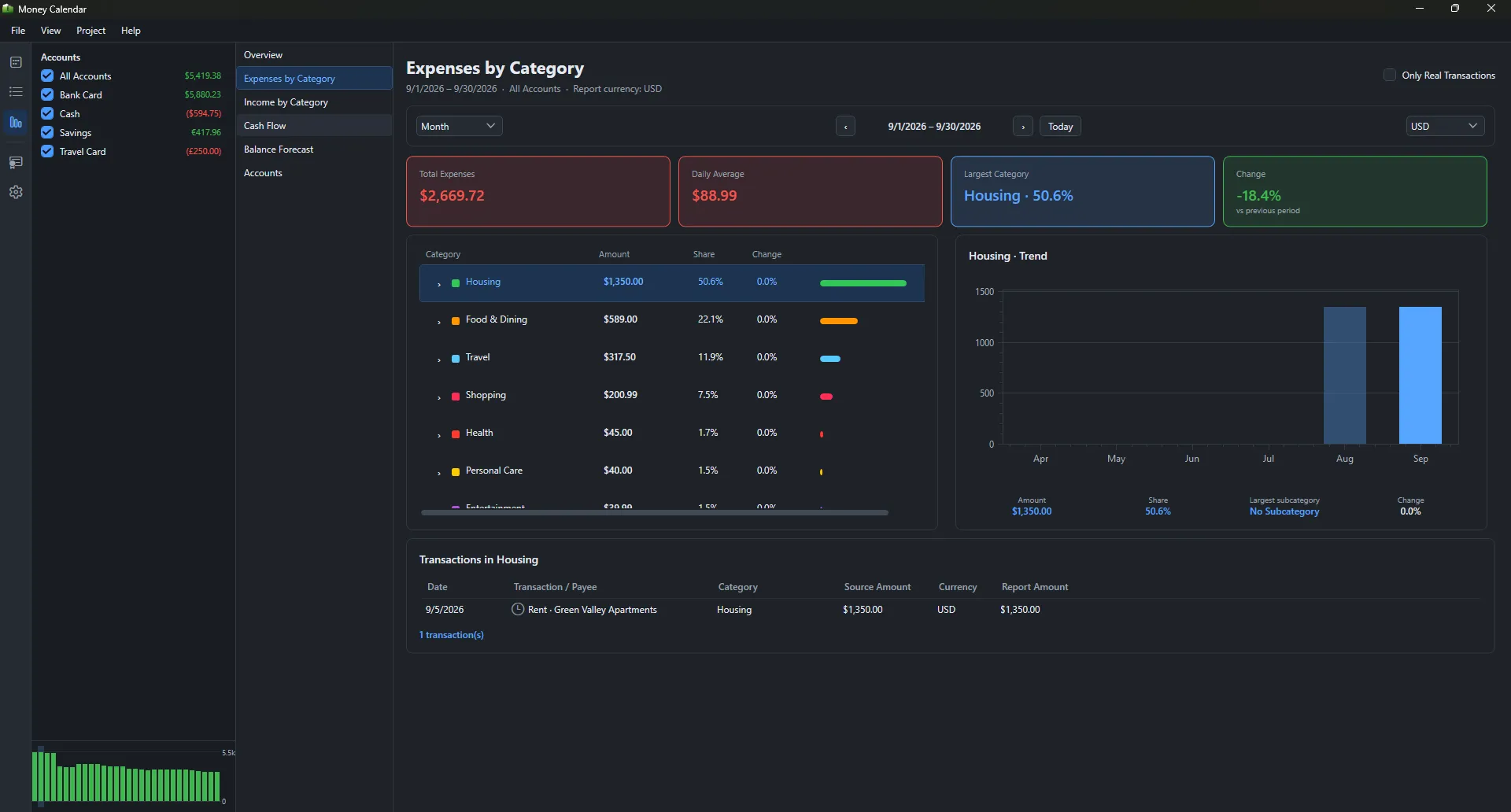
Personal finance dashboard with expense reports, category charts, and balance trends
FINANCIAL REPORTS

Turn numbers into better decisions

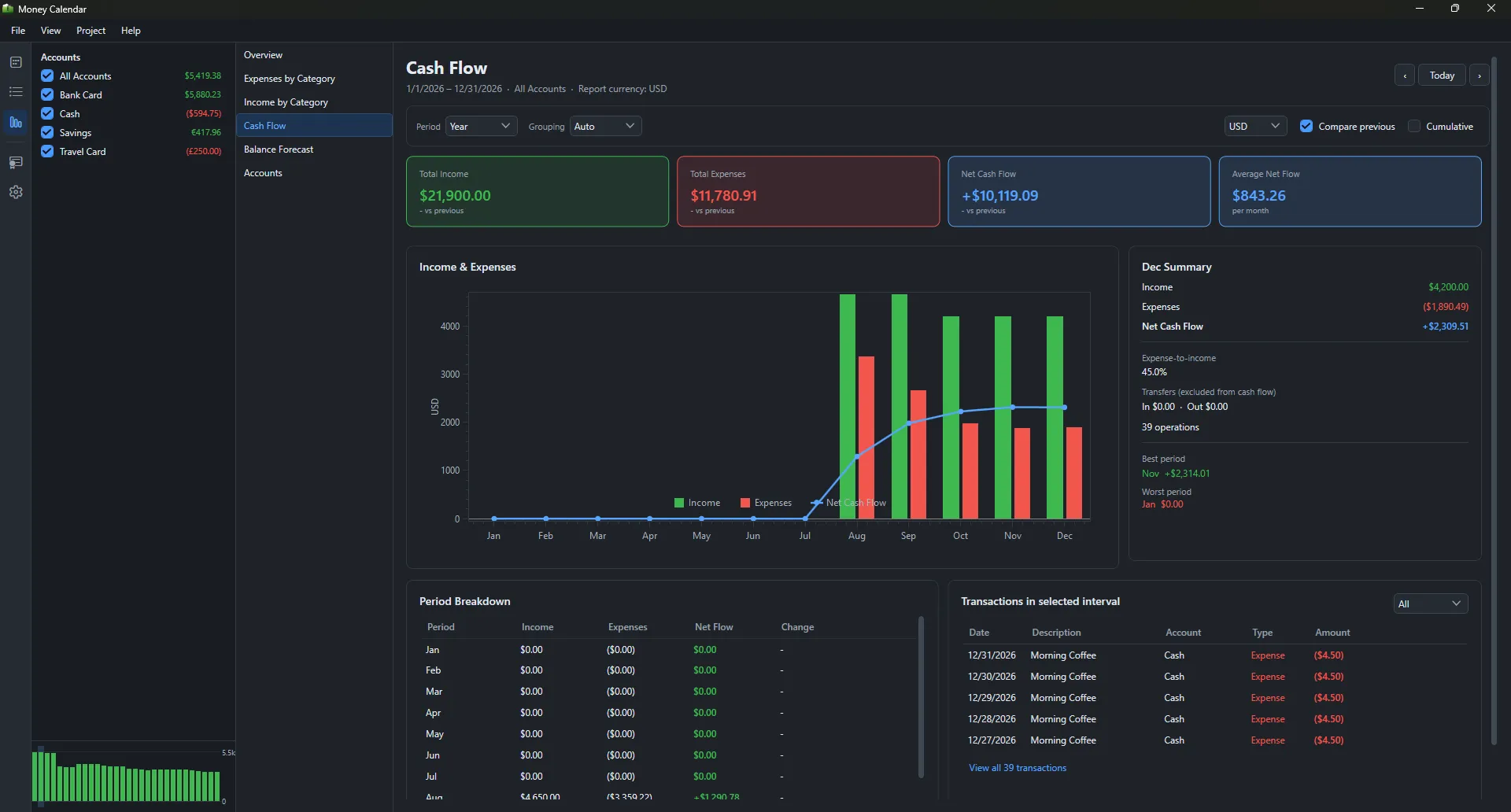
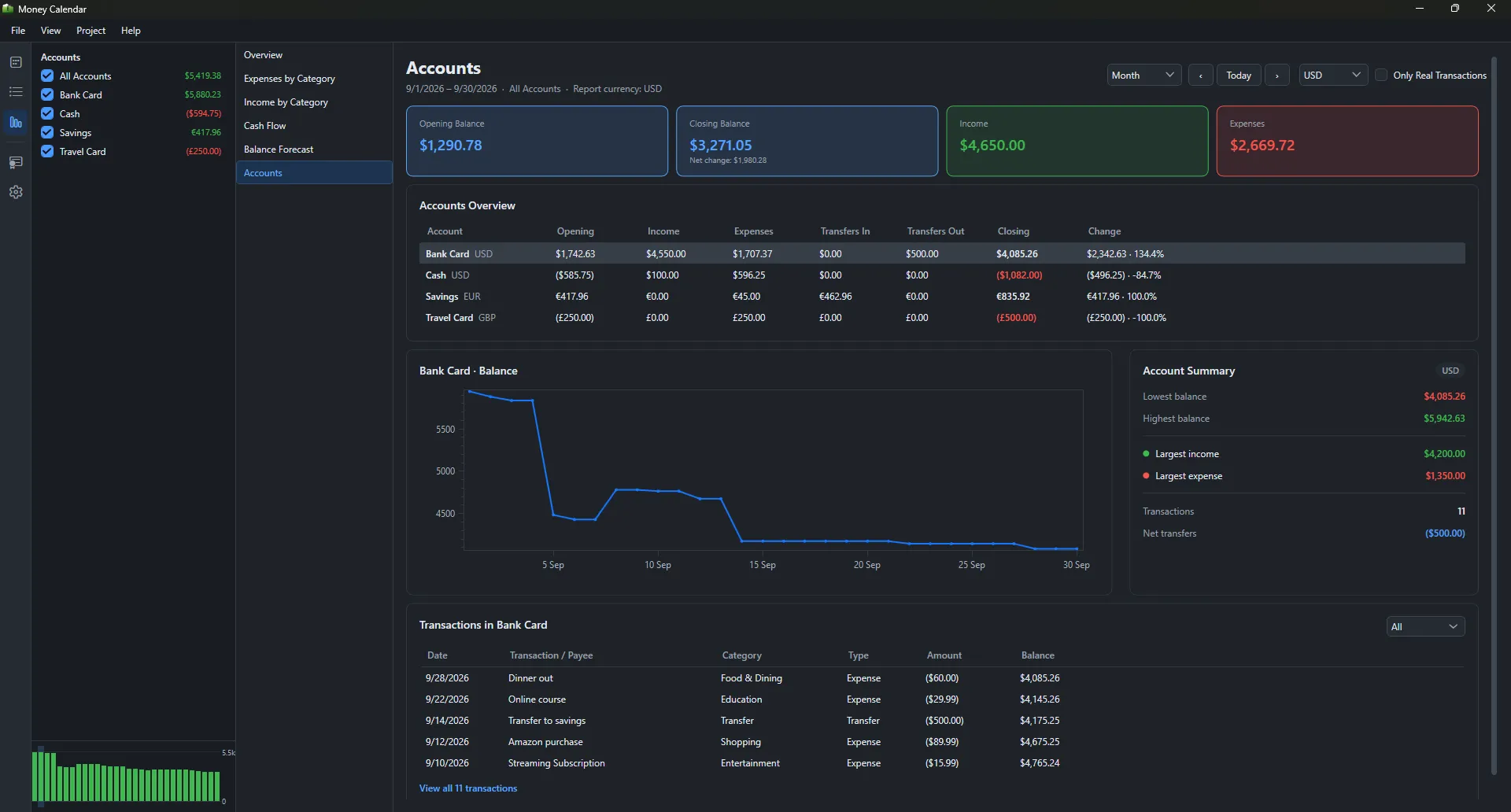
The financial dashboard brings together income, expenses, savings, and balance trends. Category charts reveal exactly where your money goes.

  • Income, expense, and savings-rate overview
  • Spending breakdown by category
  • Monthly cash flow and balance trends
DATA CONTROL

Your financial data stays yours

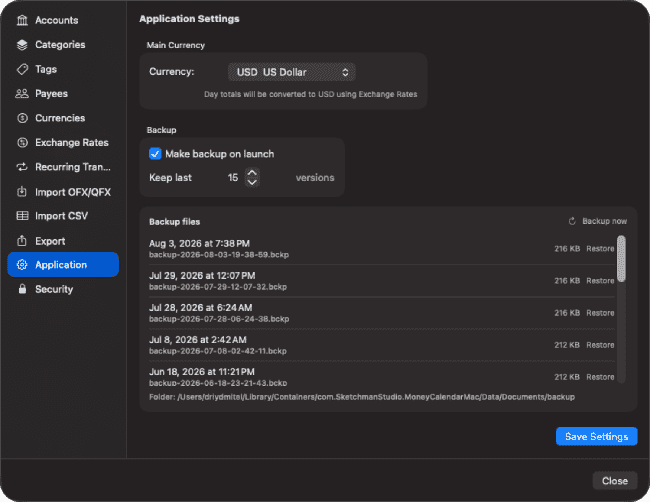
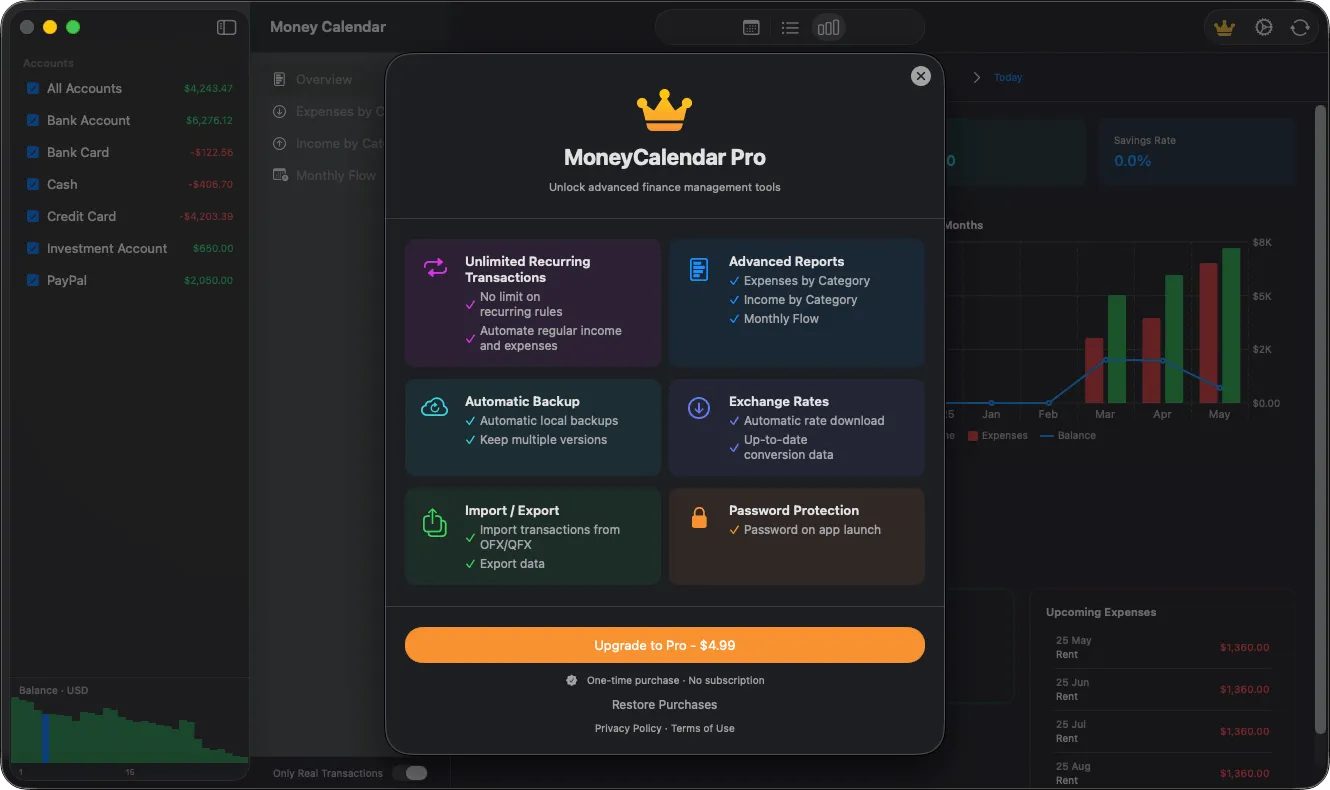
Import transactions from CSV or OFX/QFX, export your records, and keep local backups. Password protection and AES‑256 encryption help secure your financial history.

  • CSV and OFX/QFX import plus data export
  • Automatic local backups with version history
  • Password-protected access
Local automatic backup settings in Money Calendar for macOS
Gallery

Interface Screenshots

Take a visual tour through the different panels and dashboards of Money Calendar for macOS.

Money Calendar app main calendar view with personal finance transactions
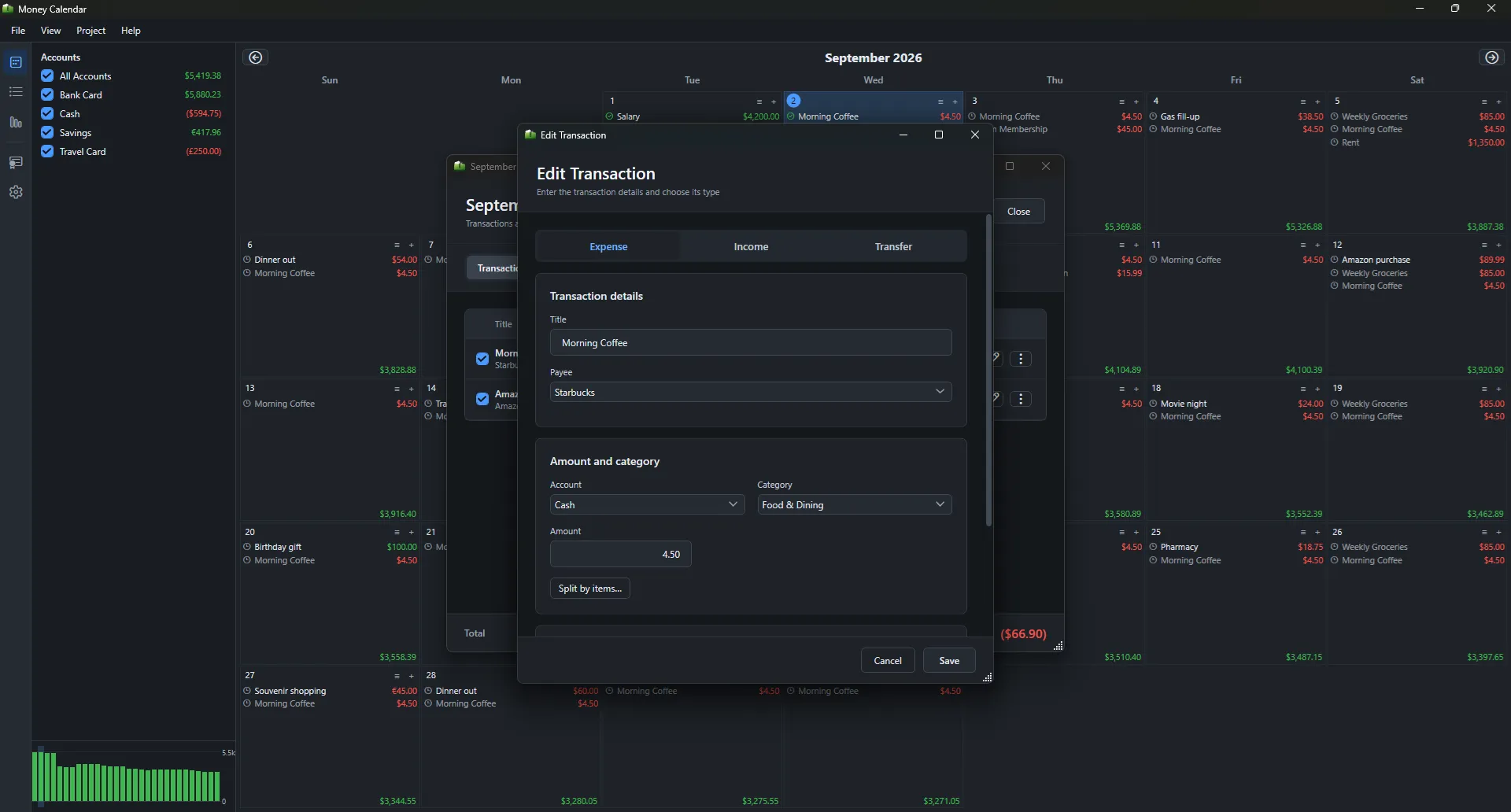
Daily transaction details screen in Money Calendar app
Add new income, expense, or transfer transaction in Money Calendar
Licensing

Get Money Calendar for macOS

Available now on the Mac App Store.

Money Calendar for macOS

Plan expenses, track income, and manage your finances with a simple calendar view

$4.99
  • Official release, kept up to date automatically
  • Managed installs and updates via Mac App Store
  • Secure, verified distribution
Get from Mac App Store

Latest Studio Updates

Keep up with product announcements, new features, and development logs from our team.

Retake Incorrect, Correct, or Skipped Questions in ProfExam Simulator 10.21.6
July 9, 2026 ProfExam

Retake Incorrect, Correct, or Skipped Questions in ProfExam Simulator 10.21.6

New in ProfExam Simulator 10.21: retake incorrect, correct, skipped, or all exam questions directly from the results screen for more effective certification exam preparation.

Read Article
ProfExam Creator 10.2.2.495: Import questions from JSON - a new dedicated window
May 29, 2026 ProfExam

ProfExam Creator 10.2.2.495: Import questions from JSON - a new dedicated window

Import from JSON is a new window in ProfExam Creator 10.2.2.495 that lets you load questions from a JSON file directly into your exams - with a built-in editor, live preview, and flexible import options

Read Article
ProfExam Simulator 10.20.5 - What's New
May 14, 2026 ProfExam

ProfExam Simulator 10.20.5 - What's New

A focused update packed with usability improvements - faster navigation, full keyboard control, flexible answer styles, and long-requested fixes for macOS and Linux users.

Read Article