ProfExam Simulator 10.22.0.0 is out, with a redesigned interface, five interface languages and a new way to practice on the questions you find difficult.
What's New
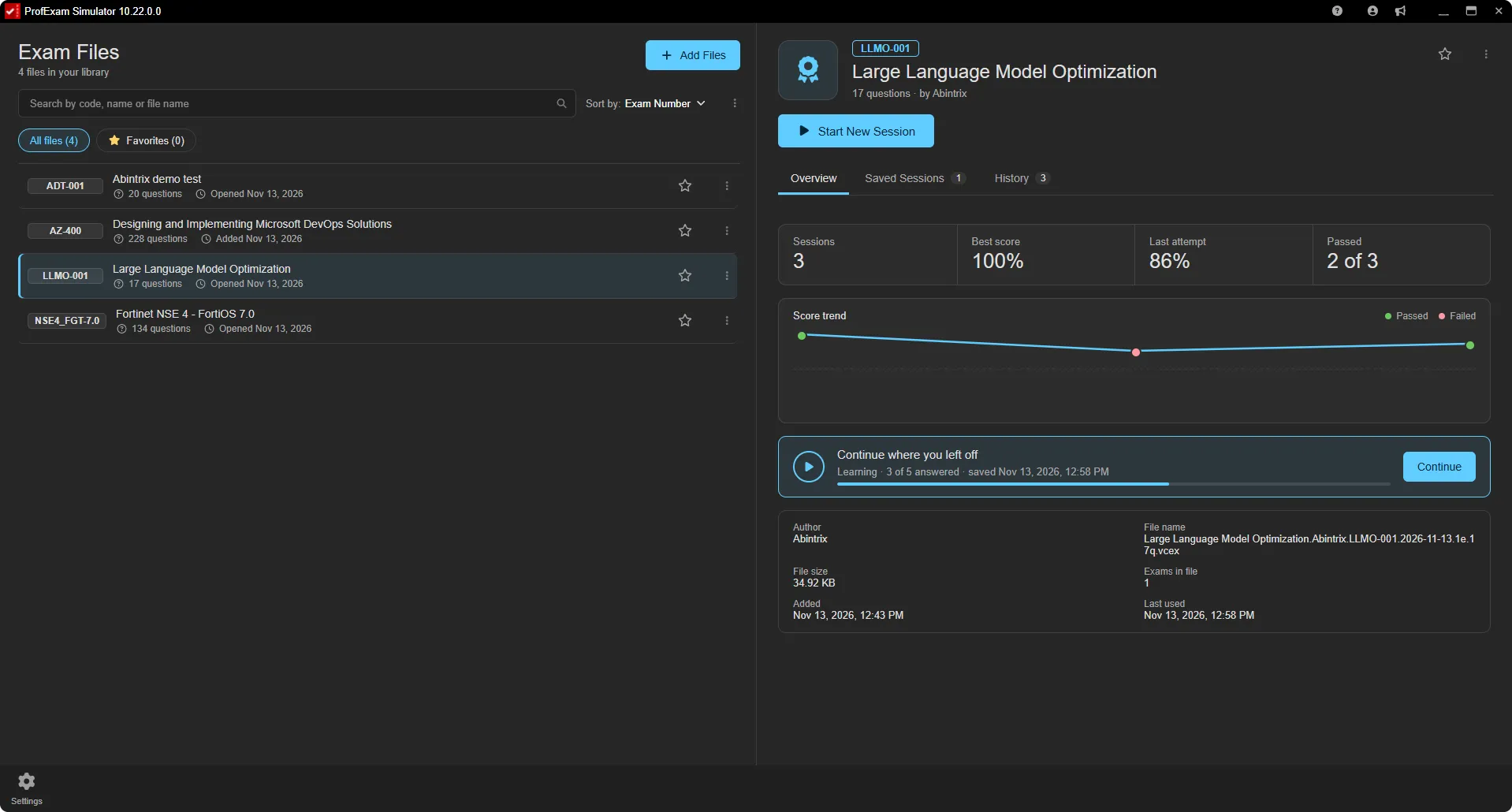
- A new home screen. Select an exam and its card shows your statistics, a chart of your attempts, saved sessions and full history. Every other window has a new look too, in both the light and the dark theme.
- Five languages. The interface is now available in English, German, Spanish, French and Brazilian Portuguese.
- Prioritize missed questions. A new session option puts more of your weak spots into the session and fewer of the questions you already know.
- Easier exam import. Drag several exam files onto the library at once, or select multiple files in the Add Files dialog.
- Updates from inside the app. A new version indicator appears in the title bar, and on Windows the update installs without leaving the app.
- Plus better error messages, improved security and a number of bug fixes.
For the full list of changes, see the detailed post on the ProfExam website: ProfExam Simulator 10.22: a new interface, five languages and practice on missed questions.
Get the Update
ProfExam Simulator 10.22 is available now for Windows, macOS and Linux. Download it in the Downloads section: Download ProfExam Simulator, or update right from the app.