Count how many times this week you typed your own address. The same answer to the same support question. The same import block at the top of a new file. The same "thanks, I'll get back to you tomorrow" with the date changed.
None of it is hard to type. That is exactly the problem - it never feels worth solving, so you keep paying for it in small installments, every single day.
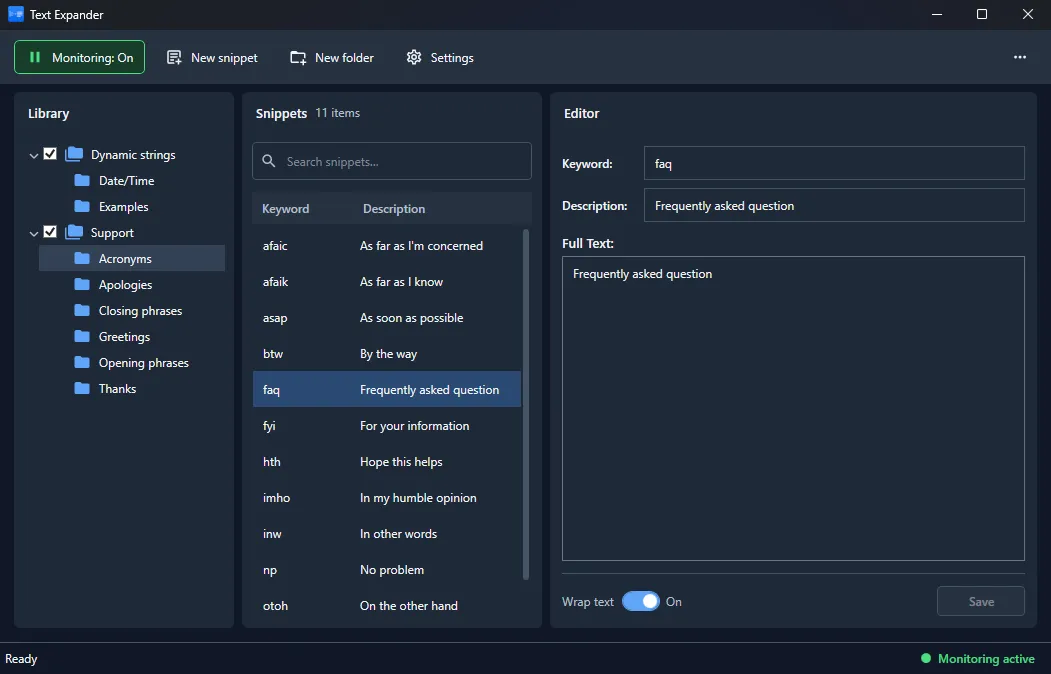
TextExp 2.0 for Windows is out, and it takes that tax away. You type addr and your full address appears. You type ;sig and your signature lands, formatted. The abbreviation is yours to choose, and the text behind it can be a word, a paragraph, or thirty lines of source code.
It works everywhere, not just in an editor
This is the part people usually underestimate. TextExp does not live inside Word or inside your browser - it watches what you type system-wide, so the same abbreviations work in Outlook, in a chat window, in a ticket form, in the terminal and in whatever IDE you happen to have open. Shortcuts for command-line invocations are just as valid as canned replies to customers.
Snippets that are not frozen in time
A static block of text only gets you so far, so expansions can carry built-in variables that are resolved at the moment of replacement:
- the current date and time, so a template stamps itself correctly;
- whatever is currently in the clipboard, dropped into the middle of your text;
- a freshly generated GUID, for the times you need a unique id and nothing else;
- an explicit cursor position, so after the expansion you are already standing where you need to type.
A library you can actually manage
Once you have a few dozen abbreviations, the list itself needs looking after. TextExp keeps them in a library where sets can be switched on and off - so a set built for one client, one project or one language is not silently firing while you work on something else. Searching, editing and deleting an entry takes seconds, and when you need the keyboard left completely alone, pause mode stops all replacements until you turn it back on.
Nothing leaves your machine
A tool that sees everything you type has no business talking to the internet, and TextExp does not. There is no account, no sync service and no network access at all - your abbreviations and your text stay on your PC.
Getting it
Version 2.0.0.638 runs on Windows 11 with .NET 10, and the licence is a one-time purchase of $24.95 - no subscription, updates included.
Download: TextExp for Windows (installer)
Learn more: TextExp product page