Shipping an app means producing the same picture over and over again. Sixteen pixels, thirty-two, forty-eight, two-fifty-six, a handful of store-specific sizes nobody remembers by heart, then the favicon, then whatever the social preview wants this year. It is not difficult work. It is just twenty minutes of resize, export, rename, resize, export, rename - and if the logo changes, twenty minutes again.
SizeForge exists to make that a single click, and it is now available for Windows.
The whole set in one run
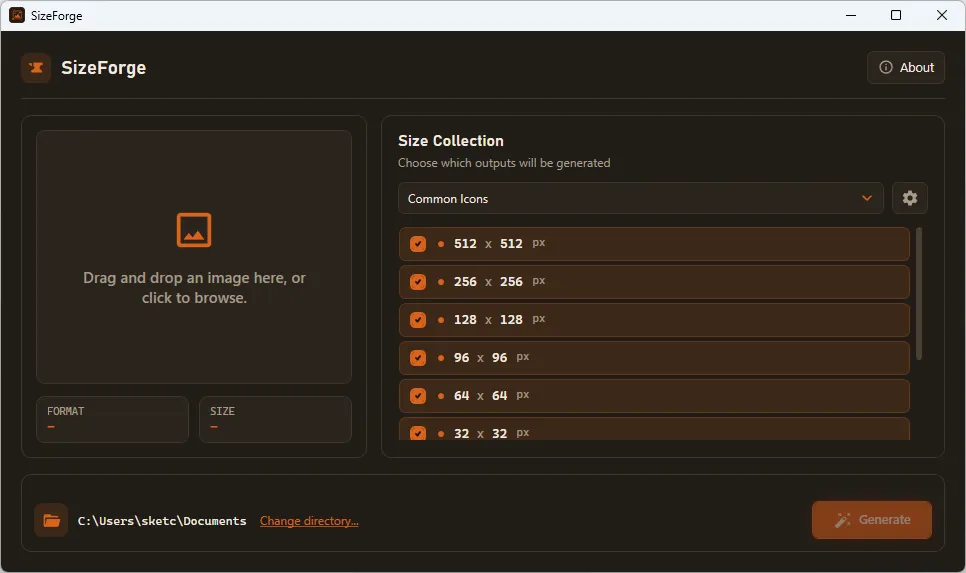
Drop in one source image, pick the collection of sizes you want, choose an output folder, and press generate. Every file in the set is written at once, at high quality, from the original - not resized down from an already resized copy. Before you commit, the workspace shows the source format and dimensions along with every target size in the collection, and individual sizes can be switched off if this particular project does not need them.
The store requirements are already in there
SizeForge ships with the collections most projects actually reach for: Microsoft Store assets, Apple App Store icons, a dedicated Android launcher set, and the ordinary everyday icon sizes. You do not have to look up the current list of required dimensions - it is already organized as a preset you can select.
And the sizes nobody else knows about
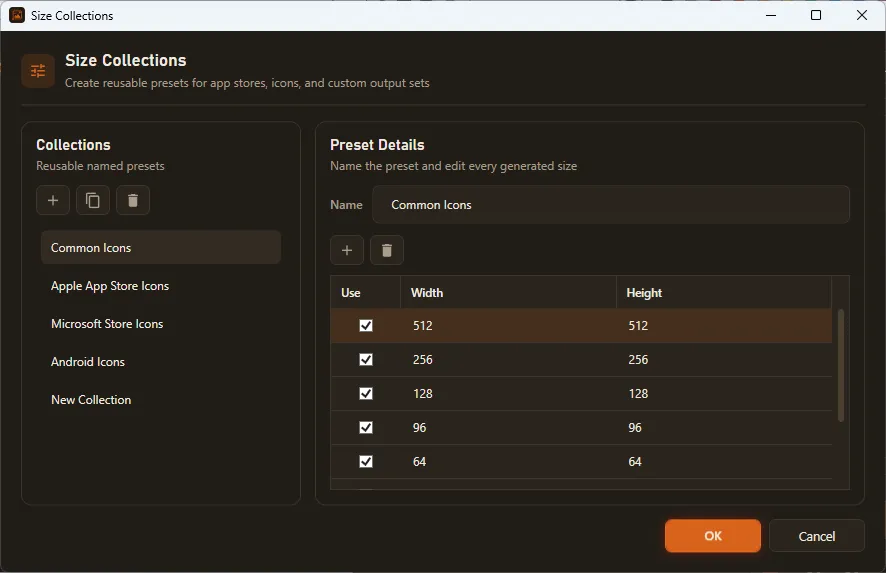
Every project has its own oddities - a hero image at one exact width, thumbnails at three sizes your own layout expects, print assets someone specified once in a spreadsheet. Build those into a collection of your own with whatever width and height values you need, duplicate an existing collection to start from something close, and delete the ones you have outgrown. The point is that you define it once and never look it up again: next month's logo update is the same single click.
SizeForge 1.2.1 runs on Windows 11 with .NET 10 and is on the Microsoft Store for $0.95 - a one-time purchase, no subscription, and nothing that needs an online service to do its job.
Microsoft Store: Get SizeForge on the Microsoft Store
Learn more: SizeForge product page