Someone asks you to show them how to do something. You could write six paragraphs, take four screenshots and still get "wait, which button?" in reply - or you could record forty seconds of your screen and be done with it.
That second option only wins if the recorder itself takes no effort. Screen Recorder 3.0 for Windows is built for exactly that, and it is completely free: no watermark stamped across the video, no trial timer, no account to create.
One recording, start to finish
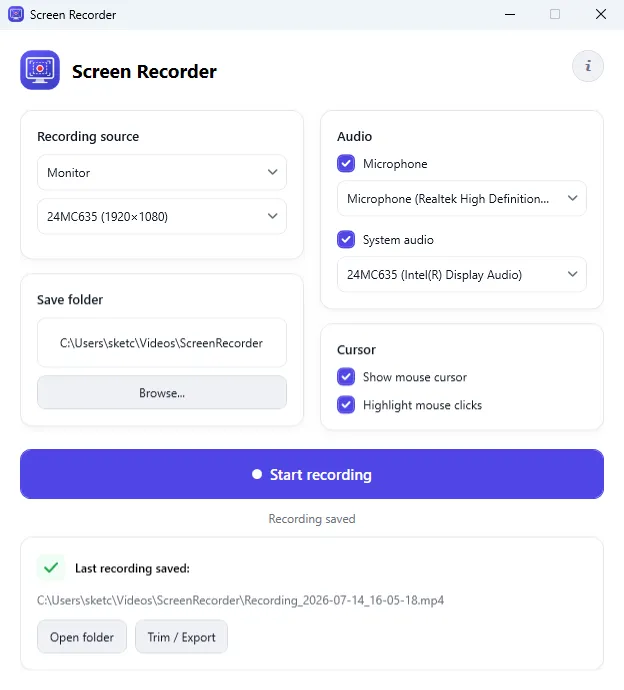
You open the app and pick the monitor you want - the list shows each connected display with its resolution, which is the detail that stops you recording the wrong screen on a multi-monitor desktop. You decide whether to capture your microphone, the sound Windows itself is producing, both, or neither; each source has its own device selector, so narration and application audio do not fight over the same input.
You choose the folder the file should land in, press record, and do the thing you are explaining. When you stop, the app tells you exactly where the MP4 ended up and offers to open that folder for you - no hunting through a default directory somewhere in your user profile.
The clicks are the point
A silent video of a cursor drifting around is not an instruction. Screen Recorder keeps the pointer visible in the finished video and can highlight clicks as they happen, so whoever watches it can see which control you selected and when - the difference between a demo people follow and a demo people re-watch three times. The same thing makes bug reports far easier to act on: the person fixing it can see the exact sequence that broke.
Trim it before you send it
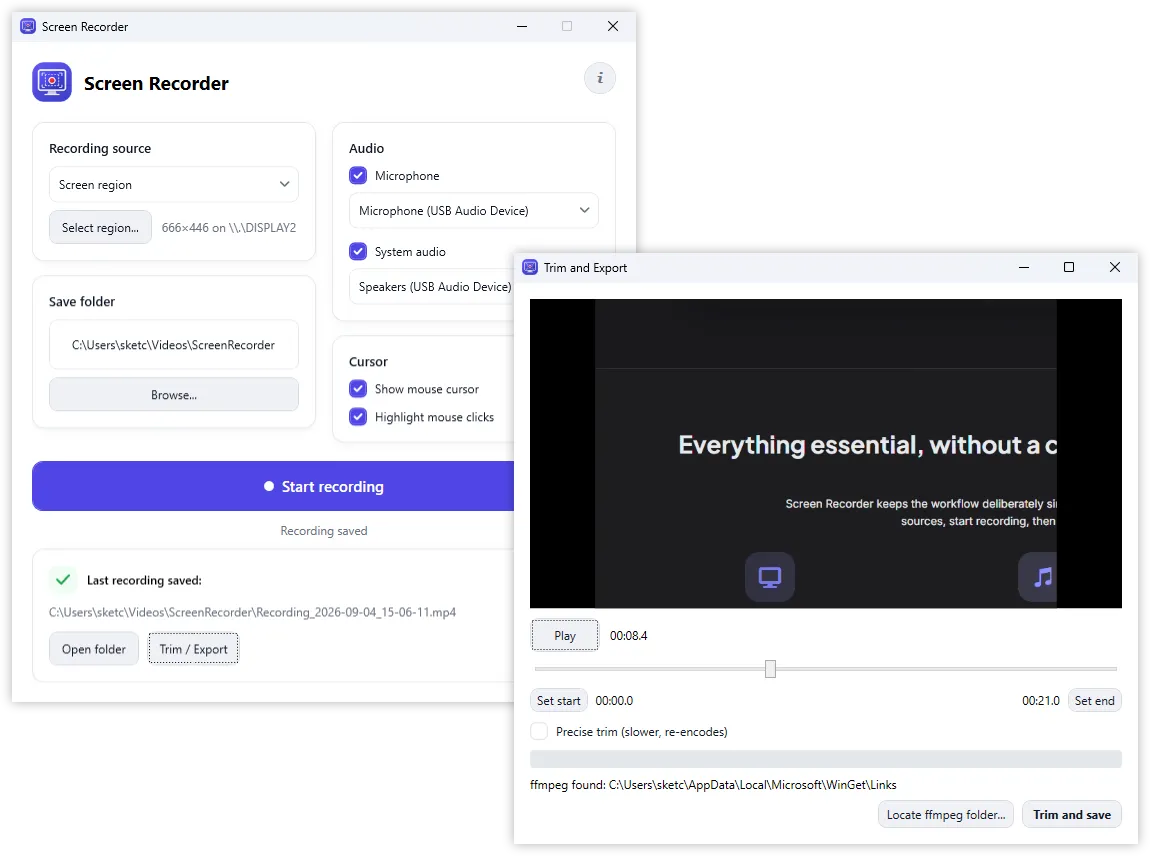
Every recording starts with a few seconds of you reaching for the mouse and ends with you reaching back to stop it. Version 3.0 lets you cut both off without leaving the app: open the capture in the built-in preview, play it back, set the start and end points on the timeline and save the shortened file. For a forty-second clip that is the entire editing job, and a full video editor never has to get involved.
What it costs
Nothing. Screen Recorder is a free download - version 3.0.0.0, for Windows 11 with .NET 10, roughly 2 MB to install. Recordings are plain MP4 files saved on your own disk, so nothing is uploaded anywhere and nothing needs to be unlocked later.
Download: Screen Recorder for Windows (free installer)
Learn more: Screen Recorder product page