Most finance apps show you a list. A list tells you what you spent, but it does not tell you what is coming - which is usually the thing you actually want to know. Rent on the 1st, salary on the 10th, three subscriptions somewhere in the middle, and a card payment you keep forgetting about until the notification arrives.
A calendar answers that question in one glance. That is why Money Calendar puts your money on one.
After years on Windows, Money Calendar is now available on the Mac - a native app, built for macOS, with the same idea at its core.
How It Works
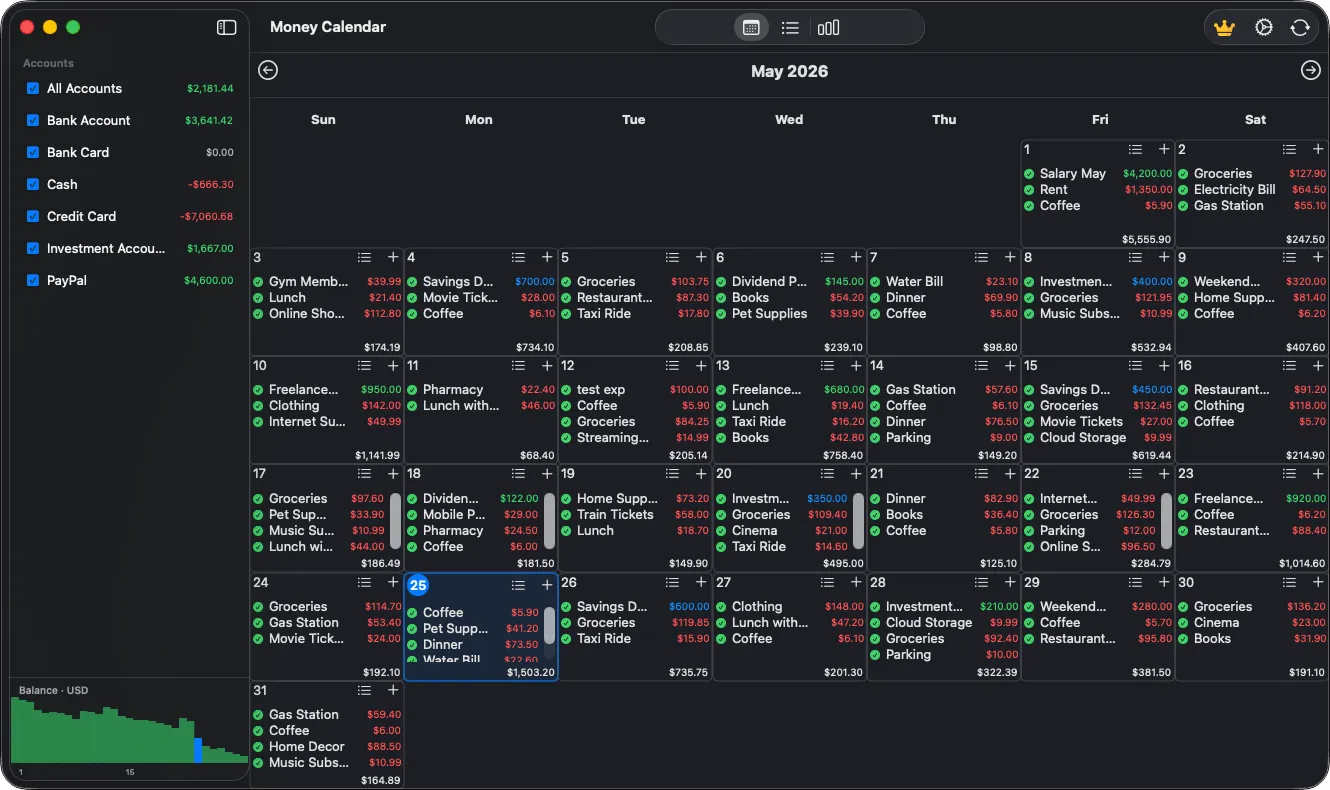
- See your month at a glance: every day shows its income and expenses, so patterns and heavy days stand out without opening anything.
- Open a day to see the detail: the full list of that day's transactions, with the running balance of every account for the date you selected.
- Add an expense, an income or a transfer between accounts in a couple of clicks, and edit or delete it later with confirmation.
- Set up recurring transactions once - rent, salary, subscriptions - and future entries appear on the calendar by themselves. Missed ones are easy to spot, so nothing quietly slips past.
Why You'll Love It
- Accounts in any currency: keep several accounts side by side, each with its own currency and icon, with exchange rates applied so balances stay accurate.
- Categories that match how you think: a tree of income and expense categories with your own colors and icons, as broad or as detailed as you want.
- Reports that answer real questions: where the money went, how the month compares to the last one, and where you are heading.
- Find anything fast: search and filter the full transaction history by account, type or period.
- Native on the Mac: a clean macOS interface that behaves the way a Mac app should.
- Your data stays yours: backups and password protection, with everything kept on your own machine.
Pricing: One Purchase, No Subscription
Money Calendar for macOS costs $9.99 on the Mac App Store - a single, one-time purchase with all future updates included. No monthly fee for keeping track of your own money.
Version 1.0.4 requires macOS 15 or later.
Mac App Store: Get Money Calendar on the Mac App Store
Learn more: Money Calendar product page